
RH 2015 Responsive HTML5, Way to Prevent Default Topic From Being Added to All URL's for a Product's Help Buttons?
Help buttons in our product have redirection links associated with them to bring up window-specific topics (html files within the a Responsive HTML5 help output's html folder, stored on our web server). This setup previously worked okay when I was trying out Responsive HTML5 with a trial of RH11. The help button for a window opened up the correct topic based on what we' had associated with the help button in the product via its redirection link. This setup also has worked okay with the WebHelp output we have traditionally used for help output.
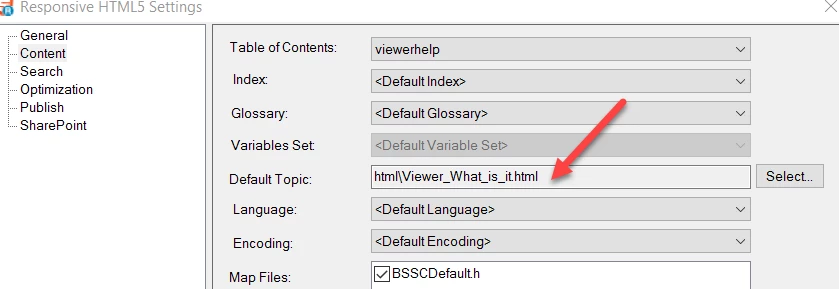
We now have RH 2015 and this setup isn't working as desired with a Responsive HTML5 output. The URL's for any topic that help buttons in the product are supposed to open have text appended to them that cause the default topic for the help project to display rather than the intended topic. The 'default topic' being what I've designated in my help project's Responsive HTML5 Settings > Content window as default.
Is there something that can be done in project settings to prevent default topic details from being tacked on in this manner? In this example, the URL I wanted a help button's redirection link to call up is the text in pink. But the text in yellow is being tacked on, which opens the default help topic (see second image), not the topic I want displayed in this case.



 AdChoices