Tejas Dandekar
Inspiring
February 9, 2018
Answered

RH 2017 - Can we add an About Help box in Web Help output?

  • February 9, 2018
  • 1 reply
  • 555 views

We are using RH 2017 and we generate a Web Help output that subsequently gets integrated with the product build.

We want to be able to identify each Web Help output that is integrated with the product, with a unique build number for traceability and bug tracking. Is it possible to insert some kind of About Help box in the top right corner of the help output?

........

-Tejas

This topic has been closed for replies.
Correct answer Captiv8r

I'm wondering if the built in About box will work?

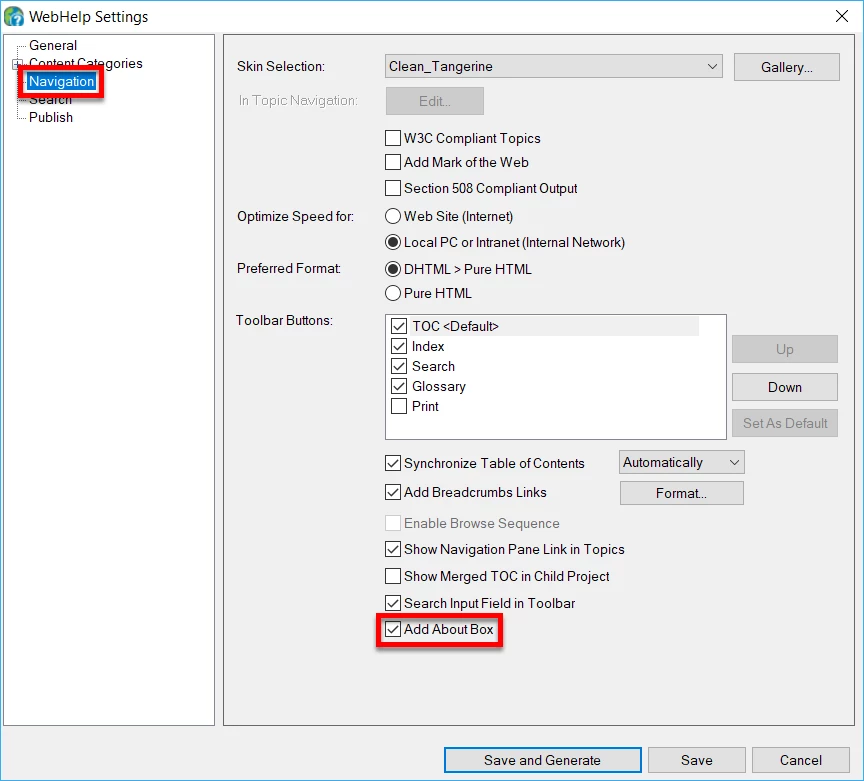
Look at your Single Source Layout settings for WebHelp.

Specifically, click the Navigation item on the left side of the dialog. Then ensure the About item is enabled.

This should then enable the button so it appears in the main toolbar across the top of WebHelp.

You are able to choose the image that appears there.

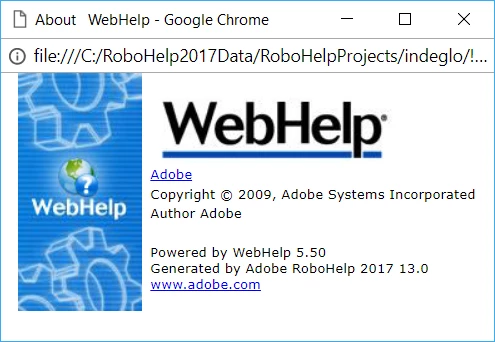
When clicked, your user will see this:

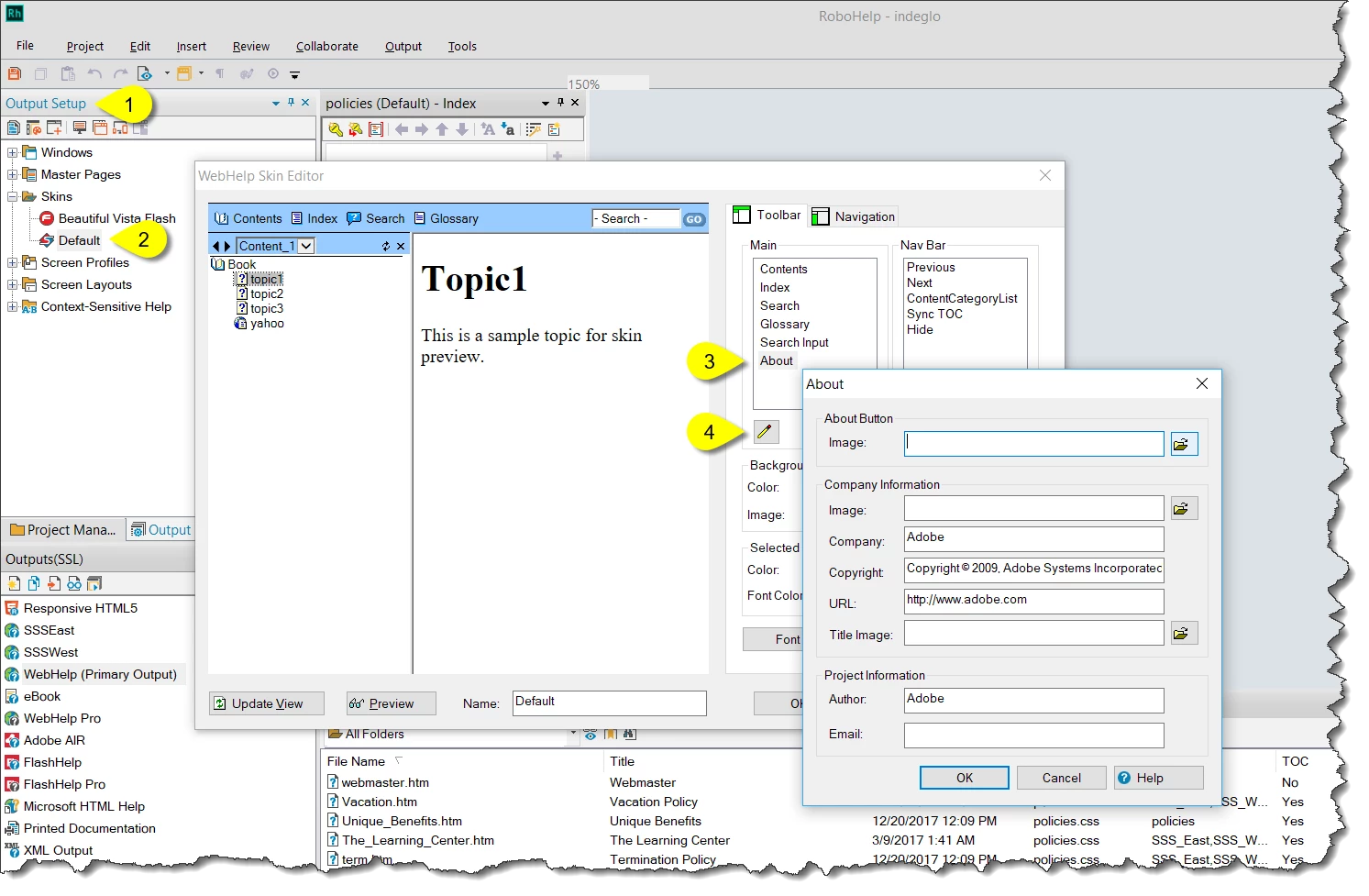
And you are able to change many aspects of this. Just head to your Output Setup pod, open the Skins Editor and double-click the skin you are using. Then change the About images and information.

Perhaps this will get you closer to what you were hoping for?

Cheers... Rick

1 reply

Peter Grainge
Community Expert
Community Expert
February 9, 2018

You might be able to add something to a Master page so that it is in the top right of each topic. Not quite what you wanted but close.

The other solution is to add the build number to the Title Bar, first field in the WebHelp settings. Quick and easy and always visible.


See www.grainge.org for free RoboHelp and Authoring information.

@petergrainge

Use the menu (bottom right) to mark the Best Answer or Highlight particularly useful replies. Found the answer elsewhere? Share it here.
Captiv8r
Captiv8rCorrect answer
Legend
February 9, 2018

I'm wondering if the built in About box will work?

Look at your Single Source Layout settings for WebHelp.

Specifically, click the Navigation item on the left side of the dialog. Then ensure the About item is enabled.

This should then enable the button so it appears in the main toolbar across the top of WebHelp.

You are able to choose the image that appears there.

When clicked, your user will see this:

And you are able to change many aspects of this. Just head to your Output Setup pod, open the Skins Editor and double-click the skin you are using. Then change the About images and information.

Perhaps this will get you closer to what you were hoping for?

Cheers... Rick

Peter Grainge
Community Expert
Community Expert
February 9, 2018

We used to get so many requests to remove that from WebHelp that I had forgotten about it.

Still prefer the title bar but it was an About Box that was requested.


See www.grainge.org for free RoboHelp and Authoring information.

@petergrainge

Use the menu (bottom right) to mark the Best Answer or Highlight particularly useful replies. Found the answer elsewhere? Share it here.