
mjjhhc
Known Participant
October 20, 2020
Question

RH 2019 Classic - Browse for SharePoint locations causes crash

  • October 20, 2020
  • 3 replies
  • 383 views

Hello,

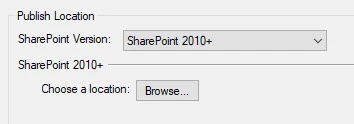
Using 2019 Classic. On Responsive or Multiscreen output settings, SharePoint tab, if I attempt to choose (Browse) the SharePoint location, RH crashes. Anyone know how to fix/prevent crash? thanks very much! 
This topic has been closed for replies.

3 replies

Community Expert
October 26, 2020

I've never used Sharepoint but I suspect it's likely given the links I posted.


You could try not using the publish function and just tick the Generate Sharepoint Native checkbox to see if that generates the native format. If it does you should be able to manually copy the files up, I would imagine.

mjjhhc
mjjhhcAuthor
Known Participant
October 26, 2020

I used your idea to generate aspx, and I can copy. Will try publishing with 2019, and update this thread with results.

mjjhhc
mjjhhcAuthor
Known Participant
October 22, 2020

(therror displayed is) 

Community Expert
October 21, 2020

What version of Sharepoint are you using?


I found this blog post (probably written for RH2017) which suggests you can only publish to on premises Sharepoint 2007, 2010 and 2013. 


https://blog.iconlogic.com/weblog/2018/01/adobe-robohelp-publish-to-sharepoint.html


This page says only Sharepoint 2010 is supported for Classic, although I'm unsure if it's talking about source control, publishing or both.

https://helpx.adobe.com/robohelp/user-guide.html/robohelp/using/rh_system_requirements.ug.html

mjjhhc
mjjhhcAuthor
Known Participant
October 22, 2020

Thanks very much!
I am using SP 2016.
Do you know, is that what causes the crash?
Would be cool if I could generate native SP output and then attempt a copy. I’ll run a couple more tests.
Thanks again.