


Answered
RH 2019 Classic - How to Enable Check-in Comments Prompt? (With Sharepoint for Version Control)
Greetings!
I need the community's help with something that we're having a very hard time accomplishing (given that it's possible)
Pre-history:
- We are currently on RH 9 and have been testing RH 2019 for a few months
- Last week, we were finally able to connect RH 2019 Classic with Sharepoint (so that we can use it for version control)
- After the connection was established, we started testing every possible scenario so that we can push the tool to its limits and see what activities potential "break" the projects
- Surprisingly, most things work pretty well, except the inability to force a comments box/prompt to appear at check-in (see details below)
Here's how RH 2019 Classic behaves each time we do a Check-In:
- If we click "check-in" or "check-in all" - there's no prompt giving us the option to enter a check-in comment. The activity is however immediately and accurately recorded under "Show History"
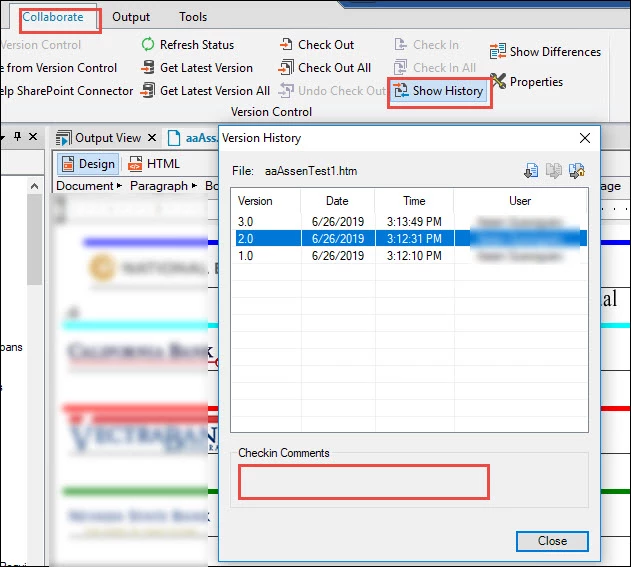
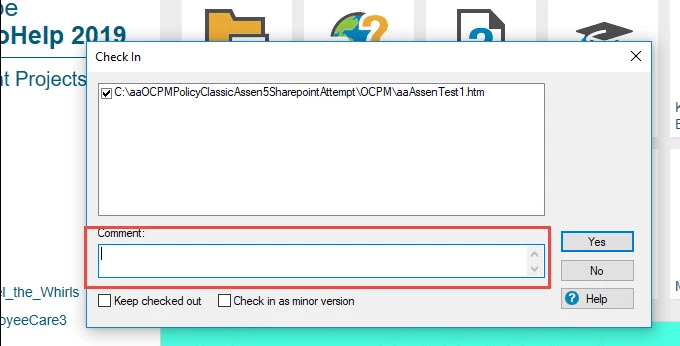
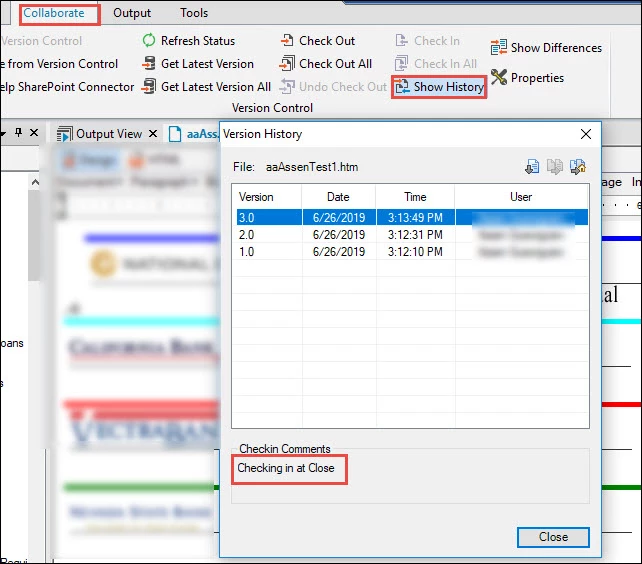
- If we however try to go to File->Exit BEFORE checking-in the file, then a prompt will come up each time, reminding us to check-in and giving us the option to enter a comment (which in-turn will appear under Version History)
Question for the Experts:
If you happen to know of a way to force a comments box/prompt to appear with every check-in, could you please share where that setting is?
We've gone through countless manuals, RH and SharePoint Settings, blog posts and more. Sadly have not been able to find an answer yet.
Thank you in advance 
P.S. We have not tried this with RH 2017, but if you have been able to enable this prompt there, we may be able to apply the same steps to RH 2019 Classic.
 AdChoices