Inspiring
July 7, 2020
Question

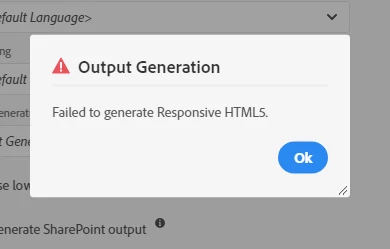
RH 2019, failed to generate responsive HTML5

  • July 7, 2020
  • 8 replies
  • 332 views

I'm using RH 2019.

When I generate responsive HTML5, an error occurs.

I can't see any error log. How can I do solve it?
 

    This topic has been closed for replies.

    8 replies

    Peter Grainge
    Community Expert
    Community Expert
    July 7, 2020

    The correct way is to generate locally. To get the output on a network drive or website you need to publish using the various options there. See Publishing in the supplied RoboHelp Reimagined sample project.


    Use the menu (bottom right) to mark the Best Answer or Highlight particularly useful replies. Found the answer elsewhere? Share it here.
    Inspiring
    July 7, 2020

    When I choose a local folder as a target folder, generated Responsive HTML5 successfully.

    Thanks.

    Community Expert
    July 7, 2020

    Oh and make sure all the topics are in the table of contents file and you've selected the table of contents in the output preset. In New UI, if the topic isn't in the TOC, it won't be included in the output at all.

    Community Expert
    July 7, 2020

    A bunch of random things that have made help not generate. There are more but I think these are the most likely things to try.


    Check that you've specified an Output Path in the output preset. I would make it a folder on your local disk, rather than a network location. The Start Page should be index.htm, which will be generated by RH and contains the "stuff" needed to make the search, glossary, skin etc work.


    Make sure you select a Default Topic in the Content section. Do not specify index.htm as this will cause all sorts of problems. Usually it'll be a welcome or introduction page.


    Make sure you select a Skin in the Layout section.

    Inspiring
    July 7, 2020

    No, never generated successfully. I made a very simple project that has only 3 topics(pages).

    Community Expert
    July 7, 2020

    Also, make sure you're on the latest patch, which as of today is Update 14.

    Community Expert
    July 7, 2020

    Has the output generated successfully before? If yes, what has changed since then?


    [Please use the Reply button at the top of the page to ensure replies are in time order]

    Community Expert
    July 7, 2020

    Right-click on the output preset and select View Log. That might help determine where the build is failing.

    Inspiring
    July 7, 2020

    How can I fix it?
