Inspiring
July 7, 2020
Answered

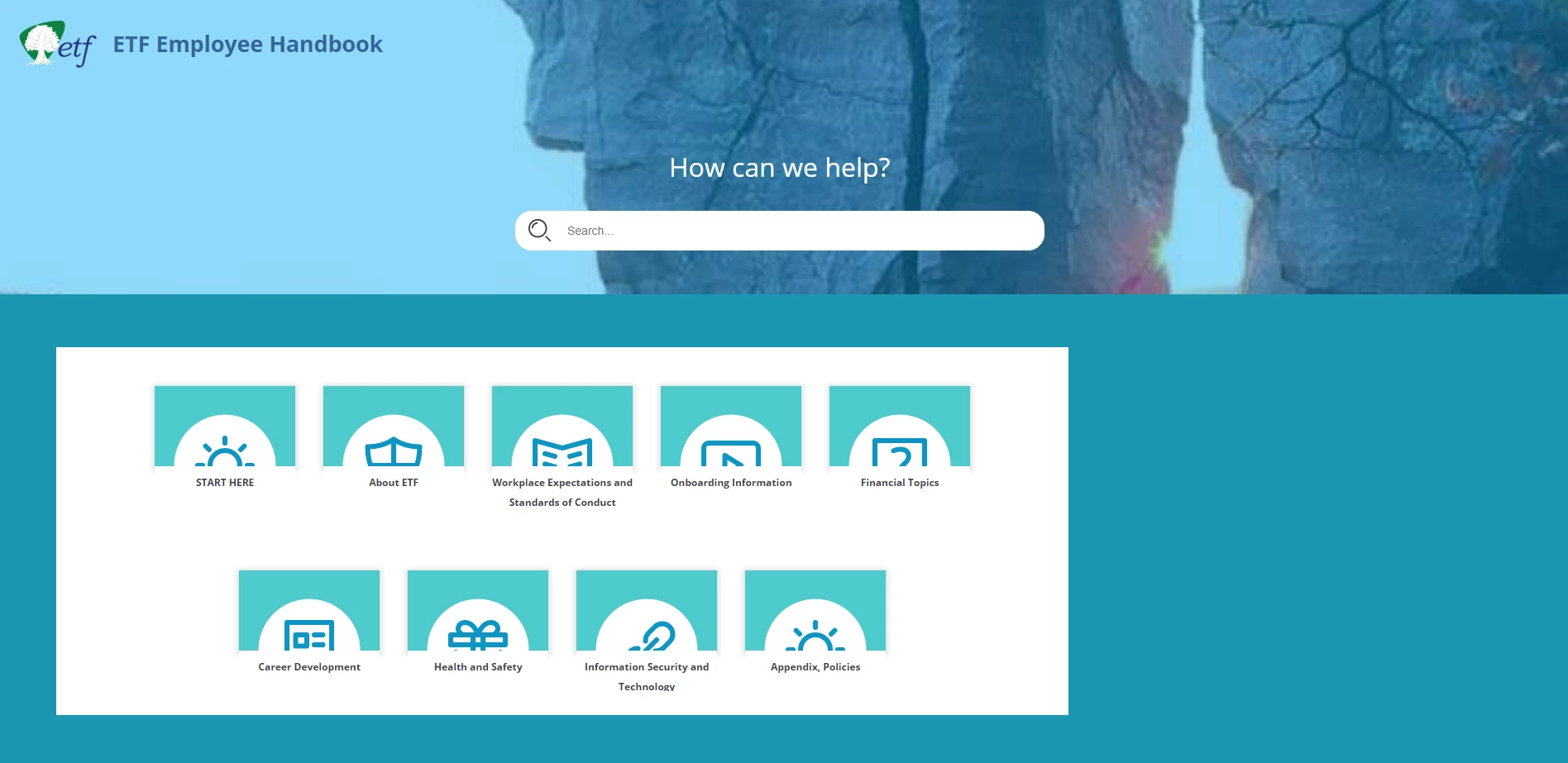
(RH 2019, new UI) How to center TOC tiles area on home page?

  • July 7, 2020
  • 6 replies
  • 518 views

Hi, Everyone.


I'm in RH 2019 (new UI) trying to center the TOC tiles area on the home page of a frameless skin (Oceanic). 


Any help is much appreciated!
 

    This topic has been closed for replies.
    Correct answer Peter Grainge

    I think that's where the tiles are centred within their "frame". Try container above. This will have happened as soon as you made some change so you need to try and backtrack through what you have done. Hopefully you take regular backups and can go back through them until you find where it changed.


    You can duplicate a skin so a good idea is to do that before you make any changes. Then you can revert to the duplicate if what you have done goes wrong and you can't correct it.


    6 replies

    Community Expert
    October 6, 2022

    You should be able to set "auto" for margin-left and margin-right to created matched left and right margins but it's not possible in RH2020.8. I haven't yet checked RH2022 to see if it correctly supports the "auto" keyword. 

    Inspiring
    August 24, 2020

    Following up Peter's solution, I checked a few backups and found the problem.


    It had the skin's setting for the following set to "70%."  Changing back to 100% brought the tiles back to center.


    [Skin] > Home Page > TOC Tiles > toctiles > Layout > Width

    (See screenshot)


    Known Participant
    October 5, 2022

    And to jump in here, is there a way to center the TOC tiles if you reset the percentage to less than 100%? I want the container to be 75% but to still be centered. Is that possible?

    Known Participant
    October 5, 2022

    I ended up changing the margins of the TOC Tiles container to a different size so that the tiles appear in the order and in the row that I wanted and are still centered.


    Hope this helps someone.

    Inspiring
    July 8, 2020

    Great advice, Peter.  


    I forgot that I could go back to a backup to look at settings before the issue started. I'll do that now.


    Thanks!! Have a great afternoon. (Or evening where you are.)

    Peter Grainge
    Community Expert
    Peter GraingeCommunity ExpertCorrect answer
    Community Expert
    July 8, 2020

    I think that's where the tiles are centred within their "frame". Try container above. This will have happened as soon as you made some change so you need to try and backtrack through what you have done. Hopefully you take regular backups and can go back through them until you find where it changed.


    You can duplicate a skin so a good idea is to do that before you make any changes. Then you can revert to the duplicate if what you have done goes wrong and you can't correct it.


    Use the menu (bottom right) to mark the Best Answer or Highlight particularly useful replies. Found the answer elsewhere? Share it here.
    Inspiring
    July 7, 2020

    Shoot, yes, Peter's right. I've confirmed this by replacing the skin as described in Peter's answer.


    Thank you, Peter.


    Any idea where to start looking for the setting that's causing my issue?


    Here's where you can see the layout is set to "centered":


    Peter Grainge
    Community Expert
    Community Expert
    July 7, 2020

    The default is centred so it looks like something you have changed has had that effect. Add a further copy of that skin with a slightly different name and no customisation. You should see that area centred as confirmation.


    Use the menu (bottom right) to mark the Best Answer or Highlight particularly useful replies. Found the answer elsewhere? Share it here.
