
Inspiring
July 14, 2020
Question

(RH 2019, new UI) How to prevent book from showing in Homepage TOC

  • July 14, 2020
  • 2 replies
  • 191 views

Hi, Everyone.


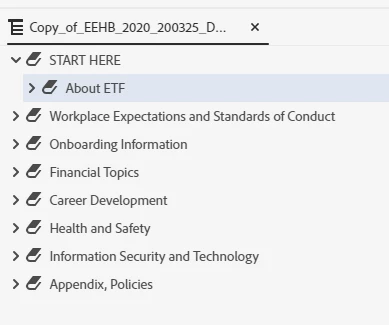
My homepage TOC isn't behaving the way I think it should. Shouldn't only top-level books appear in the TOC? 


Here's my TOC in the editor (Screenshot 1):

SCREENSHOT 1
 

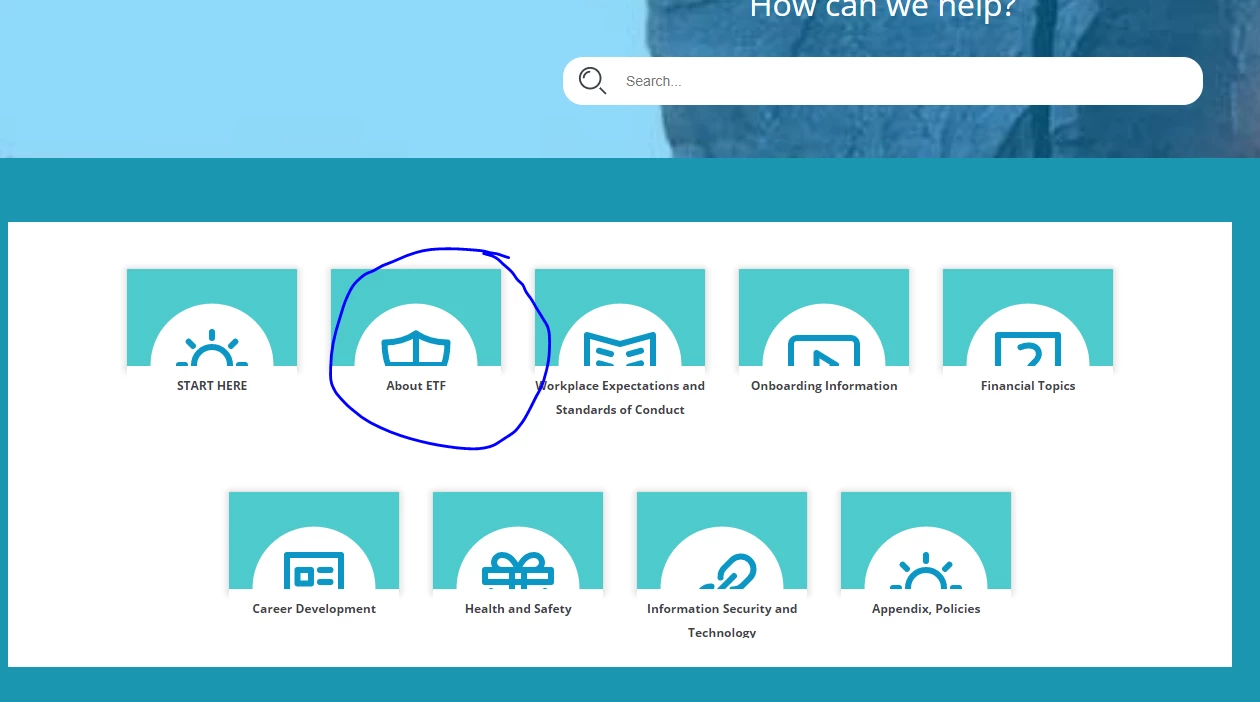
But here's my home page. See the tile titled "About ETF" (Screenshot 2)? That's a 2nd-level book. 


SCREENSHOT 2


Thank you in advance for your help! 

    This topic has been closed for replies.

    2 replies

    Inspiring
    July 15, 2020

    Ah, yes, my skin is Oceanic.


    I do only want top-level books to show on home page tiles.


    The 2nd-level book called "About ETF" is the only 2nd-level book that has a tile on the home page.


    I'll try your suggestions and get back to you.


    Thanks, Peter!

    Peter Grainge
    Community Expert
    Community Expert
    July 15, 2020

    Please always include the skin. I for one can't remember who is using what. 🙂


    I can't see settings in the obvious skins that allow you to change what shows from anything other than top level books. If there were such a setting it would apply to all lower level books so are there other examples?


    Have you tried deleting it, generating and then adding it back?


    Do any of your books have topics linked? It shouldn't cause this behaviour but worth testing.


    Use the menu (bottom right) to mark the Best Answer or Highlight particularly useful replies. Found the answer elsewhere? Share it here.