
Inspiring
October 28, 2020
Answered

(RH 2019, new UI) Master page doesn't seem to do anything

  • October 28, 2020
  • 7 replies
  • 271 views

Hi, Everyone.


In RH 2019, new UI, I may be misunderstanding what a Master Page is for. But I've created one, hoping to apply it to all topics and have each topic take on the layout specified in the Master Page. But when I apply the Master Page to a topic, nothing happens.


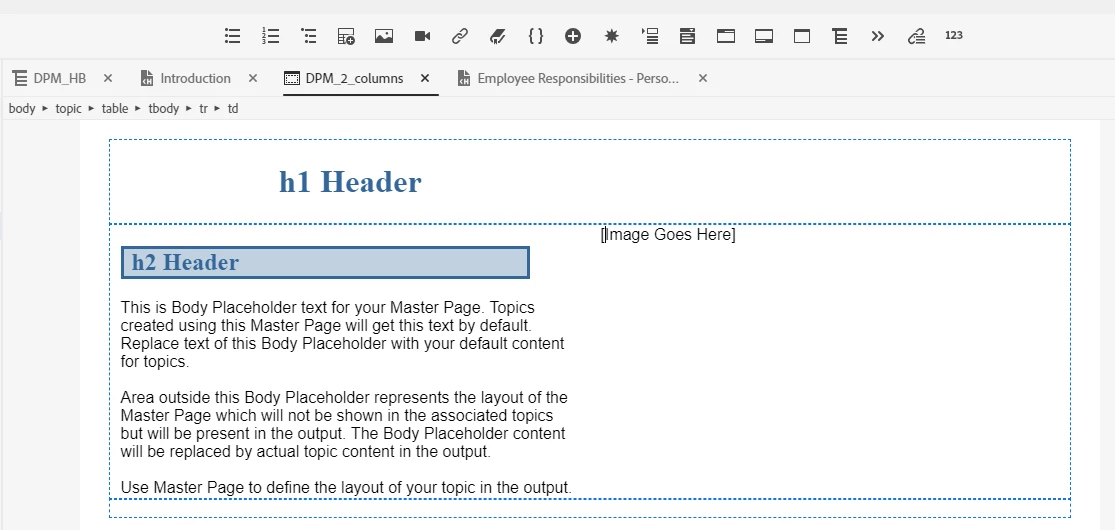
Here's my Master Page (screenshot). Its main feature is a two-column layout in the body and the header:


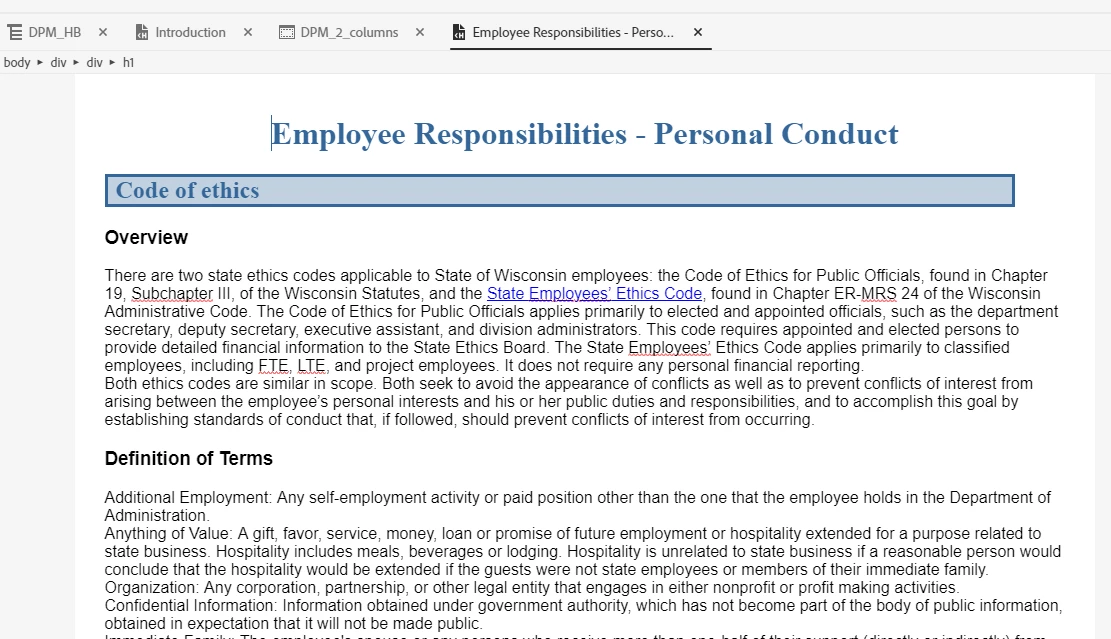
But, I apply it to an existing topic, and the topic does not change, at all (screenshot):


Am I doing something wrong?


Thank you!


    This topic has been closed for replies.
    Correct answer Amebr

    Master pages do not affect the body, except when you create a new topic and select the master page in the topic creation dialog box.


    That's just how Adobe built them.


    Here's my thought experiment. I have a topic with a heading, 2 paragraphs, an image, two more paragraphs and another image.  Maybe I want all the text in the left side and the images in the right. Or maybe I want the first two paragraphs and first image in the first column, and the second two paragraphs and second image in the second column? How is Robohelp going to know which layout I want? In the case where I decide to place all the images in column two, if I later remove the table from the master page, where do the images go? Do the images all get lumped at the bottom of the topic? What if I want one to go after paragraph one and one after paragraph 3? Or after paragraphs 2 and 4? Again, how can RH know what layout I intend for my existing content?


    7 replies

    Inspiring
    November 2, 2020

    Oh, I get it. Yes, that makes sense, thanks.


    I'm going to start a new thread b/c this makes me realize a new way to ask my question. 


    Thanks, Amber!

    Community Expert
    October 30, 2020

    I conclude there is no satisfactory way for structural changes to the master page to affect the body of existing topics, because it can't read minds. 🙂

    Inspiring
    October 30, 2020

    Oh, okay! Then I will use a Master Page only to CREATE topics. That will save at least some configuration work. Thank you, Amber!


    Also, I'm following you in the thought experiment. But I'm not sure what conclusion to draw from it. Can you please spell out what conclusion it leads you to?


    Thank you!

    AmebrCommunity ExpertCorrect answer
    Community Expert
    October 29, 2020

    Master pages do not affect the body, except when you create a new topic and select the master page in the topic creation dialog box.


    That's just how Adobe built them.


    Here's my thought experiment. I have a topic with a heading, 2 paragraphs, an image, two more paragraphs and another image.  Maybe I want all the text in the left side and the images in the right. Or maybe I want the first two paragraphs and first image in the first column, and the second two paragraphs and second image in the second column? How is Robohelp going to know which layout I want? In the case where I decide to place all the images in column two, if I later remove the table from the master page, where do the images go? Do the images all get lumped at the bottom of the topic? What if I want one to go after paragraph one and one after paragraph 3? Or after paragraphs 2 and 4? Again, how can RH know what layout I intend for my existing content?


    Inspiring
    October 29, 2020

    Thanks for for that explanation, Amber. Good to know.


    What I'm still unclear about is why the master page has no affect on the body after generating output? 


    I've configured the master page with a two-column layout for both the body and the header (using a two-cell table😞


    But the output doesn't reflect the two-column layout in the body. (It does show in the header):  


    Do tables not work in master page bodies? 


    Thank you.

    Community Expert
    October 28, 2020

    For existing topics, you will only see an effect in the output for header and footer content in the master page. The body of the topic will not be affected.


    If you create a new topic from a master page, initially the content in the body of the master page will be copied to the new topic. However there is no link back to the master page, so if you later change the master page, the existing topics will not update.

    Inspiring
    October 28, 2020

    PS:  I've now generated output, and there is some evidence that the Master Page has an effect. The "h1 header" placeholder does appear in the output. And it's laid out in two columns (screenshot). But there seems no change to the body.  


    Thank you!