
Inspiring
April 25, 2019
Answered

RH 2019 Responsive HTML5 Screen Layouts

  • April 25, 2019
  • 3 replies
  • 1572 views

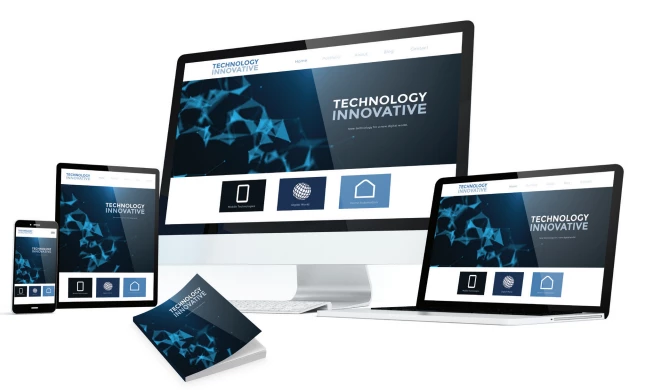
Hello! I'm currently running RH 2017 and generating Responsive HTML5 output. The included screen layouts (e.g., Azure Blue, Charcoal Gray) are IMO, a little dated, even with customization, so I'm looking for some that are more modern/attractive. Hence, I'm curious what new Responsive HTML5 layouts are included in RH 2019, what they look like, and whether they can also be used with RH 2019 Classic and/or RH 2017. Here's an example that I think shows promise (from the RH 2019 brochure) of what I mean when I say modern/attractive. I *could* install the demo/trial, but I'm attending Adobe's workshop at the STC Summit next week so I want to hold off on starting the trial clock until right before that. With that in mind, can someone provide a list of all Responsive HTML5 screen layouts included, and also screen shots of them in generated output? TIA!
This topic has been closed for replies.
Correct answer RoboFan

Any reaction from Adobe in this regard?

I'm working on a Proof of Concept right now, trying to convince our Board to switch some of our documentations from FrameMaker-generated output to RoboHelp content. I would have to spend some hours hacking the "Coffee" skin to look a little bit more like a real Help Center website if there's no silver lining to get a skin like the one in the ads.


I talked to Adobe at the STC Summit conference in Denver. The next update (#8 - next month, I believe) is slated to include a new HTML5 Responsive frameless layout. I got to see a preview. It looks slick! Better, IMO, than the screen shot in my original post (taken from the announcement PDF) here.

3 replies

RoboFanAuthor
Inspiring
April 25, 2019

I agree. I was curious to see how they worked - and excited that the functionality was apparently built in to an included skin/layout. I could probably hack in a horizontal menu bar, but the rest of my team would kill me.

I'll talk to Adobe at the conference. Thanks again for all the feedback, Peter!

Community Expert
April 29, 2019

Also, the way RH 2019 (New) works, the skins aren't hackable the way they were in previous versions. There is no underlying xml/html (plain text) template to access. The customisation options Adobe gives you in the interface is it. Possibly there are a few things you can do by including custom scripts, but I suspect what you can achieve will be fairly limited.

RoboFanAuthor
Inspiring
April 29, 2019

Hmm... "...aren't hackable the way they were in previous versions." So that's a bummer - for me at least. My co-workers will probably appreciate it though. I'll be installing the 30-day trial version later this week before heading to the Adobe workshop. Looks like I'll have a better understanding/feel for what we can do once I start playing around with it.

Thanks for the input, Amebr!

RoboFanAuthor
Inspiring
April 25, 2019

Thank you for sharing!

It appears on page 4 of the RoboHelp 2019 brochure, accessible from Adobe's website here: https://www.adobe.com/content/dam/acom/en/products/robohelp/robohelp_2019/pdf/RH_Brochure.pdf 

Peter Grainge
Community Expert
Community Expert
April 25, 2019

The headings on that image look more like a web page. I think you need to

take that up with Adobe at the conference.

Peter Grainge

www.grainge.org

@petergrainge

Use the menu (bottom right) to mark the Best Answer or Highlight particularly useful replies. Found the answer elsewhere? Share it here.
gbr_forum
Participant
May 7, 2019

Any reaction from Adobe in this regard?

I'm working on a Proof of Concept right now, trying to convince our Board to switch some of our documentations from FrameMaker-generated output to RoboHelp content. I would have to spend some hours hacking the "Coffee" skin to look a little bit more like a real Help Center website if there's no silver lining to get a skin like the one in the ads.

Peter Grainge
Community Expert
Community Expert
April 25, 2019

There's nothing new yet so talk to the Adobe people about what you would like to see. Customisation is a lot more comprehensive but I don't think that's what you are looking for.


See www.grainge.org for free RoboHelp and Authoring information.

@petergrainge

Use the menu (bottom right) to mark the Best Answer or Highlight particularly useful replies. Found the answer elsewhere? Share it here.
RoboFanAuthor
Inspiring
April 25, 2019

Thanks, Peter. I could've sworn I saw something somewhere indicating that at least one new Responsive HTML5 layout (in addition to Azure Blue and Charcoal Gray) was released with RH 2019.

Jeff_Coatsworth
Community Expert
Community Expert
April 25, 2019

Indigo?