


Inspiring
November 19, 2021
Question

RH 2019 : Table width doesn't apply

  • November 19, 2021
  • 2 replies
  • 208 views

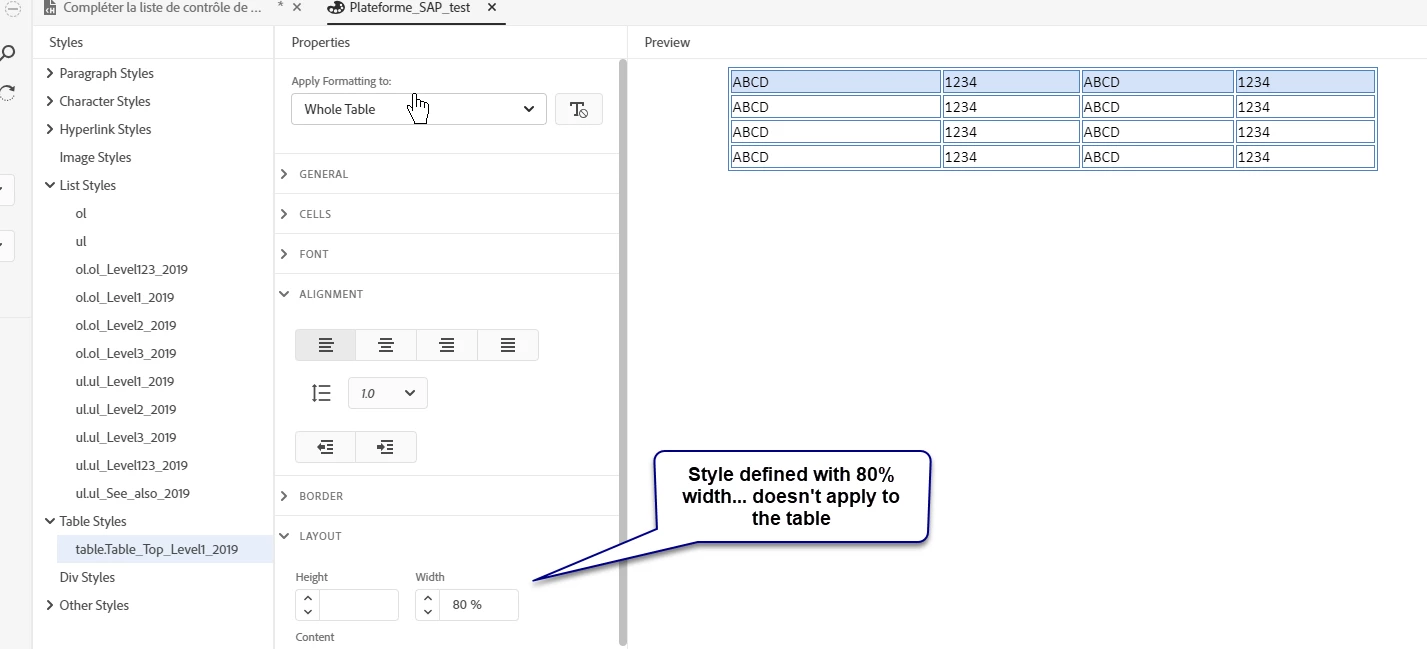
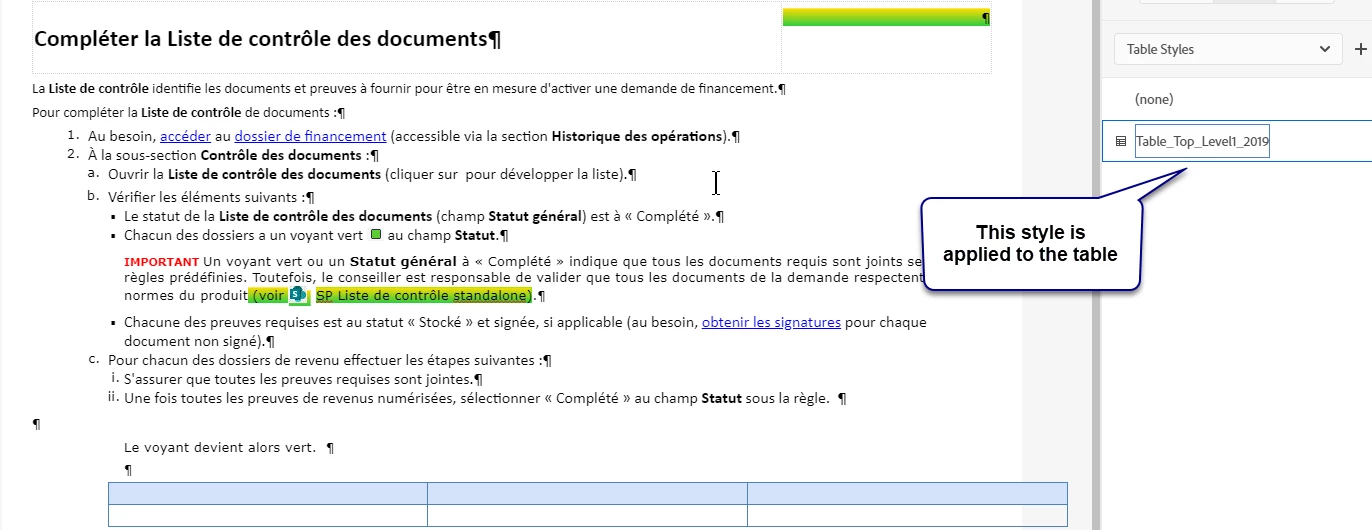
I would like to know if it is possible to specify the width of a table in a Table style in the css.  I see that it is possible to specify it in the table properties of a specific table but in the style I tried the Layout tab but it doesn’t seem to work. In the Preview you can see the width of the table decreasing or increasing according to the specified width but when I apply the style to a table, the width is not applied.


    This topic has been closed for replies.

    2 replies

    Legend
    November 24, 2021

    Another workaround is to select the inserted table in the breadcrums and click "Clear Formatting" in the content properties before assigning your table style. This way, you don't need to switch into the source code.


    Peter Grainge
    Community Expert
    Community Expert
    November 19, 2021

    I am seeing the same in 2019 and 2020. The process to add a table is to insert from the menu and then apply the style. The width before you apply the style is set to 100% and that doesn't get overwritten.


    The workaround is to go into the source code and change the width there as that works.


    I will take this up with Adobe.

    ________________________________________________________
    See www.grainge.org for free Authoring and RoboHelp Information

    Use the menu (bottom right) to mark the Best Answer or Highlight particularly useful replies. Found the answer elsewhere? Share it here.
    Inspiring
    November 19, 2021

    HI Peter, 

    Thank you very much!  This is what I did. I added the table from the menu and then assigned the table style.  All other attributes are assigned to the table except the width.  So thank you for reporting the problem!