


Participating Frequently
July 28, 2022
Answered

RH 2020 Authoring Environment

  • July 28, 2022
  • 1 reply
  • 161 views

I need help with what I hope is an easy fix. This is what my authoring environment looks like in RH 2015.
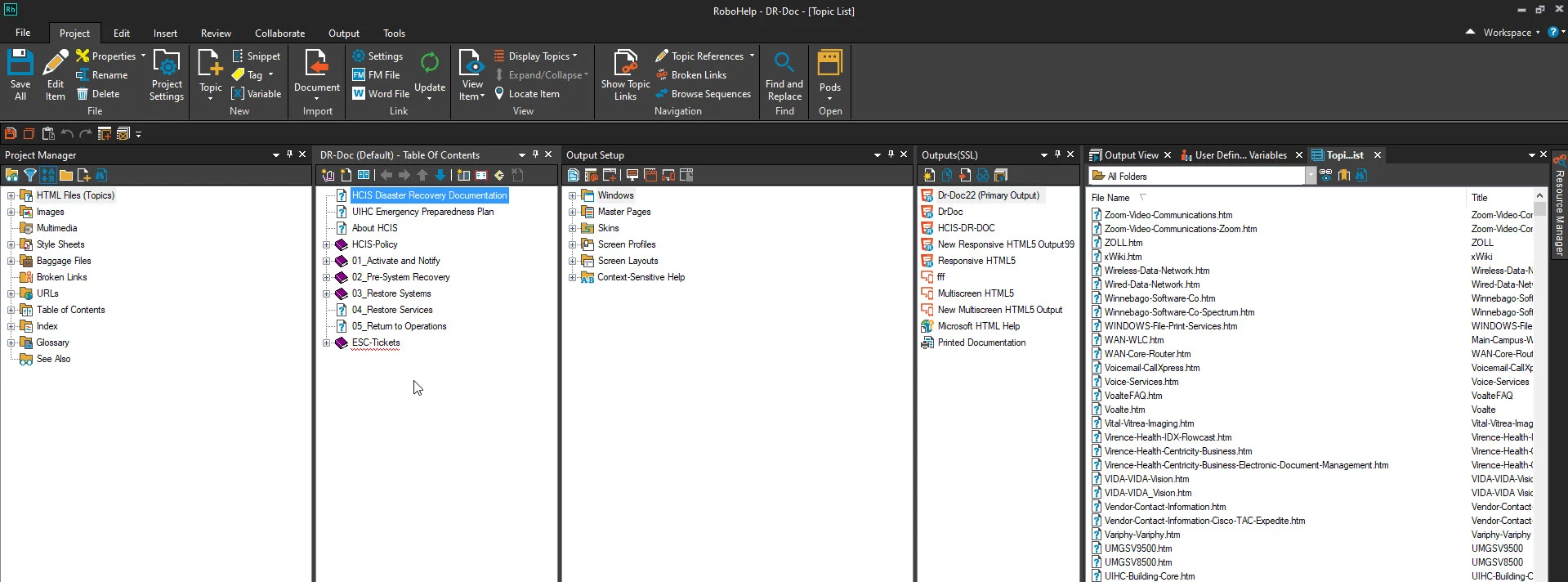

The way it is set up allows me to drag a folder in the HTML Files (Topics) section, select a book, and drag it to the Table of Contents pane. The screenshot below shows the Active Directory and the Avamar folders in the HTML Files (Topics) section being in the TOC.

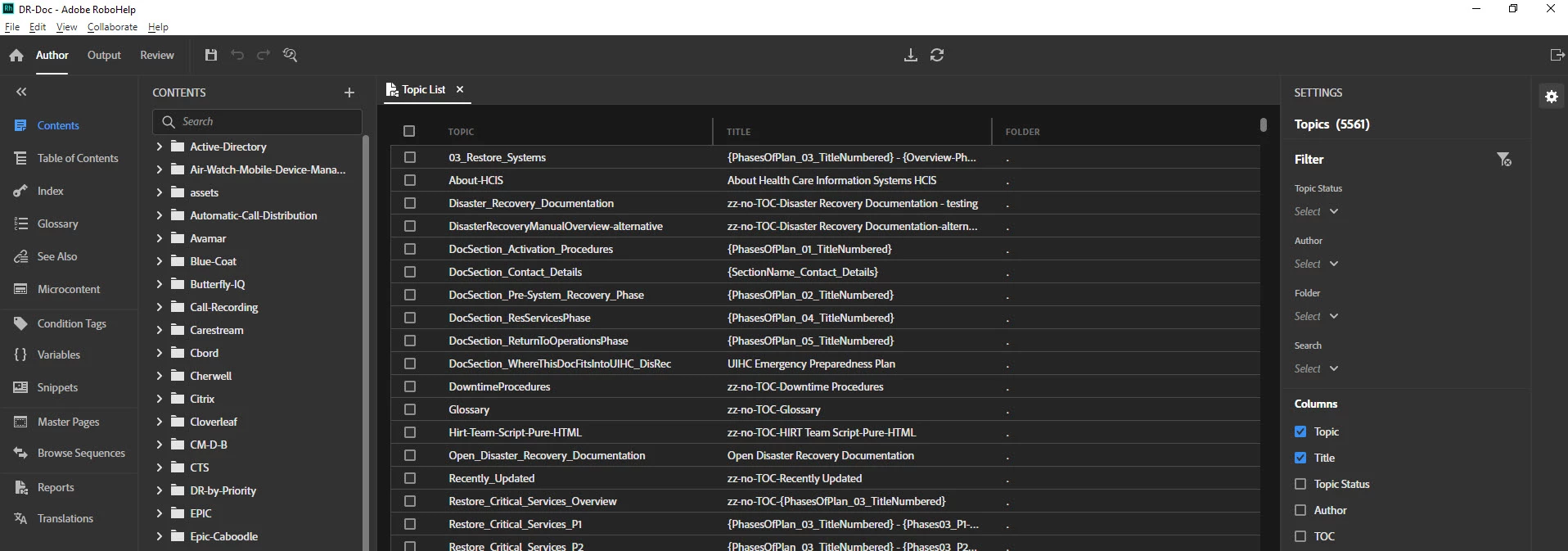
This is what my authoring environment looks like in RH 2020. How do I show the Contents section next to the Table of Contents at the same time? I cannot figure it out...

    This topic has been closed for replies.
    Correct answer Peter Grainge

    Double click the TOC and it will open in the main authoring panel, then click Contents on the left.

    ________________________________________________________
    My site www.grainge.org includes many free Authoring and RoboHelp resources that may be of help.


    1 reply

    Peter Grainge
    Community Expert
    Peter GraingeCommunity ExpertCorrect answer
    Community Expert
    July 28, 2022

    Double click the TOC and it will open in the main authoring panel, then click Contents on the left.

    ________________________________________________________
    My site www.grainge.org includes many free Authoring and RoboHelp resources that may be of help.


    Use the menu (bottom right) to mark the Best Answer or Highlight particularly useful replies. Found the answer elsewhere? Share it here.