



Question
RH 2020 - How do I get a glossary into my printed output?
I'm re-trialing RH 2020, Update 7.
How do I add a glossary into my printed output? There's something missing or a disconnect in information:
RoboHelp's own Help file here https://helpx.adobe.com/robohelp/using/glossary.html states:
- In the Output Presets panel, select your desired output preset from the given options. You can choose from output presets options such as Responsive HTML5, Mobile App, Frameless, eBook, and more.
- Select the Content tab.
- In the Glossary field, select your desired glossary file from the drop-down list.
However, there is no such Glossary field in the output preset:
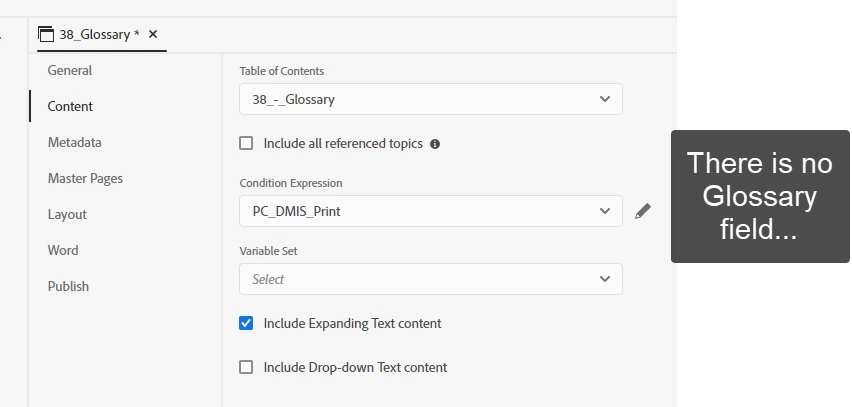
What am I missing? Thanks in advance.
 AdChoices