
Inspiring
October 12, 2020
Question

RH 2020 - Studio Skin - Contents not displaying properly in frameless output

  • October 12, 2020
  • 3 replies
  • 200 views

In the merged output, each set of release notes is a child project.

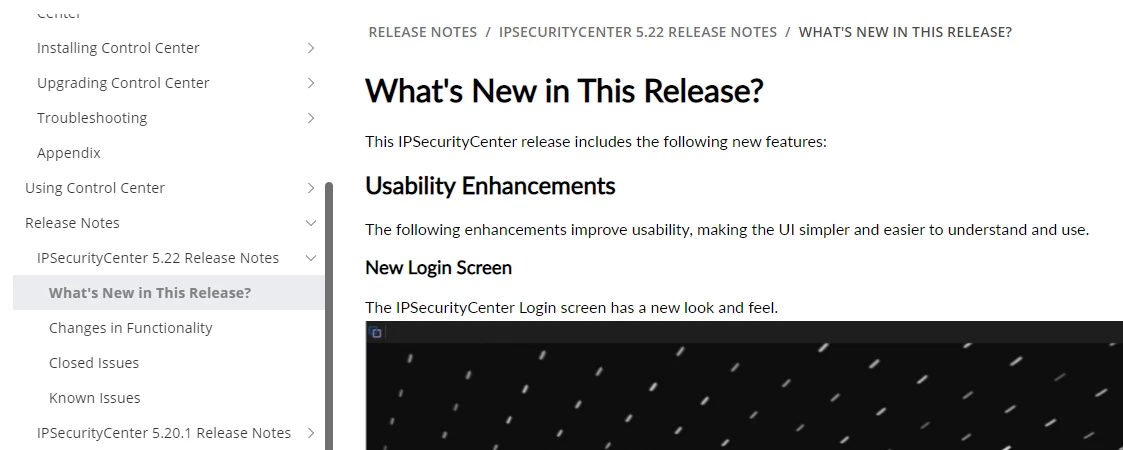
In this screenshot, you can see that you can navigate to a second level TOC entry in the merged output and the table of contents still displays:
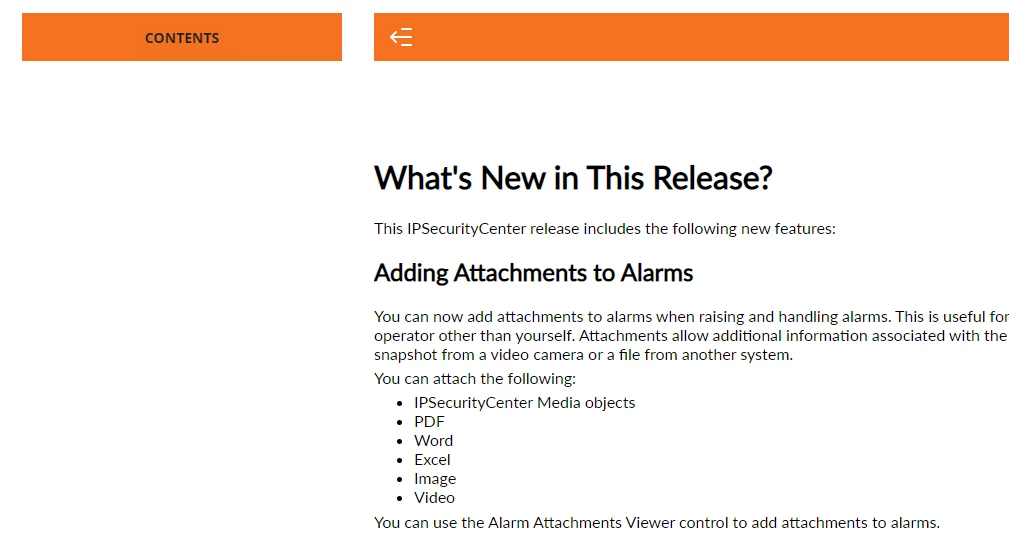
In the screenshot below, going to the same second level TOC entry for anther child project and the table of contents does not display.
 

This is happening for several projects and I cant work out what is different between the projects that are working and the projects that arent working. I tried creating a new project from scratch with one of the problem projects and got the same issue. Here are the steps I performed:

  1. In RH 2020, File > New project
  2. Created new topics
  3. Copied the content from each of the old topics in the old RH project to notepad ++ and then copied the content from notepad ++ to the new topics and reformatted the content in the new topics. 
  4. Copied the css file from the old project to the new project. 
  5. In the new project, added a studio skin and generated the frameless output to the merged project folder. Output generated successfully. But contents still not displaying correctly in the output.


    This topic has been closed for replies.

    3 replies

    Peter Grainge
    Community Expert
    Community Expert
    October 12, 2020

    First double check the instructions on my site that I pointed you to. Particularly that the parent TOC is pointing to the child projects and not to some file within.


    Does the downloadable demo work for you?


    Can you share the whole merge? If you can, then see the Contact page on my site and send the project as instructed there. Do make sure you include a link to this thread and please do not email the project direct.


    Use the menu (bottom right) to mark the Best Answer or Highlight particularly useful replies. Found the answer elsewhere? Share it here.
    Inspiring
    October 12, 2020

    The output path is correct. Yes I generated the parent project first and then generated each child project. Not sure where to go from here.

    Peter Grainge
    Community Expert
    Community Expert
    October 12, 2020

    With all those changes it's important you check the parent TOC is pointing to the right projects and is generated afresh before generating the child projects.


    Use the menu (bottom right) to mark the Best Answer or Highlight particularly useful replies. Found the answer elsewhere? Share it here.