


RH 2022 Application Error when selecting CSS pseudo-classes
RoboHelp 2022.2.22
Hi,
I am encountering an application error while editing any Frameless Home Page or Topic Page template. Whenever I click an object that has a css psuedo-class such as Left Panel > selected-title:hover or Search Box > search-textfield:focus, I get the error.
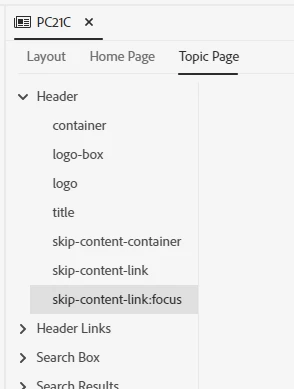
All other 'standard' objects such as Header > container, I am able to edit and set styling properties without any issues.
For reference, this is the error:
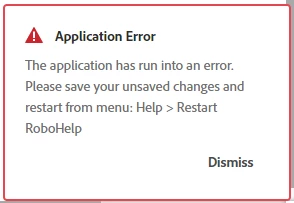
At first I thought it was a problem with the project I am currently working on. However, after opening the Adobe supplied samples, they too produce the error when I select psuedo-class items. My project uses the Frameless Orange template, but I can reproduce the error with all of the frameless templates.
Here's what else I've tried/checked:
- Close RH, deleted the .RH folder, then restart RH
- Projects, templates & output presets paths are set to local hard drive; no cloud-based folders used
- Created new Frameless templates from scratch based on Orange & Blue Lagoon
- Installed RH2022.2.22 on another computer
It's looking like a bug, but I am wondering whether anyone else has experienced this or can offer other suggestions to investigate.
Regards.


 AdChoices