


Participating Frequently
June 5, 2023
Answered

RH 2022 Custom TOC Icons don't display in the BlueLagoon Frameless Output

  • June 5, 2023
  • 4 replies
  • 258 views

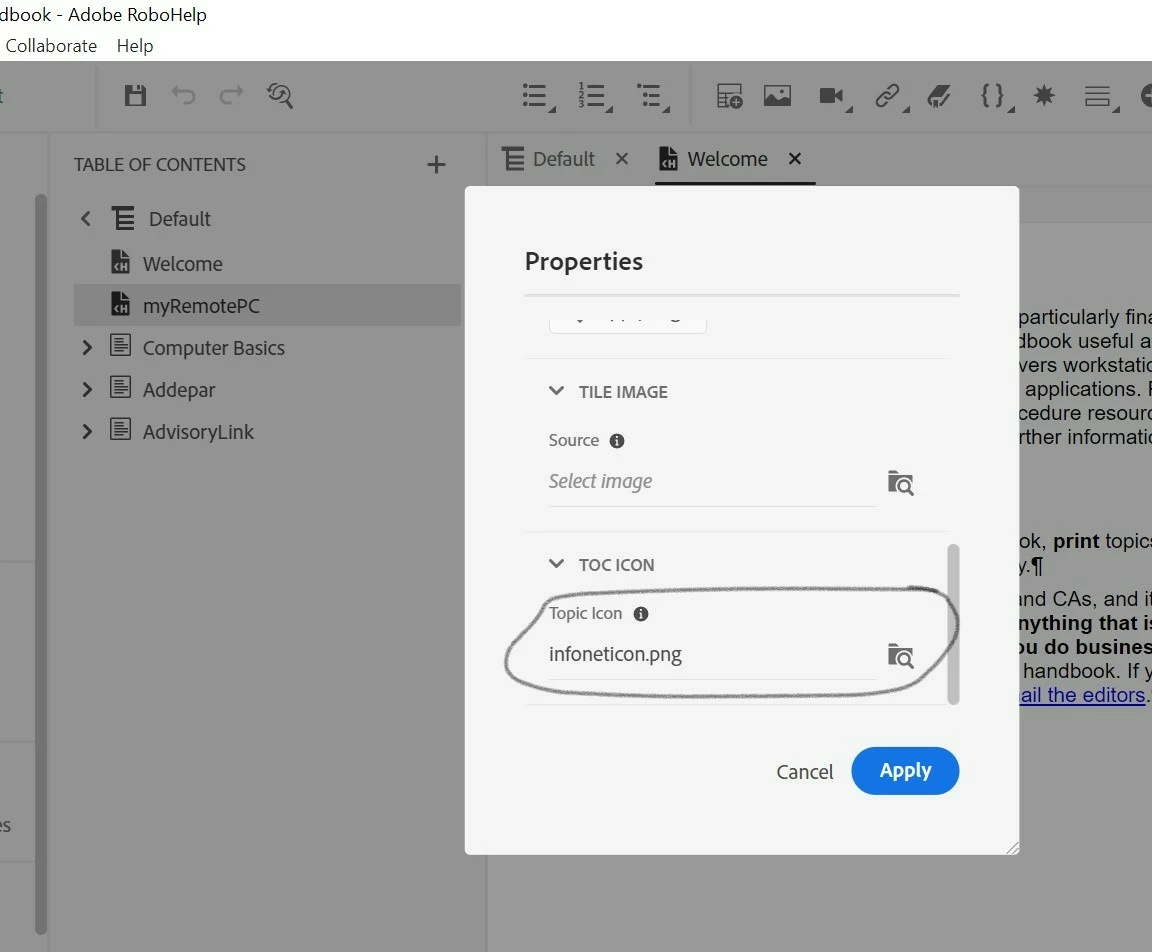
My TOC contains links to external web pages. And for those links, I want to add an icon to indicate that the link goes outside of the project. I went to Properties > TOC Icon & then uploaded the custom icon. But for some reason, the icon does not display when I generate the output. I also want the link to display in my search results, but they don't. Am I missing something?

    This topic has been closed for replies.
    Correct answer Peter Grainge

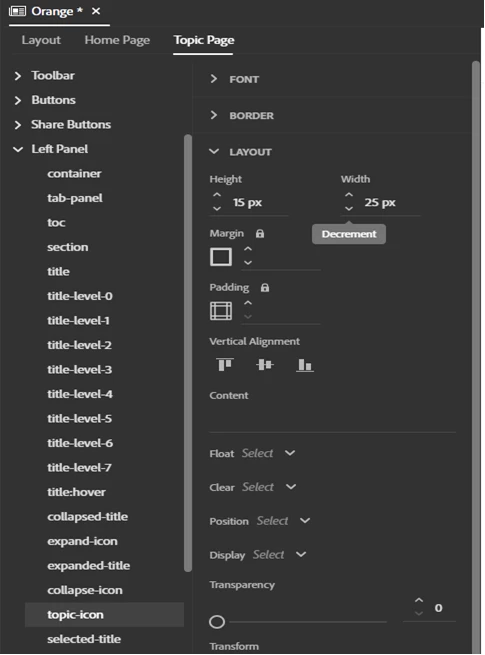
    I haven't checked it but I am told you need to set the size where shown here as default sizes have not been set for the height and width.


    ________________________________________________________

    My site www.grainge.org includes many free Authoring and RoboHelp resources that may be of help.


    4 replies

    Peter Grainge
    Community Expert
    Community Expert
    June 7, 2023

    No need to report a bug as Adobe have raised an internal bug. Meantime use the workaround supplied. @Andrea@AgileDocs please confirm that has fixed the issue for you.

    ________________________________________________________

    My site www.grainge.org includes many free Authoring and RoboHelp resources that may be of help.


    Use menu (bottom right) to mark as Best Answer or to Highlight particularly useful replies. Found the answer elsewhere? Share it here.
    Participating Frequently
    June 7, 2023

    Yes, that worked like magic. Thank you Peter.


    Reply amended as the "at" was to someone else.


    Peter Grainge
    Community Expert
    Peter GraingeCommunity ExpertCorrect answer
    Community Expert
    June 6, 2023

    I haven't checked it but I am told you need to set the size where shown here as default sizes have not been set for the height and width.


    ________________________________________________________

    My site www.grainge.org includes many free Authoring and RoboHelp resources that may be of help.


    Use menu (bottom right) to mark as Best Answer or to Highlight particularly useful replies. Found the answer elsewhere? Share it here.
    Peter Grainge
    Community Expert
    Community Expert
    June 5, 2023

    Hold off reporting this as a bug. I have referred this to an Adobe contact. Let's see what they come back with but it won't be today.

    ________________________________________________________

    My site www.grainge.org includes many free Authoring and RoboHelp resources that may be of help.


    Use menu (bottom right) to mark as Best Answer or to Highlight particularly useful replies. Found the answer elsewhere? Share it here.
    Jeff_Coatsworth
    Community Expert
    Community Expert
    June 5, 2023

    Is it working in the sample project?

    Participating Frequently
    June 5, 2023

    Nope. It's doesn't seem to be working in any of the Frameless skins/templates, even in the sample project.

    Jeff_Coatsworth
    Community Expert
    Community Expert
    June 5, 2023

    Are you all patched up with Patch 2 (as of June 2023)? If so, then you should probably log a bug in the Tracker (https://tracker.adobe.com/)