
Inspiring
October 20, 2017
Answered

RH Dropdown Text Layout Question

  • October 20, 2017
  • 1 reply
  • 311 views

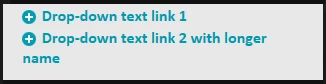
Is there a way to format the drop-down text links so that instead of looking like this...
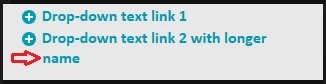
...it looks like this (with subsequent lines for the same link indented)?
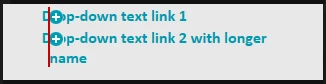
Note: I tried using the hanging indent option for the selected paragraph style, but the paragraph style does not apply to the icon; it remains flush with the text and ends up overlaying the first line of the hanging indent.
Thanks!
This topic has been closed for replies.
Correct answer Tim D Morris

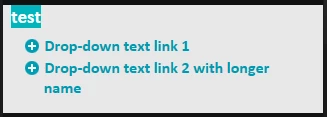
OK, figured it out. Trick is to increase indent (not hanging indent) for paragraph style used for text, and then use negative margin-left adjustment for img.twisties, which displays the image.

1 reply

Tim D MorrisAuthorCorrect answer
Inspiring
October 20, 2017

OK, figured it out. Trick is to increase indent (not hanging indent) for paragraph style used for text, and then use negative margin-left adjustment for img.twisties, which displays the image.