
ROBOPM
Inspiring
March 16, 2015
Question

Rh to Word to PDF

  • March 16, 2015
  • 1 reply
  • 2434 views

Hello All,


Note, I tried posting this question over on the Adobe PDF forum, however, I kept receiving an "m5" error. At any rate, I have searched the WWW and could not find a simple answer/resolution to my exact inquiry; hope you all can help.

TECH STUFF

  • Using  WIn 7
  • Rh 11
  • Word 2013 (Syles used: Heading 1, Heading 2, Heading 3, and Normal).

HISTORY

There was always a problem since I started with the company. Resources did not know why and accepted the PDF output. However, the issue was brought up by a new QA employee, hence, I figure I will investigate if anyone else had the same/similar issue, and what they did to resolve the problem.

PROBLEM

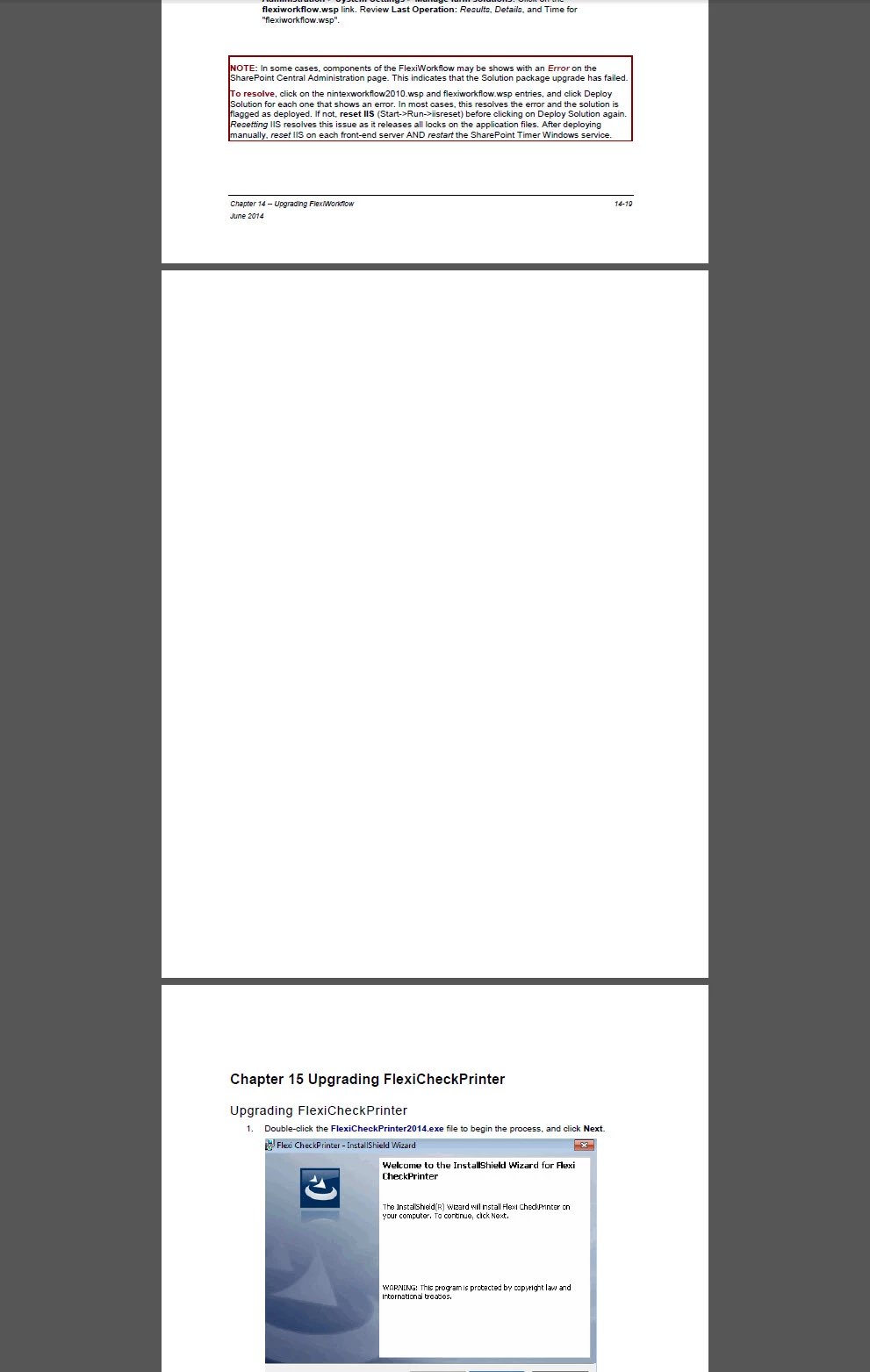
Converting (e.g., File>SaveAs.pdf, Save as PDF, or Print>SaveAs PDF) a Word document to a PDF, there are BLANK pages between Chapters. Why?


Thank you all for your time,

~PM

This topic has been closed for replies.

1 reply

RoboColum_n_
Legend
March 16, 2015

So you create a Word file from RH and then create a PDF from the Word file? Is that correct? Is there a page break in the Word file also?

ROBOPM
ROBOPMAuthor
Inspiring
March 17, 2015

Hi RC!

File generated from Rh 11 to my Word template.  All is good (NO blank pages). It is after I convert the Word doc to PDF, there is blank pages between "chapters".

Thanks for chiming in.

~PM

Peter Grainge
Community Expert
Community Expert
March 17, 2015

Have you actually printed the Word document? I suspect it might be hiding the blank page on screen.


See www.grainge.org for RoboHelp and Authoring tips

@petergrainge

Use the menu (bottom right) to mark the Best Answer or Highlight particularly useful replies. Found the answer elsewhere? Share it here.