
Question
RH11 Image Map link option switched to remote url
RH11 Local project Webhelp
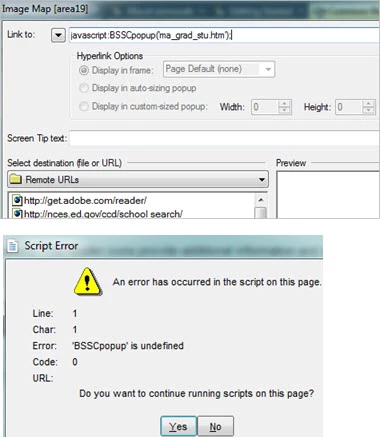
Last week each link in my image map opened a project topic in a popup. Today, the image map doesn't work and double-clicking a link shows that the selected destination has switched from top level folder to Remote URLs (figure 1).
Links in the generated map show the obvious script error (figure 2). What happened? I didn't switch settings, it's a solo project, nothing downloaded to my machine over the weekend. Is there a way to lock the settings and hot spot areas, or do we just need to check image maps prior to distributing Webhelp?


 AdChoices