
Inspiring
February 2, 2015
Answered

RH11. Script to make Next and Prev buttons work as they do in a standard browser?

  • February 2, 2015
  • 1 reply
  • 1447 views

Hello.

I know that the Next and Prev button arrows in the navigation pane take the user to the next or previous topic specified in the browser sequence. This means that the Help author has to design one or more browse sequences, which can be time-consuming and hard to maintain.

Has anyone created a script, or know if one exists, that can turn the Next and Prev buttons into buttons that perform standard browser actions. For example:

  • User opens Topic A.
  • User opens Topic J.
  • User presses Prev button.
  • Help opens Topic A.

At the moment the results depend on the browse sequence.

  • User opens Topic A.
  • User opens Topic J.
  • User presses Prev button.
  • Help opens Topic I (the topic preceding Topic J in the browse sequence).

Thank you.[

Carol Levine
    This topic has been closed for replies.
    Correct answer Captiv8r

    Hi Carol

    I'm guessing you overlooked this link on the page:

    Here's the link you should have clicked: (That way you won't have to visit the page again)

    Click here to view

    Cheers... Rick

    1 reply

    Captiv8r
    Legend
    February 2, 2015

    Hi there

    In my Skinny on Skins file I outline how to coax these buttons to perform similar to what you want.

    Click here to view the page to download

    Or, you could quite easily create a "TOC walker" by allowing RoboHelp to automatically build a Browse Sequence based on the TOC structure.

    Cheers... Rick

    Inspiring
    February 2, 2015

    Thanks, Rick.

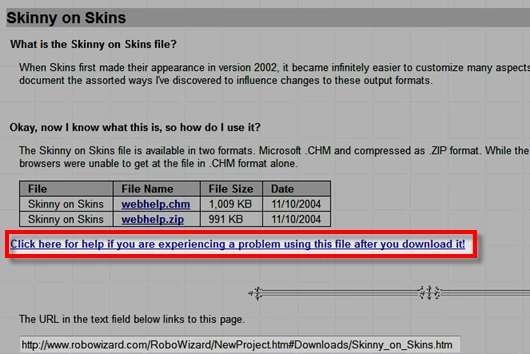
    I downloaded the CHM and the Zip file. However, I can’t view the Help. I get the infamous “Navigation canceled” message. Do I need to open the CHM in any particular way to avoid the message.

    Carol

    Captiv8r
    Captiv8rCorrect answer
    Legend
    February 2, 2015

    Hi Carol

    I'm guessing you overlooked this link on the page:

    Here's the link you should have clicked: (That way you won't have to visit the page again)

    Click here to view

    Cheers... Rick