

ColdForest
Inspiring
January 25, 2017
Question

RH2015 Responsive HTML5 and Microsoft Edge

  • January 25, 2017
  • 2 replies
  • 2795 views

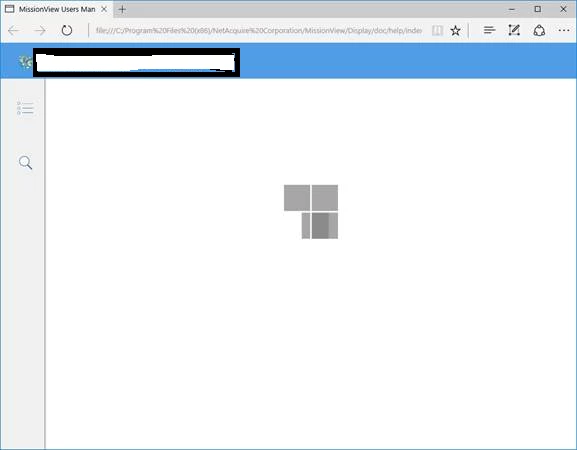
I'm seeing the following page display in Microsoft Edge (Windows 10) when displaying the main page of my Responsive HTML5 output:

This remains indefinitely. I was told by Adobe support (TCS Support) to perform the following steps:
  1. Close MS Edge if it is open.
  2. Go to Control Panel> Internet options> Security Tab> Click on Trusted Sites> Then click on Sites
  3. Uncheck the option of “Require server verification (https: ) for all sites in this zone.”
  4. If you are publishing your project somewhere on the C drive of your computer then type file://C in the “add this site in the zone” field and click Add.
  5. Then click on close > click ok

However, this didn't have any effect. The same set of generated HTML5 loads fine in Edge if it's hosted on a network drive. This does seems to be related to local file/site settings, but the above sequence didn't seem to be enough to alter this.

Does anyone else have any ideas? The same output works perfectly fine in IE, Firefox, and Chrome.

Message was edited: anonymize main page

This topic has been closed for replies.

2 replies

Inspiring
January 27, 2017

I just want to say we have the same issue. It was reported to us by our Japanese distributors and I can confirm the same problem with the English version of our help. Works fine from the server, but not from a local version of the help. Works fine in other browsers, but not with Edge.
I mention our Japanese distributors in particular because they tell us that in Japan, most of their customers use the default Microsoft browser and are reluctant to use alternatives like Firefox or Chrome. In addition, their help version is local only and not hosted on a server. So this is a big problem for them.
It is good to hear that TCS Support is looking into this issue. Thank you for reporting it.

Alexandra Duffy

Germanedge Solutions GmbH
Inspiring
January 26, 2017

Hi,

you could try to enter a Mark of the Web (MOTW) into all of your files (you can try if this helps by entering it only into your index.htm, but you'll need this line in all of your files later on if this is the solution):

<!-- saved from url=(0016)http://localhost -->

This line has to be entered right at the beginning of your file, directly after the first line <!DOCTYPE HTML>

<!DOCTYPE HTML>

<!-- saved from url=(0016)http://localhost -->

<html>

For the full discussion, please see here: Re: HTML5 and 'Mark of the web'

Kind regards

Karin

Peter Grainge
Community Expert
Community Expert
January 26, 2017

If Karin's suggestion does fix the problem for you, do try it on all devices and browsers that your users might work with. I say this as I once queried with Adobe why this option was not in the HTML5 layouts. Unfortunately I cannot now recall the reason.

I am not saying you shouldn't try this or that it will fail for sure, simply to check it thoroughly.

@Karin. Have you tried this with an HTML5 output? Maybe you can confirm that it did work OK with multiple devices and / or browsers?


See www.grainge.org for RoboHelp and Authoring information

@petergrainge

Use the menu (bottom right) to mark the Best Answer or Highlight particularly useful replies. Found the answer elsewhere? Share it here.
Germanedge Solutions GmbH
Inspiring
January 26, 2017

Yes, I tried with an HTML5 output and tested on multiple browsers. It works fine with MOTW

<!-- saved from url=(0016)http://localhost -->

for IE11, MS Edge, Firefox, Chrome (even though Chrome doesn't require the MOTW, but IE and partly FF do).

The following MOTW only works for IE11, not for MS Edge:

<!-- saved from url=(0014)about:internet -->

However, I did NOT test different devices.