Known Participant
November 22, 2017
Question

RH2017 - Indigo screen layout - Responsive HTML5 - linking child projects

  • November 22, 2017
  • 4 replies
  • 1932 views

Hi,

I've had a lot of help over the last few days figuring out how to use the RH2017 Indigo format. Thanks very much to all who contributed.

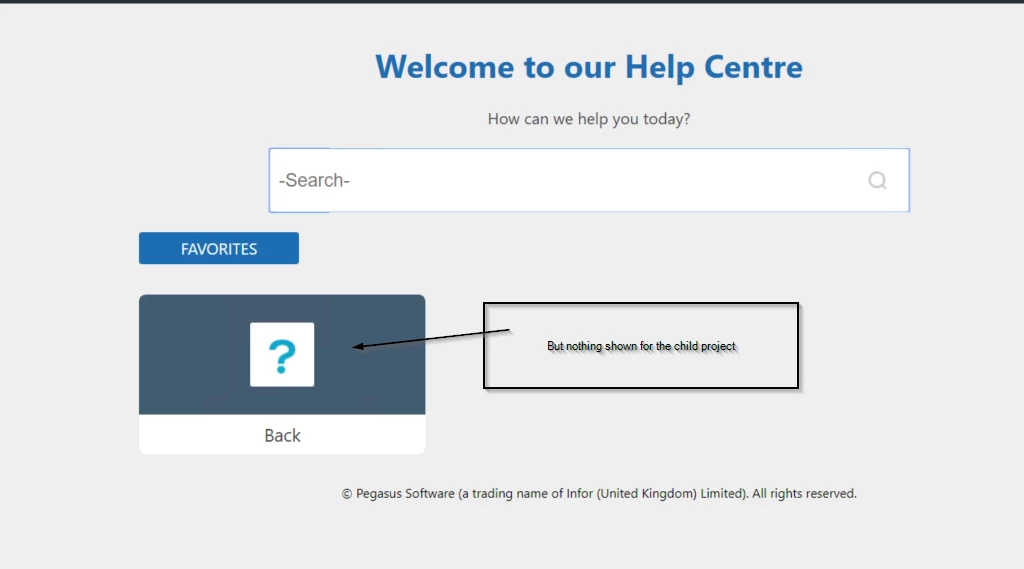
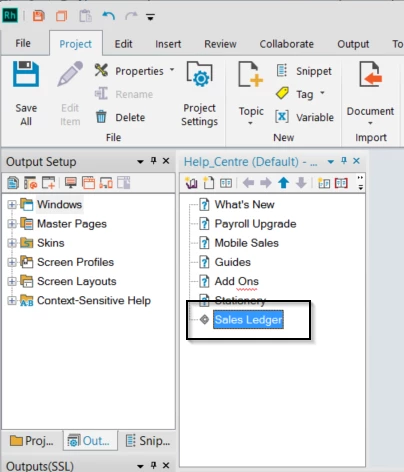
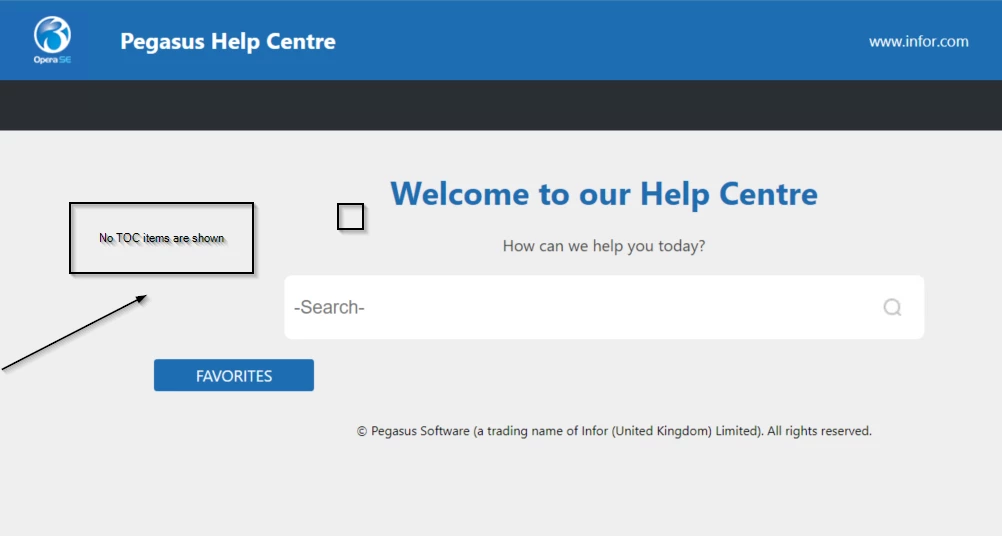
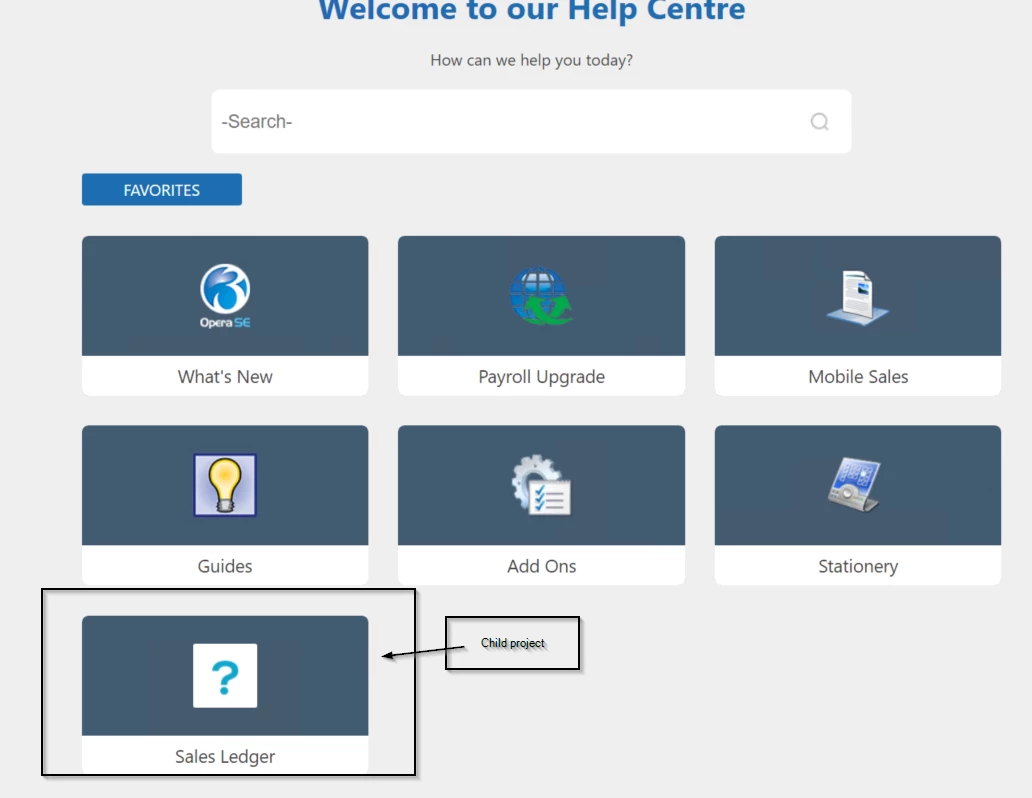
I have a dozen or so child projects that I'd like to publish using the Azure_Blue screen layout, and link those to the Parent Indigo TOC. I've tried this briefly this morning and if I add a merged project to the parent Indigo TOC, after I create the output the TOC isnt shown at all.
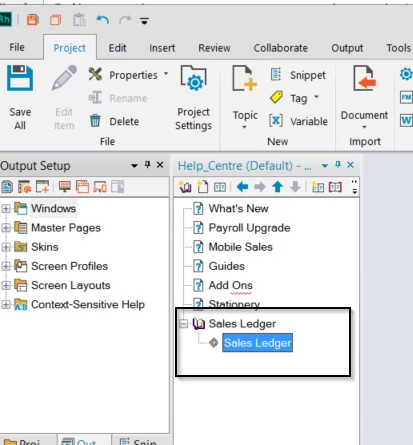
If I add a book to the Parent Indigo TOC and add the linked project under the book, that book is shown but the project isnt.
This topic has been closed for replies.

4 replies

Known Participant
November 27, 2017

Thanks all of you for your help and support.

But i am applying the same that you have mentioned and the images got changed

Also, please let me know what is the procedure to apply different images to topics or pages inside the main folder in indigo layout.

Inspiring
November 27, 2017

Hi,

The easiest way would be to overwrite the images being used with your own ones.

These are stored in !ScreenLayout!\Indigo1 or can be viewed from the Output Setup under Screen Layouts in Robohelp 2017.

The book image being used on the main page is:

Overwrite this image with your own and generate.

The theme-1.css file references these images.

Peter Grainge
Community Expert
Community Expert
December 12, 2017

I have learned the reason that custom icons were removed from the editor. It seems that if a project had more than 50 books, then it would revert to the default icon.

I'm inclined to think it would have been left as it was so that only those encountering the problem would be affected (minority?) rather than making it more difficult for those not affected and wanting/needing custom icons. However, it is the way it is.

Custom Icons can still be used but not via the layout editor, just be aware of exceeding fifty books. I don't know if that is fifty at any one level or fifty overall.


See www.grainge.org for RoboHelp and Authoring information

@petergrainge

Use the menu (bottom right) to mark the Best Answer or Highlight particularly useful replies. Found the answer elsewhere? Share it here.
Known Participant
November 24, 2017

Hi,

Need Help.

Please let me know how add different images to Book and TOC topics in Indigo layout.

Inspiring
November 24, 2017

Hi,

Here:

Known Participant
November 22, 2017

Thanks Peter, I'll take a look at your site. Before I do though do you know if it's possible to link from an Indigo layout to an Azure_Blue screen layout?

Peter Grainge
Community Expert
Community Expert
November 22, 2017

I believe with HTML5 your topics will open in the layout for that project. That was the case with early versions and is unlike WebHelp which takes on the parent skin.

Personally I wouldn't do it as users will keep seeing different skins with different functionality. Horribly confusing.

This may have changed in later versions of RoboHelp but I haven't tested.

On my site there is demo merged help setup. Try with that.


See www.grainge.org for RoboHelp and Authoring information

@petergrainge

Use the menu (bottom right) to mark the Best Answer or Highlight particularly useful replies. Found the answer elsewhere? Share it here.
Known Participant
November 22, 2017

Okay, thanks.

Peter Grainge
Community Expert
Community Expert
November 22, 2017

I wonder how you have set up the merge. See Merged Help on my site.


See www.grainge.org for RoboHelp and Authoring information

@petergrainge

Use the menu (bottom right) to mark the Best Answer or Highlight particularly useful replies. Found the answer elsewhere? Share it here.