
Known Participant
March 12, 2018
Answered

RH2017, Responsive HTML5, Indigo layout - TOC books with child links

  • March 12, 2018
  • 1 reply
  • 1043 views

I'm trying to work out how to set up Responsive HTML5, Indigo layout.

I have a parent project and half a dozen child projects.

I have a problem with the TOC from child projects not syncing with the topic displayed. It works for some child projects. Then it stops working.

So this is the TOC in the parent project.
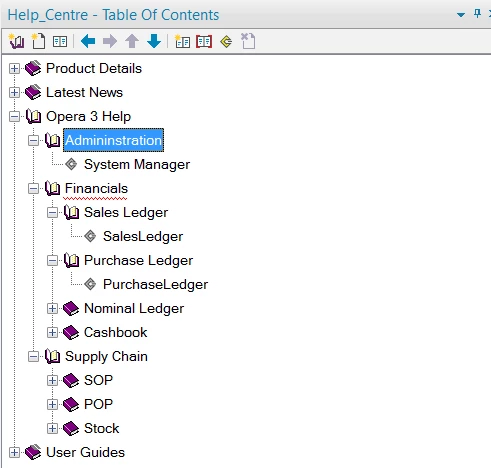
And this is the output. All looks fine so far.

First level
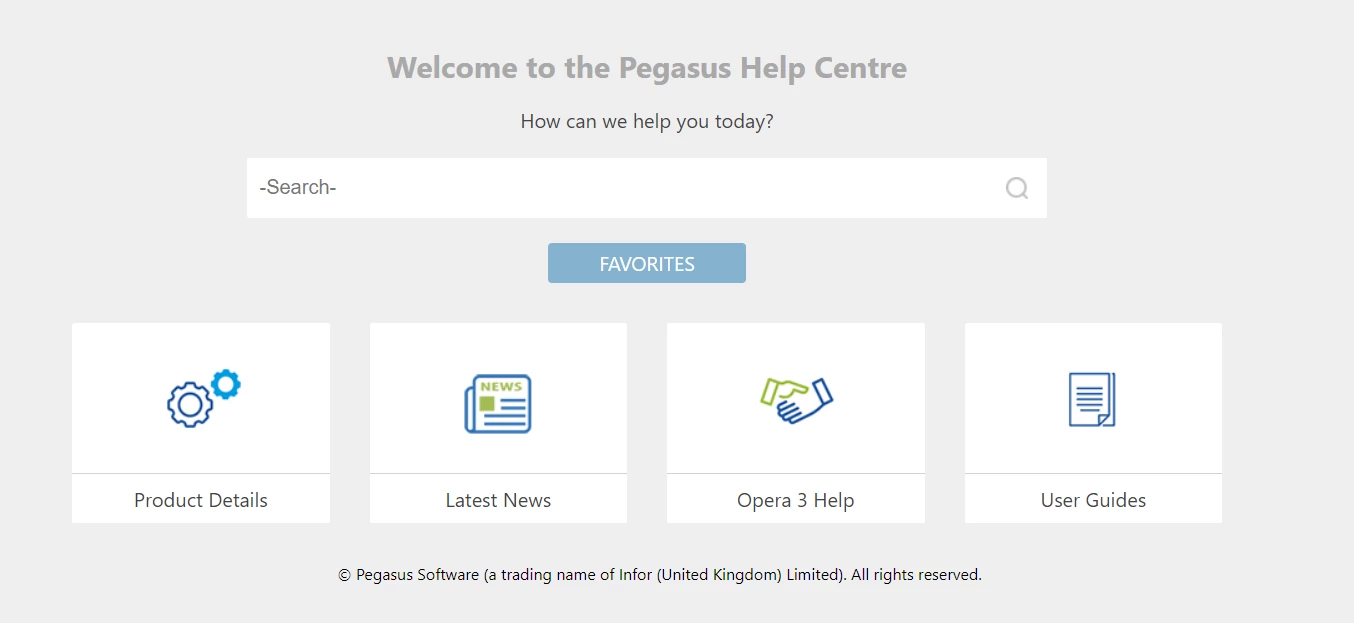
Second level below "Opera 3 Help"
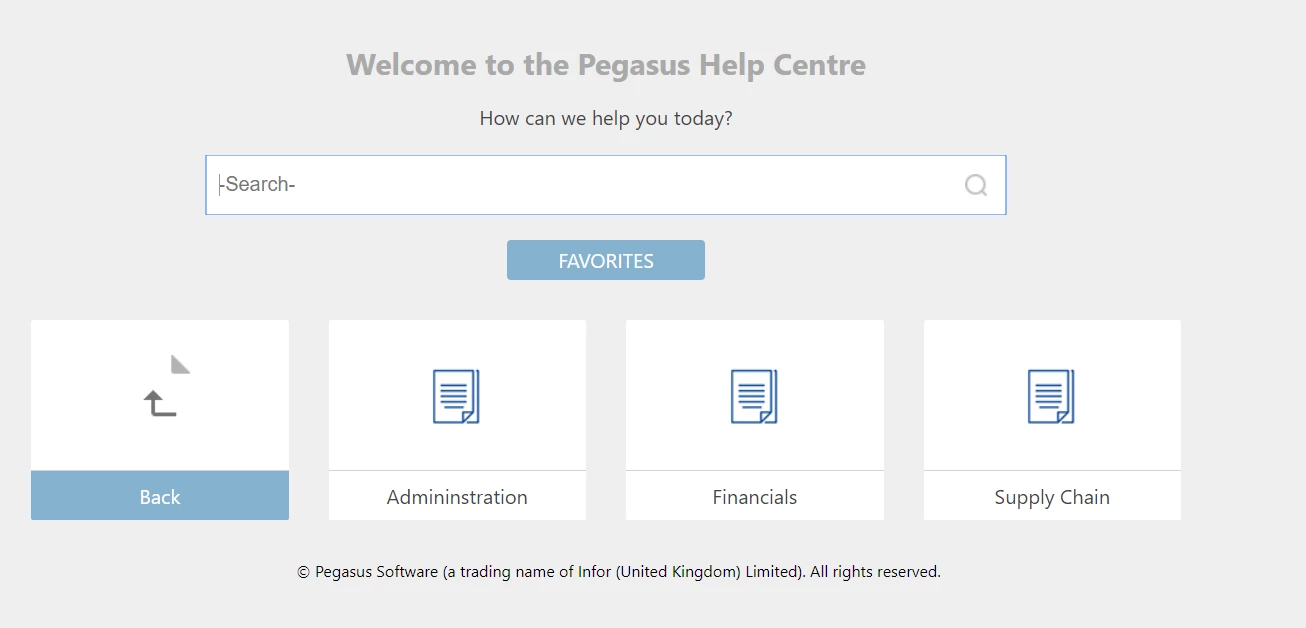
Third level

All great so far. Notice how the TOC on the right is in sync with the page displayed for the child project in the Administration folder. Excellent. This one works!
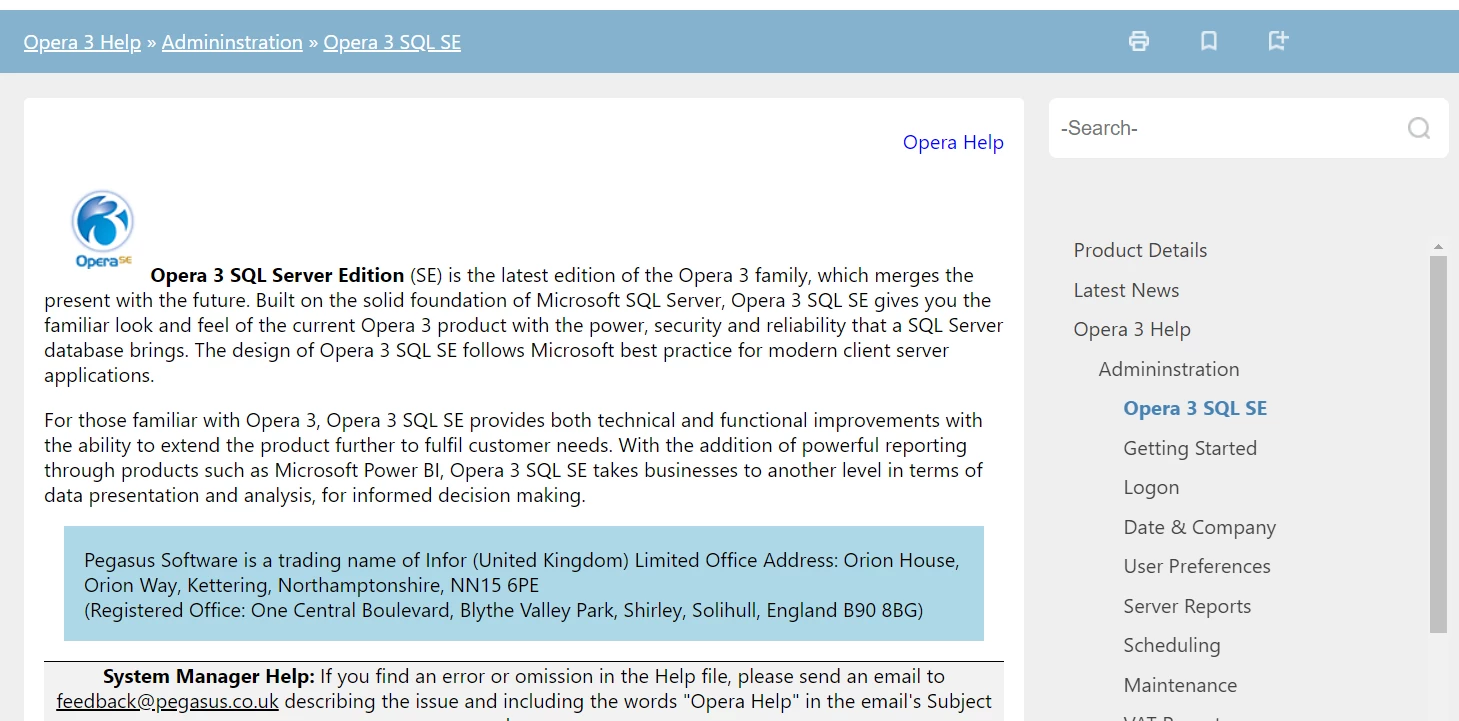
Now for another child project. Notice the TOC doesn't sync.
It should be here (I manually opened the TOC to show you).
All the other projects don't work either.

Any ideas please?

Thanks.

This topic has been closed for replies.
Correct answer Amebr

You're on the right lines Amebr, but I want the s the Administration book to have a link - as explained above. Any ideas?


The Administration book is working how you want, correct? If yes, can you post a screenshot of the TOC Book Properties dialog box, and also the TOC of the System Manager project (the one under the Administration book in your first picture)?

1 reply

Peter Grainge
Community Expert
Community Expert
March 12, 2018

Of necessity I haven't read this in detail so forgive me if I have missed something.

First take a look at Item 13 at Using RoboHelp 2017

There is a known issue that might be behind this.

Also make sure you generate all the projects each time and that each has exactly the same layout and settings.

First though, try Item 13.


See www.grainge.org for free RoboHelp and Authoring information.

@petergrainge

Use the menu (bottom right) to mark the Best Answer or Highlight particularly useful replies. Found the answer elsewhere? Share it here.
Known Participant
March 13, 2018

Thanks for your reply Peter.

I've tried the javascript files and generated the project output again, and unfortunately all of the content on the page isn't shown. So I reverted back to the original javascript files.

The TOC sometimes syncs in Chrome, never syncs in IE11 or Edge.

What I am doing is linking a TOC book to a web address or mergedProject folder in the PARENT project, both have problems. What I want to do is link to the mergedProject folder in the CHILD project, but that doesn't work at all.

Known Participant
March 13, 2018

I meant to include this screenshot to show how I'm linking a page in the PARENT project's TOC.