
RH2019 HTML5 skin heading
Last week I installed the latest version of the Tech Comm suite, which includes RoboHelp 2019. My previous version was RH11. I converted a small project (5 topics) and that worked fine. I've been able to figure out how to edit the topics and add images, etc.
The skin from my old project cannot be converted. So I created a new skin and I'm trying to modify it to be similar to my old one. The only options for new skins are "Frameless Skin" and "HTML5 Skin." I chose an HTML5 option. I found some other forum topics that referenced a "WebHelp Skin" but that does not exist in my new RH version. (I am outputting to WebHelp if that makes a difference. The application the help is supporting is not responsive, so the help will not be either.)
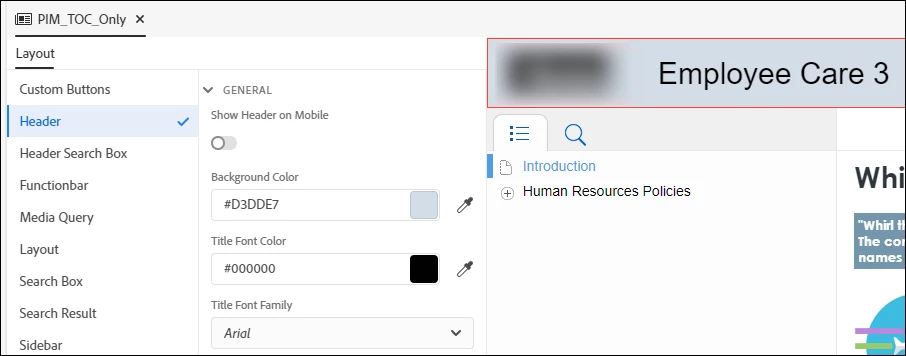
The heading on the skin is gigantic, and I cannot find a way to make the font size smaller. Only the color and font family options are available. Am I missing something? I'd rather not have a heading at all than one that's this large.


 AdChoices