



Mark_Noc
Inspiring
September 7, 2021
Question

[RH2020.5.71] Search Freezes On Random Search Terms (responsive HTML5 output)

  • September 7, 2021
  • 17 replies
  • 837 views

This is a very frustrating problem that I just can't seem to pin down. Sometimes, while performing a search, the web page will just freeze showing the following error after about 30 seconds:
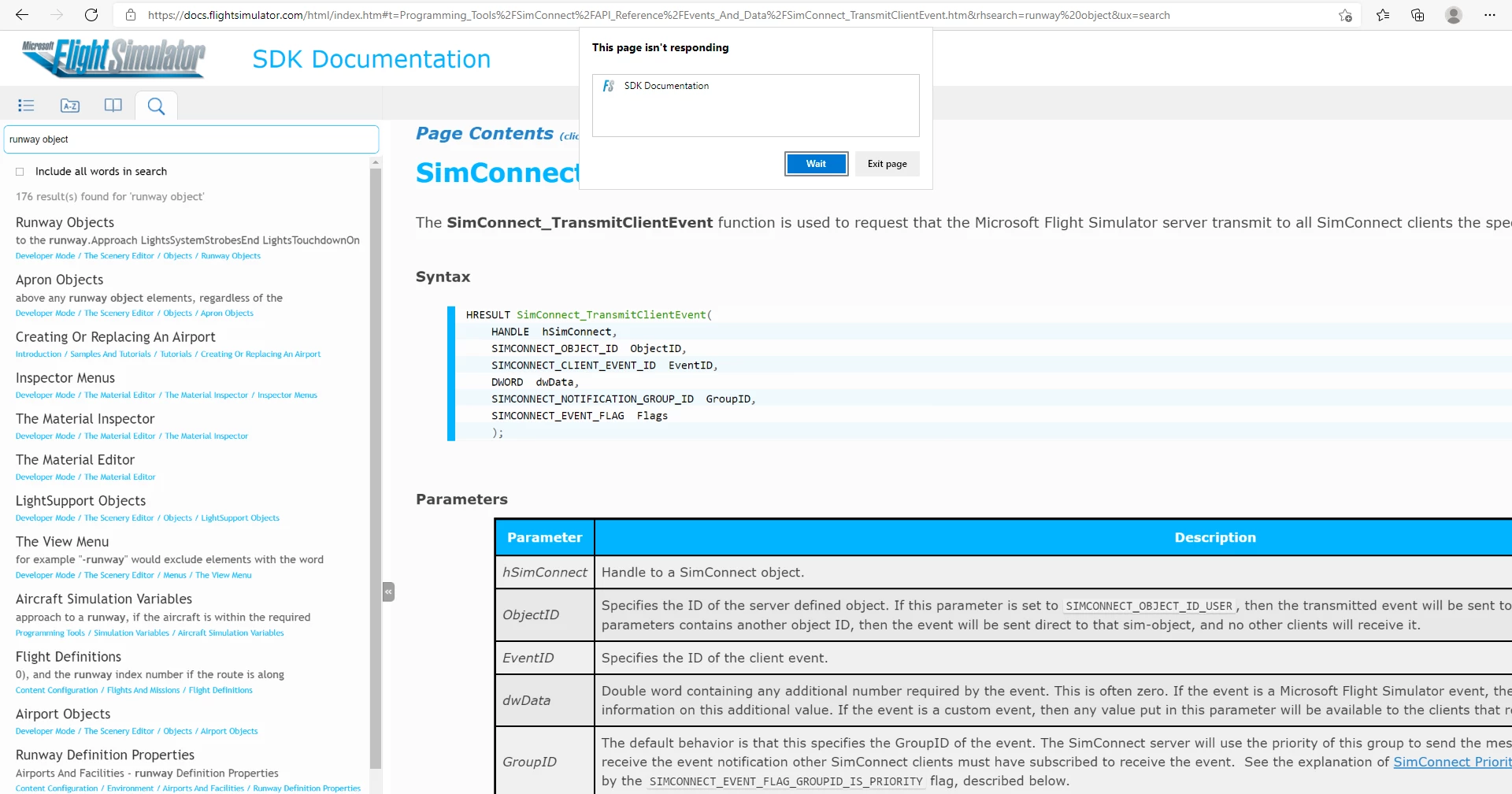
 

This seems to happen on all browsers (reported on Edge, Chrome and Firefox), and is completly random. For example, if I can for "Runway Objects" on chrome and it will freeze the first two times, but then work suddenly, while it won't freeze on any of the other browsers (and it'll never freeze on Chrome for that search term again!). This makes it impossible to reproduce consistently, as you never know when a search term will cause this freezing. It's also impossible to debug, as the browser dev tools seem to be useless in this situation. If you try to open them after it happens then they either can't be opened or show nothing, and if they happen to be open when it does happen, they still show nothing! 


Has anyone else experienced this happening to them? Can anyone think of a way I can work around this issue?

This topic has been closed for replies.

17 replies

Peter Grainge
Community Expert
Community Expert
September 9, 2021

I'm not sure I would mark that as a correct answer as it doesn't solve the problem. Of course, the problem Adobe are going to have is the same as yours, replicating it. I hope they can.


If you can consider a frameless output, a lot of work has been done on search there. I can't say it will fix the issue but maybe worth a try if it is an option.

________________________________________________________
See www.grainge.org for free Authoring and RoboHelp Information

Use the menu (bottom right) to mark the Best Answer or Highlight particularly useful replies. Found the answer elsewhere? Share it here.
Mark_Noc
Mark_NocAuthor
Inspiring
September 9, 2021

Given the nature of this bug and the fact that it happens across all browsers and that other people have posted to say they have a similar issue, I've gone ahead and filed a bug with Adobe. 

https://tracker.adobe.com/#/view/RH-10017


Please upvote it if you are having the same issue. 🙂

Inspiring
September 8, 2021

Yes! I've seen this behavior also and always concluded it was my system acting up. Now that I know it's happening to others, I'll pay closer attention and try to figure out some kind of pattern.

Thanks for posting about this!

Erwin.Timmerman
Inspiring
September 8, 2021

I have noticed this with RH 2019 HTML5 Azure. It hasn't happened frequently enough for me to make a fuss about it, but every now and then something strange happens during a search which is solved by a page refresh and searching again. It's too infrequent to pinpoint it, but indeed page freezes (at several stages of loading) might describe it best. In my experience it happens more when using it locally (especially when using index.htm files over the network) than when we've uploaded it to our web server and opening the help using an URL. YMMV. 

Probably is some kind of javascript blip if the connection is interrupted during execution or something like that.

Peter Grainge
Community Expert
Community Expert
September 7, 2021

Commonly known as a bar steward!

________________________________________________________
See www.grainge.org for free Authoring and RoboHelp Information

Use the menu (bottom right) to mark the Best Answer or Highlight particularly useful replies. Found the answer elsewhere? Share it here.
Mark_Noc
Mark_NocAuthor
Inspiring
September 7, 2021

Thank you Peter for the swift reply. We are currently testing local builds just now, but given the seemingly random nature of this issue, we could test 2000 search terms and find nothing or we could serach 20 and find the issue 5 times! At the moment, it hasn't happened, but that's not to say it won't... I didn't consider testing from another network location though... so I'll give that a go too and see what happens.


Once I've given these options a thorough testing to see if there is any difference or reproduction, I'll contact support as you suggest.


Honestly, this is the worst kind of bug... 😞


Thanks!!!!

Peter Grainge
Community Expert
Community Expert
September 7, 2021

I don't think it has been an issue.


I note this is when it is on a server so do you get the same issue if you run the output locally? Are you able to generate to another folder on the network to see if it still occurs?


Beyond that, unless someone else has ideas or has seen the problem, I can only suggest Support to see if they are aware of an issue. See https://helpx.adobe.com/contact/enterprise-support.other.html#robohelp for your Adobe Support options. The email link tcssup@adobe.com is recommended as it reaches a team dedicated to Technical Communication Suite products including RoboHelp.

________________________________________________________
See www.grainge.org for free Authoring and RoboHelp Information

Use the menu (bottom right) to mark the Best Answer or Highlight particularly useful replies. Found the answer elsewhere? Share it here.