


RH2020 Update5: Index.htm in the Output folder not loading the page
Hi
I am using Robohelp 2020 Update 5 for the project documentation. Just came across an uncanny issue.
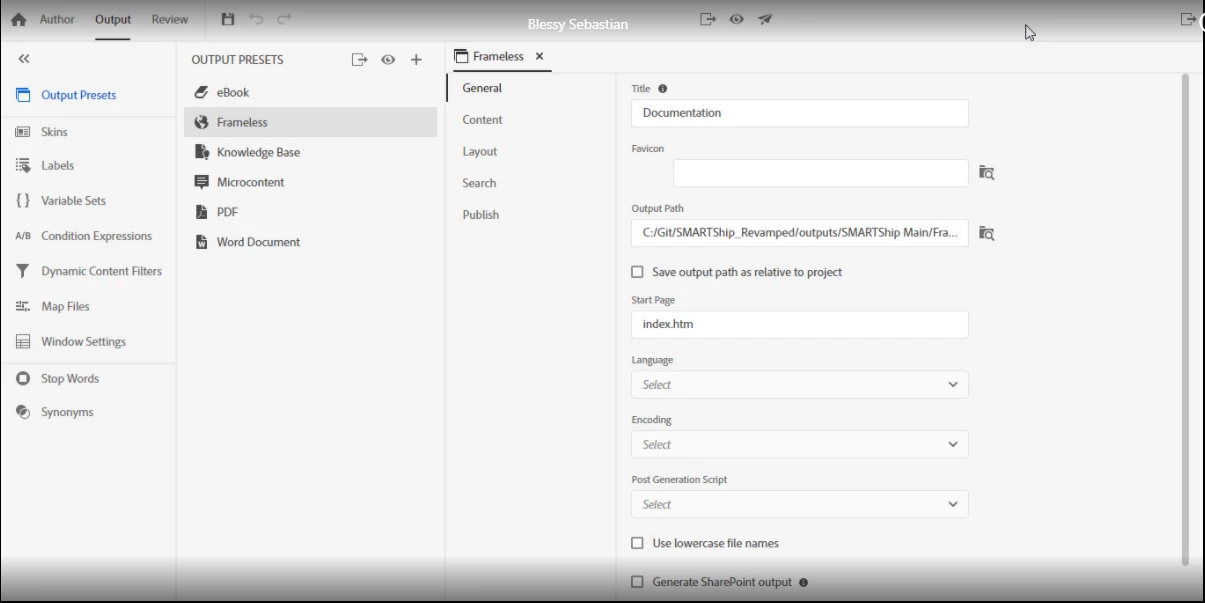
In the Outputs folder, clicked the Index.htm file and it did not load the page. Chrome is my default browser. This is Output settings page on RH2020.
Another issue is, in the Outputs folder, I then clicked one of the topics. It did display the content but the TOC, right TOC and the Next and Previous buttons were missing.
The Outputs folder in on the D:\drive. I copied the entire project to C:\ drive and checked but the issue still persists.
Please can you let me know if I am missing any settings.
I do not think we had such issues in RH2017. Moreover, if we opened a topic from the Outputs folder in RH2017 it displays only the content but had a messaging at the top right-side of the page as given below:

Clicking the above option would then re-load the page with the TOC and also the Next and Previous buttons. I did not see such an option in RH2020 that will reload the page.
Accessing the project in the above manner prove useful when we have a prospects customer who would like to see a sample work.


 AdChoices