
Inspiring
June 3, 2026
Question

RH2022 PDF Front Cover replace image

  • June 3, 2026
  • 2 replies
  • 10 views

I tried to replace our logo on the Front Cover page of a project’s PDF; however, although I was able to place the new logo, when I deleted the old logo, I got this:
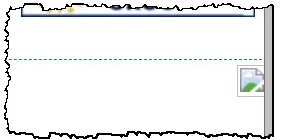
...which give me this on the compiled PDF:

Any ideas how I can remedy this?

Thank you,

Lon

    2 replies

    Peter Grainge
    Community Expert
    Community Expert
    June 3, 2026

    The logo in the first image is what you get when the project cannot see it. I think the image needs to be in the template resources folder.


    My site www.grainge.org includes many free Authoring and RoboHelp resources that may be of help.

    Use the menu (bottom right) to mark the Best Answer or Highlight particularly useful replies. Found the answer elsewhere? Share it here.
    Jeff_Coatsworth
    Community Expert
    Community Expert
    June 3, 2026

    Not 100% sure what we’re looking at here - do the pages still have a reference to the old logo file & now that it’s not the same/not present, you get the “unknown image” icon?