


September 8, 2010
Question

RH8 crashes when publishing to Printed Documentation

RoboHelp HTML crashes when I publish to Printed Documentation whether I attempt to publish to Word or PDF.

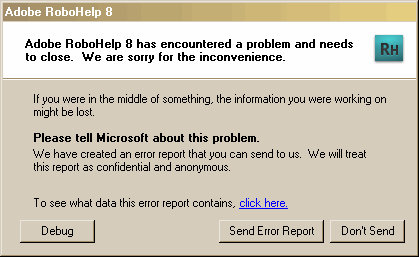
It cranks away for a bit and then crashes with this error message:
When publishing to PDF it crashes at this point (from Output View):
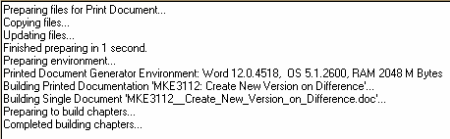
It is pretty much the same when publishing to Word. The last thing in the Output View is "Completed building chapters..."

Any ideas?!! I'm at a loss.

Thanks!

Lisa

This topic is closed to new replies. Start a new post to keep the conversation going.

8 replies

September 8, 2010

I tried publishing to a Printed Documentation layout in a different project and sure enough it works, both to Word and to PDF. So I guess the problem is in my project. Now what?!

Translate
Peter Grainge
Community Expert
Community Expert
September 9, 2010

If the document would be very large or with lots of graphics it could be the ram in your machine. Otherwise and more likely it is a topic that is causing grief.

The next step is the same for both. Zip up a copy of the project for safety. Then create two copies. Trash half the topics on one and the other half of the topics in the other. Do both generate?

If yes, then it is likely a memory issue but I doubt it will be. More likely is one half will not generate and the other will. Focus on the one that didn't generate and repeat the half and half method until you get it down to the problem topic. It's not as time consuming as it may sound.


See www.grainge.org for RoboHelp and Authoring tips

@petergrainge

Translate
Use the menu (bottom right) to mark the Best Answer or Highlight particularly useful replies. Found the answer elsewhere? Share it here.
Peter Grainge
Community Expert
Community Expert
September 9, 2010

Just want to be sure, this crashing also occurs if you ONLY publish to Word, correct?


See www.grainge.org for RoboHelp and Authoring tips

@petergrainge

Translate
Use the menu (bottom right) to mark the Best Answer or Highlight particularly useful replies. Found the answer elsewhere? Share it here.
Peter Grainge
Community Expert
Community Expert
September 8, 2010

First try creating a new layout, not a duplicate.


See www.grainge.org for RoboHelp and Authoring tips

@petergrainge

Translate
Use the menu (bottom right) to mark the Best Answer or Highlight particularly useful replies. Found the answer elsewhere? Share it here.
September 8, 2010

I tried creating a new layout (not a duplicate) and it crashed at the same

place. 

Thanks for the suggestion, though!

Translate