Known Participant
March 15, 2011
Answered

RH8 Error Message

  • March 15, 2011
  • 2 replies
  • 770 views

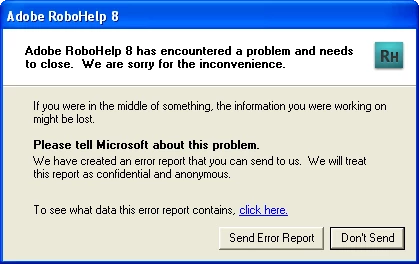
I have a large RH8 HTML project.  Today, every time I open the project from the starter page, the cursor pulsates for a few minutes, the project shuts down, and I get the error message below.  Can sometime shed some light on what is happening?
    This topic has been closed for replies.
    Correct answer Willam van Weelden

    Hi,

    Two questions:

    1. Have you installed both patches?

    2. Is the project located on a local drive or on a network drive. Running projects from network drives is a one way ticket to misery.

    Try to rename the project's .CPD file and start the project again. (And make sure you create a backup of course.)

    If that doesn't help, please check out the following article on Peter's site: http://www.grainge.org/pages/authoring/opening/opening_projects.htm

    Greet,

    Willam

    2 replies

    March 21, 2011

    I also get this message usually at least once a day and yes,

    • I'm on C drive
    • I have 8.0.2 installed

    I'd also be interested in what causes this. This problem is one of the reasons I'm looking at alternatives to RoboHELP.

    Jeff_Coatsworth
    Community Expert
    Community Expert
    March 21, 2011

    Did you try deleting the .cpd file (or have RH set to delete it each time)? Details about your o/s, memory, free drive space, project location on your c:\ drive (hopefully not too deep/long) would be helpful in figuring out what's happening. Does it happen if you work with the sample projects?

    March 21, 2011

    Hi all,

    On my pc, I have cpd set to re-build each time as per ealier recommendations.

    Here I'm running windows XP SP3. 3.5 Gb of RAM. 163 Gb free disk space which is conderably more than is used...

    Willam van Weelden
    Willam van WeeldenCorrect answer
    Inspiring
    March 15, 2011

    Hi,

    Two questions:

    1. Have you installed both patches?

    2. Is the project located on a local drive or on a network drive. Running projects from network drives is a one way ticket to misery.

    Try to rename the project's .CPD file and start the project again. (And make sure you create a backup of course.)

    If that doesn't help, please check out the following article on Peter's site: http://www.grainge.org/pages/authoring/opening/opening_projects.htm

    Greet,

    Willam

    Known Participant
    March 15, 2011

    My project is located on my hard drive.  It is working BAU now, thanks to your suggestion about the patches (I hadn't installed either one).  Thanks for the quick reply and helpful information!