
RoboHelp 11 - Template headers and footers all of a sudden display in my topics
I am not sure how to describe this as I am not sure what the trigger was to cause this, but here it goes:
First of all--I was transitioned from a Virtual Machine to a Desktop to gain better results from using my Adobe applications and reduce issues.
I am on Windows 8, 8 GB RAM, AMD Radeon Card with 4GB vRAM.
I loaded RoboHelp 11 and my Creative Cloud applications onto the desktop machine and moved my files over the desktop from a server drive.
I have been working for a couple of days in RoboHelp and "Published" last night. That crashed and I realized I needed to remap the drives. The server drive wouldn't remap so that publish crashed a second time, but the local publish to my desktop C: drive indicated it had been successful. I didn't reopen the files at the time as it was end of day last night.
I went home.
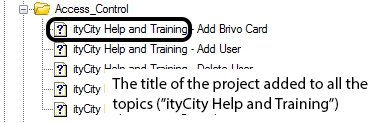
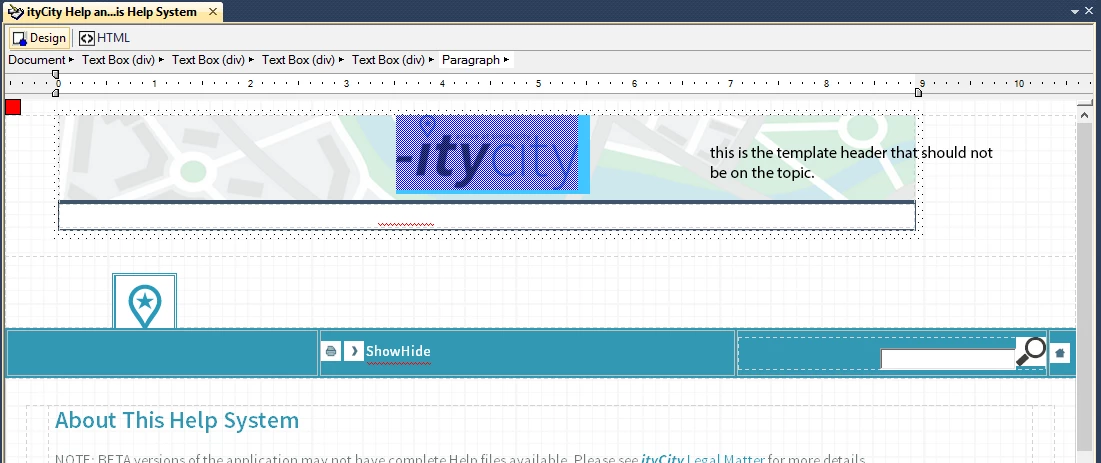
I came back this morning and when I opened RoboHelp and my project, all the topics had the project title preceding the topic title in Project Manager AND every single topic now has the template headers and footers displaying in the topic.
Additional Details--the Master Page is the same and has been unchanged in all of this and is applied to each of the files. I haven't found any issues with the Master Page.
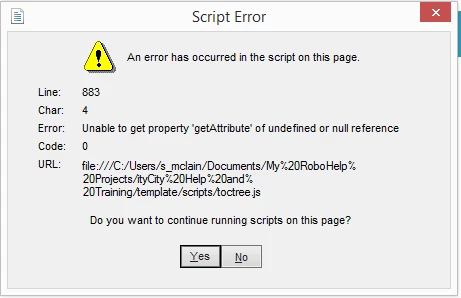
I am not sure if this helps, but this is a script error I keep getting if I try to view a topic out of RoboHelp (see below for the main issues that I am encountering).
I REALLY need to fix this ASAP as I don't want to have to recreate the whole project of over 300 topics (so far).
What did I break? Or what piece to I need to reconnect to fix this?

Thanks in advance for any assistance that can be given.


 AdChoices