



陳文翔
Inspiring
November 20, 2015
Question

RoboHelp 2015: Auto text wrap does not work for Traditional Chinese

  • November 20, 2015
  • 1 reply
  • 911 views

Hi!

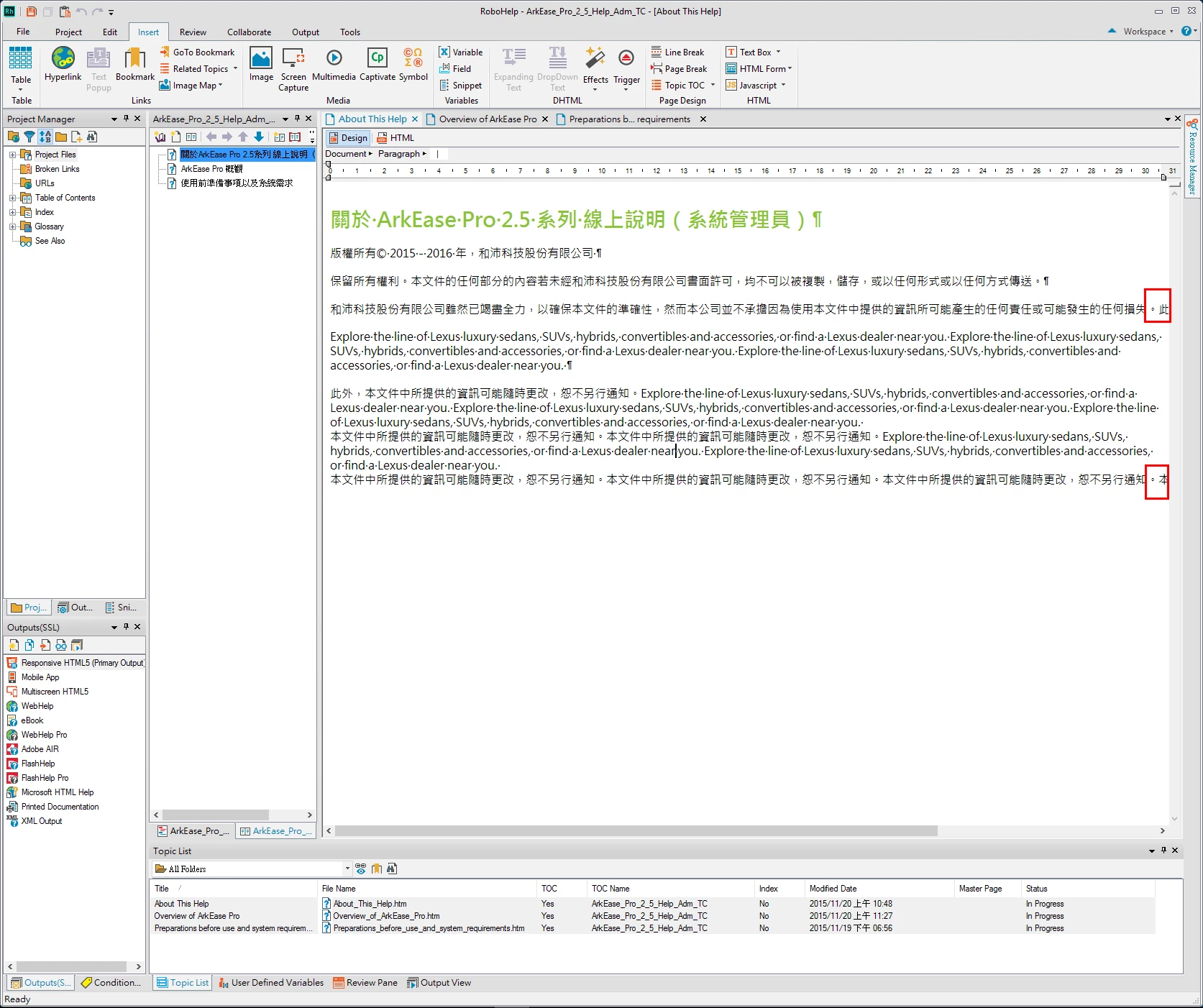
The auto text wrap does not work while I am inputting Chinese (while English is OK). Please help.

I am also attaching a screen capture showing the problem (highlighted in red).

David

This topic has been closed for replies.

1 reply

Community Expert
November 20, 2015

It's a long shot if English wraps correctly, but check your zoom setting to make sure it is set to 100%.

I don't have RH2015, so I couldn't tell you where to find this setting (maybe Edit?).

陳文翔
陳文翔Author
Inspiring
November 20, 2015

On RH2015, the zoom setting is available on the Edit > View tab.

I am sure I am using the default value (100%) of zoom setting. In fact, no matter what zoom setting I use, the problem persists.

David

Community Expert
November 20, 2015

Yeah, that was a longshot given English was fine.

Um, could the spaces be non-breaking spaces in the Chinese somehow? They might show as & nbsp; or & #160; in the HTML view (spaces added after the & symbol so the text displays) .

Another hypothetical idea is maybe in the font being used the space character somehow maps to a non-breaking space? I tried pasting a bunch of characters into a test project using Verdana as the font and the characters seemed to wrap okay. So if you are using a different font, see if wrapping works when you use Verdana?

DISCLAIMER: I don't work with other languages, so these are just random ideas.