
alisonh1399482
Participant
November 5, 2015
Question

RoboHelp 2015 crashes when try to create a docx file

  • November 5, 2015
  • 2 replies
  • 669 views

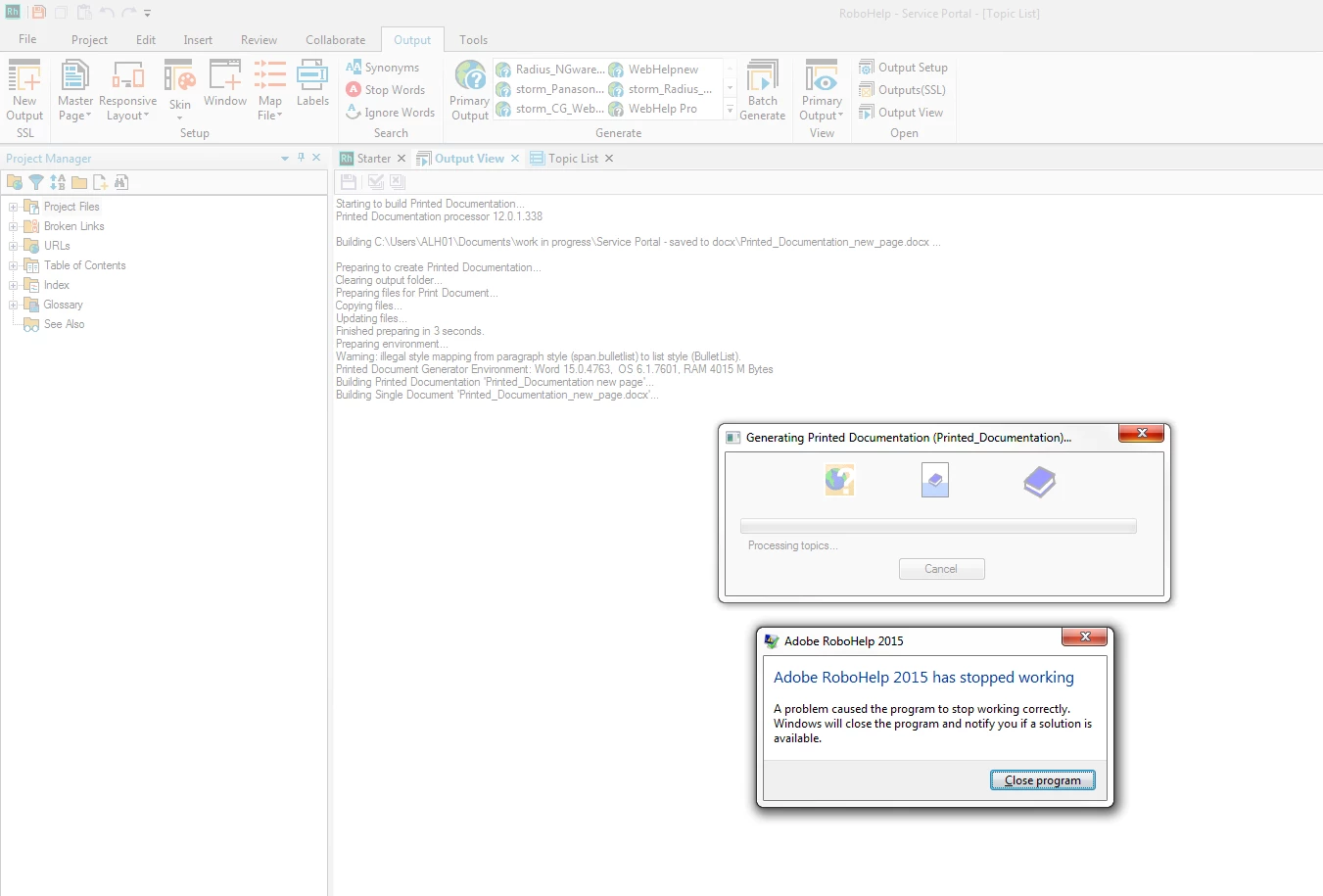
Each time I try to create a docx file (from a RH10 project). RoboHelp crashes. I have included a screenshot. How do I fix this?

It also crashes if I select .doc.

If I select 'Generate individual documents' instead of 'Generate single document' it crashes and displays 'Failed to build 'Title Page' as the last line.


(I opened a sample project and I can save that to docx with no problems.)


I'm afraid windows has dimmed the text showing the progress RoboHelp has made.

It says:

Starting to build Printed Documentation...

Printed Documentation processor 12.0.1.338

Building C;\Users......

Preparing to create Printed Documentation...

Clearing output folder...

Preparing files for Print Document...

Copying files...

Updating files...

inished preparing in 3 seconds.

Preparing environment...

Warning: illegal style mapping from paragraph style (span_bullet) to list style (BulletList)

Printed Document Generator Environment: Word 15.0.4763, OS.6.1.7601. RAM 4015 M Bytes

Building Printed Documentation 'Printed Documentation new page'...

Building Single Document 'Printed_Documentation_new_page.docx'...
This topic has been closed for replies.

2 replies

andrass45167108
Participant
May 18, 2017

I had a similar problem in RoboHelp 11, samle projects worked fine, but not mine. It turned out that the default.css was corrupt (some office bookmark ruined it). I have reverted and it solved the problem.

Peter Grainge
Community Expert
Community Expert
November 6, 2015

The fact that the samples generate OK shows it is something in your project rather than Rh or Word.

Create a duplicate of your print layout and then delete half the topics. If it crashes delete half of what is left until you can generate. If the doesn't crash you know the cause is within what has just been deleted. It's a gradual process.

Does your project contain topics created from Word imports?

See also Print Issues on my site.

Use the single document option while investigating the cause.

Come back to tell us what fixed the problem or if you are still stuck.


See www.grainge.org for RoboHelp and Authoring tips

@petergrainge

Use the menu (bottom right) to mark the Best Answer or Highlight particularly useful replies. Found the answer elsewhere? Share it here.
alisonh1399482
Participant
November 9, 2015

I did what you said, deleting half the topics, then trying to save as docx. It kept failing, even when I had just a single topic remaining. So I repeated the exercise, deleting from the bottom instead of the top. But RoboHelp still keeps crashing when I try to create the .docx file.

I am new the the company and so I do not know if the topics contain imports from word. However, looking at the HTML, I do not see any bloated HTML so I don't think this is the case.

Any other ideas?

Peter Grainge
Community Expert
Community Expert
November 12, 2015

Given the sample project works, it has to be something in your project. Usually what I suggested tracks it down. Can you share the project with me? See the Contact page on my site and send the project as instructed there. Do make sure you include a link to this thread and please do not email the project direct.


See www.grainge.org for RoboHelp and Authoring tips

@petergrainge

Use the menu (bottom right) to mark the Best Answer or Highlight particularly useful replies. Found the answer elsewhere? Share it here.