
angelae68007195
Known Participant
September 13, 2017
Question

RoboHelp 2015 Paragraph Style in Design doesn't match in WebHelp output

  • September 13, 2017
  • 1 reply
  • 407 views

I created a paragraph style that indents text 18pt from the Left.
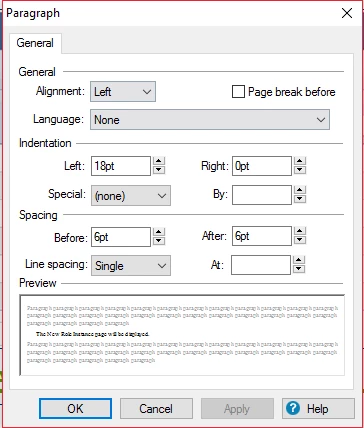
This allows the text to line up with the text from a Bullet List or Number List (that I also created). (Red line added for effect only)
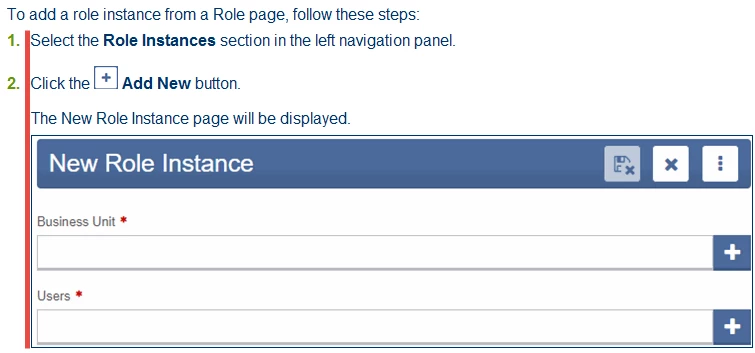
However, after generating WebHelp output, that indentation doesn't stay. The text justifies to the full left. (Red line added for effect only)
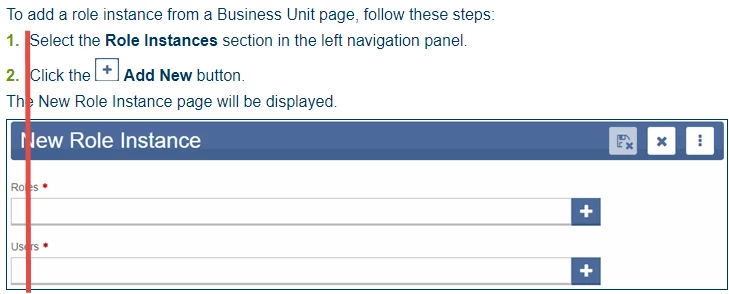
How do I get the WebHelp output to match to the Design in RoboHelp?

This topic has been closed for replies.

1 reply

Peter Grainge
Community Expert
Community Expert
September 13, 2017

Indenting lists is always tricky as different browsers will render the same

list in different ways.

See Lists on my site.

Use the menu (bottom right) to mark the Best Answer or Highlight particularly useful replies. Found the answer elsewhere? Share it here.
angelae68007195
Known Participant
September 14, 2017

It dawned on me after I stopped trying to figure it out that I could make another Paragraph Style and Numbered List that both mimic the original ones but where the Font Color of the Numbered List is White so the number doesn't actually show up. That resolved my issue.

Peter Grainge
Community Expert
Community Expert
September 14, 2017

Sorry, I misread your problem. The easier solution is after a numbered paragraph use Shift Enter. You will get the same indentation without the numbering.


See www.grainge.org for RoboHelp and Authoring information

@petergrainge

Use the menu (bottom right) to mark the Best Answer or Highlight particularly useful replies. Found the answer elsewhere? Share it here.