Participant
June 6, 2017
Answered

RoboHelp 2017 not publishing on RoboServer 10

  • June 6, 2017
  • 1 reply
  • 852 views

Hello I've Installed Robohelp 2017 and server 10. When I try to publish on the server it keeps failing.

The server is running and I was able to log in.

I use this URL (http://localhost:8080/robohelp/server )  for the server name since both Robohelp & sever are on same PC.

Please advice thank you!
    This topic has been closed for replies.
    Correct answer argadm

    John,

    No luck, I've tried almost everything. It just not connecting.

    http://localhost:8080/robohelp2

    Tomcat server

    Im logged in fine.


    Tnx to Ajit from Adobe support I was able to publish my project to the Robo Server.

    Problem was that I had 32bit Java while my Tomcat was 64bit. So tomcat was not working properly.

    1 reply

    johndaigle
    Legend
    June 6, 2017

    The server URL looks correct for a localhost scenario.

    From your browser, did you login with this URL:

    http://localhost:8080/robohelp/admin/login.jsp

    If you were able to login with the default credentials, then everything should be working.

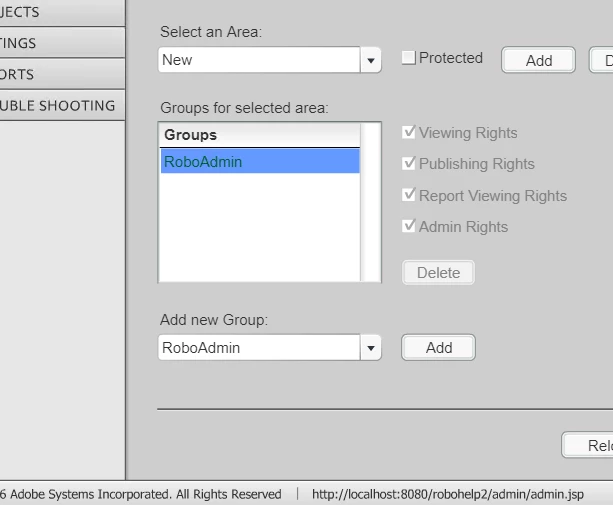
    Had you used the web admin application to create any new Areas, or are you just using the default "General" area?

    Sometimes I've noticed that in creating a new Server Publishing Setting I inadvertently forget to make sure I re-enter the Username and Password. You might check that.

    Also see if there are any errors showing up in your "Output View" pod after you generate and publish.

    John Daigle

    Adobe Certified RoboHelp and Captivate Instructor

    Evergreen, Colorado

    www.showmethedemo.com

    John DaigleAdobe Certified RoboHelp and Captivate InstructorNewport, Oregon
    argadmAuthor
    Participant
    June 7, 2017

    Still unsuccessful and frustrated, Does not want to workout.

    I even created a new area.

    "Added result path to RoboHelp.cfg

    Finished compiling WebHelp Pro output (for RoboHelp Server) in 3 sec(s)

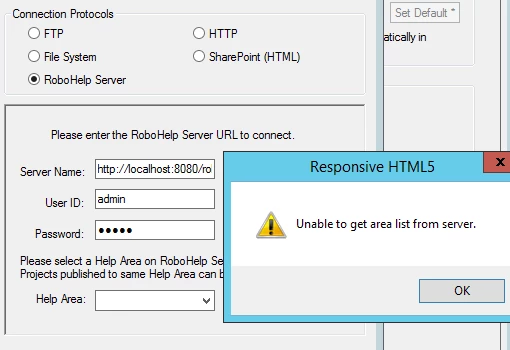
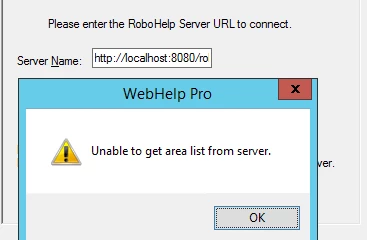
    Warning: Failed to publish to "RoboHelp Server". reason: Unable to connect to the RoboHelp server on http://localhost:8080/Robo. If RoboHelp Server is not being used, generate WebHelp instead. More information on RoboHelp Server is available in the help file..

    johndaigle
    Legend
    June 7, 2017

    I can tell from your screenshot that somehow your URL got messed up. Also, if you create a new Area, you need to "refresh" the list and select it as shown in the screenshot.

    John Daigle

    Adobe Certified RoboHelp and Captivate Instructor

    Evergreen, Colorado

    www.showmethedemo.com

    John DaigleAdobe Certified RoboHelp and Captivate InstructorNewport, Oregon