Known Participant
November 27, 2017
Answered

Robohelp 2017 (Update 2) Responsive HTML5 Indigo error IE11

  • November 27, 2017
  • 1 reply
  • 997 views

Hi,

I'm continuing my evaluation of Robohelp 2017 (Update 2) Responsive HTML5 Indigo screen layout. With your help I've made a lot of progress with this and intend on upgrading from RH2015.

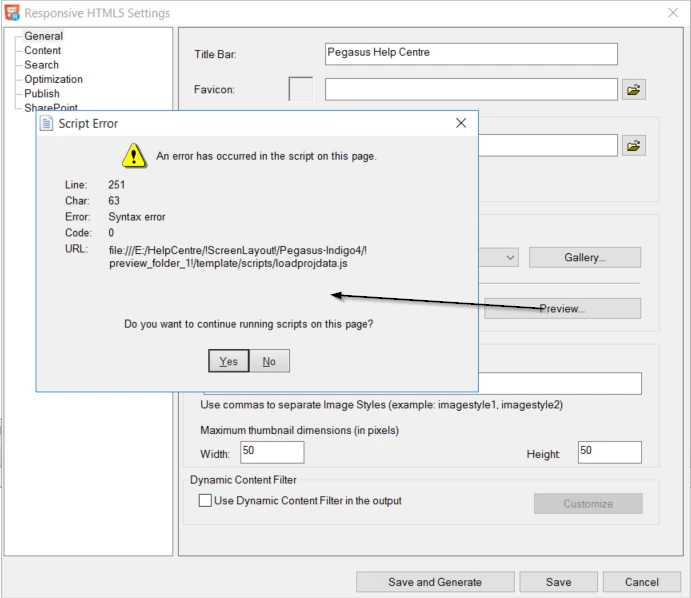
I've noticed this error in my Indigo project when loading the page in IE11.

Is this a known issue? Works fine in Chrome, Edge, Firefox.

(As an aside, what is the js file used for? I removed all the contents of the file and the page loaded, rendered properly and the TOC items worked too).

This topic has been closed for replies.
Correct answer Jeff_Coatsworth

Thanks again Peter, I've got those new javascript files downloaded.

As far as I can tell the files are created on the fly when a preview is run, then deleted when the preview is closed. Every new preview creates a new folder; for example, my first preview was "E:\HelpCentre\!ScreenLayout!\Pegasus-Indigo4\!preview_folder_1!\template\scripts".

So, I don't see how I can stop the preview crashing happening.
But the files fixed the error after I built the project for real.

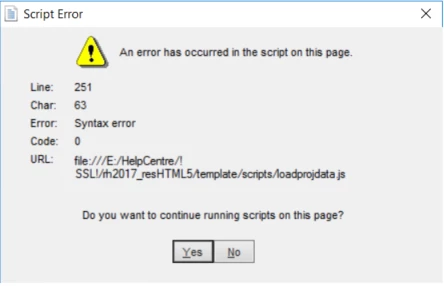
When the output is generated for real, the !SSL folder is updated, with the javascript files in the 'scripts' folder; for example, mine is E:\HelpCentre\!SSL!\Pegasus-indigo4\template\scripts. I copied the files here and that sorted it.

However, the scripts are updated each time the project is built so it looks to me that I need to copy the javascript files over after every build.

Is that right? Or is there another way?

Thanks very much for all your help.


You can always stick them in your "factory" install location in c:\program files...

Just be sure to rename the original ones to some non-functional named extension (like .old or .orig)

1 reply

Peter Grainge
Community Expert
Community Expert
November 28, 2017

I'll look when I can but I thought this was covered in a recent thread.


See www.grainge.org for RoboHelp and Authoring information

@petergrainge

Use the menu (bottom right) to mark the Best Answer or Highlight particularly useful replies. Found the answer elsewhere? Share it here.
Peter Grainge
Community Expert
Community Expert
November 28, 2017

The same image appears in Robohelp 2017 update 2 - now it's broken

However, only one file was provided by Support and two are required. Try the files at Tracker​ first as they have worked for most people.


See www.grainge.org for RoboHelp and Authoring information

@petergrainge

Use the menu (bottom right) to mark the Best Answer or Highlight particularly useful replies. Found the answer elsewhere? Share it here.
Known Participant
November 30, 2017

Thanks again Peter, I've got those new javascript files downloaded.

As far as I can tell the files are created on the fly when a preview is run, then deleted when the preview is closed. Every new preview creates a new folder; for example, my first preview was "E:\HelpCentre\!ScreenLayout!\Pegasus-Indigo4\!preview_folder_1!\template\scripts".

So, I don't see how I can stop the preview crashing happening.

But the files fixed the error after I built the project for real.

When the output is generated for real, the !SSL folder is updated, with the javascript files in the 'scripts' folder; for example, mine is E:\HelpCentre\!SSL!\Pegasus-indigo4\template\scripts. I copied the files here and that sorted it.

However, the scripts are updated each time the project is built so it looks to me that I need to copy the javascript files over after every build.

Is that right? Or is there another way?

Thanks very much for all your help.