

RoboHelp 2019.05 Type-ahead action in Publish Profiles poorly designed
When you attempt to enter a Windows path for a File System "Publish Profile" in RoboHelp 2019.05, the UI replaces what you enter far too quickly so you never have enough time to complete the path before it attempts to replace characters (for example \\server\share with //server/share) or append the trailing slash "/", or validate the path.
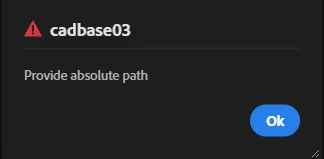
At worst, you simply get the error even before you finish typing:
or you find it adding a trailing slash "/" before you complete the path. In the example below, I was attempting to enter //cadbase03.pwc.local/d$/inetpub, but if I stop typing, even for a fraction of a second, the UI adds a "/" to the end - which ends up in the middle of the string that you were trying to enter.
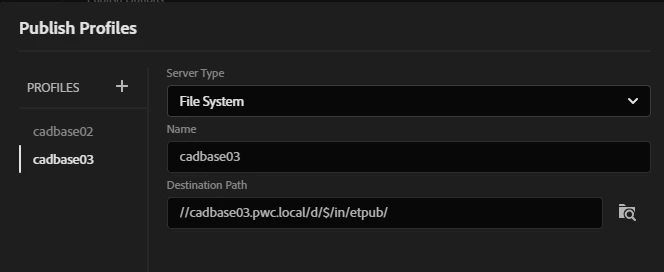
It would be far better to do the syntax checking and/or the path verification code on the focus-out event, rather than on individual keystroke events.
When I started looking a RoboHelp 2019, I absolutely hated it, but I can now see the advantages and what Adobe are trying to to with it. I think I can become a fan of the new design - but issues like this just make we want to go back to the old 2017 UI.


 AdChoices