


Robohelp 2019 and SharePoint Online connection for collaboration
My colleagues & I need to collaborate on the same Robohelp 2019 project. I created a site specifically for that purpose on SharePoint online, made my co-workers co-owners of the site, and the default doc library on the site inherits permission from the site. I was able to successfully establish a connection profile, upload a demo project and edit it, check it back in and so forth.
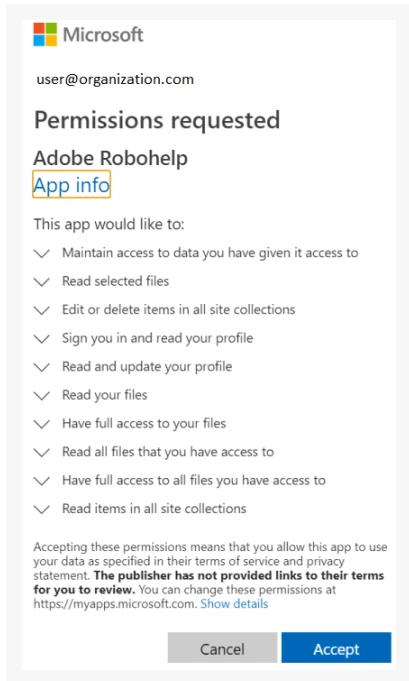
However, neither of my co-workers are able to establish a connection profile. They get to the screen where you paste in the SharePoint site URL, and when they click Login, they get the message shown below. When they click Back to app, they land on an Adobe login screen. We verified that the apps Adobe recommends whitelisting are whitelisted for all of us. I have a feeling this has to do with the fact that my RH license may be associated to my personal Adobe ID, while theirs might be associated to the company ID. Our IT people are trying to figure out who might be our "Adobe Admin," but we're not even sure that's what the message is referring to. Can anyone offer any insight? Thank you!
Dawn
[PII removed by moderator]


 AdChoices