


RoboHelp 2019 Classic to RoboHelp 2020 > Word Output
I think I remember why I stuck with the Classic version of RoboHelp 2019.
I need to use RoboHelp 2020 for a new frameless HTML project because the skins etc seem better. So, I'm just looking now at converting existing white papers we put out in RoboHelp Classic 2019 to RoboHelp 2020 "while I'm at it" "in the off chance we can be done with Classic" and I'm coming up against all types of problems.
Background: We store source in HTML just because I don't trust anything else and it also enables me to convert different content to different systems easier (through translation software, to other outputs if needed). I have been burned by having source be proprietory file types in the past and I don't really want to have all this managed only in Word because that always leads to problems converting back to anything "clean" in the future. So, we have RoboHelp projects set up with htm files and output them to Word >> onto PDF... for this particular type of document.
I've looked around a bit here but haven't as yet found anything specifically about the problems I have.
1. If I build an empty RoboHelp 2020 project and try and set it up with Word output linking to a dotx file, it doesn't work. I can't make the style list generate and it crashes on output.
2. I originally converted a Classic project over to 2020, I realised that it no longer uses .dot but uses dotx and with that one I managed to make it map the styles... but this is the same dotx as the empty file, so, I just can't figure out for the life of me why the empty one won't build.
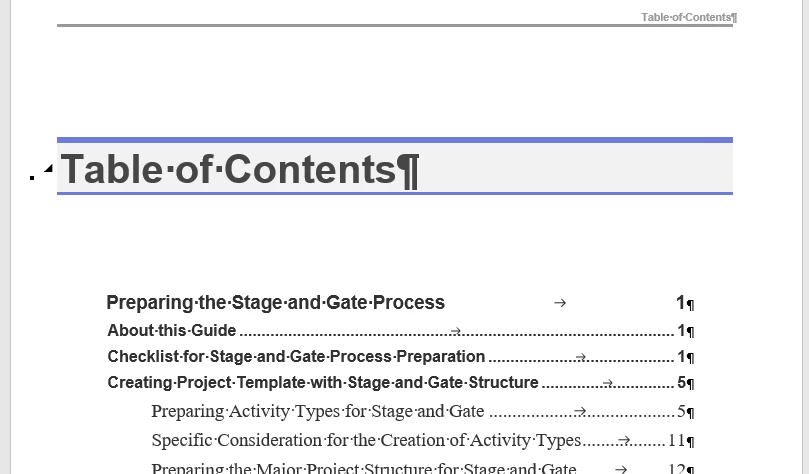
3. In this converted one, I've managed to set up the css I use and the dotx I converted from dot and the styles go through BUT the resulting Word output does not have a TOC in it like the dot used to and the dotx does... this doesn't seem to carry through.
4. In Classic you could set up the Content like this:
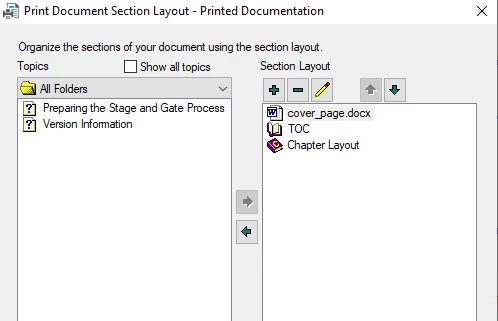
so that the Word output had a cover page in it coming from that doc. I can't find a way to do this in RoboHelp 2020, I don't see the same options for this type of setup... and if it would ever be possible to do this + have a nice TOC (I mean this in the output):
5. Even with the converted project I manage to get Word output out of list styles are not picked up. I used the "workaround" in Classic where all our list styles both numbered and unnumbered had paragraph styles within them so that they would convert to styles in Word, we then have macros that "fix" the lists in Word.... but with this conversion all list styles, anything that finds itself within <ol> or <ul> tags are sent to "normal" style. I don't find a way to map them to my dotx styles as I could in Classic. This could well be a "this is not possible" thing that I think I have seen a bit with some of the other posts I have read but, this is a major problem. I'd need to know how to convert list styles properly to make it work in Word.
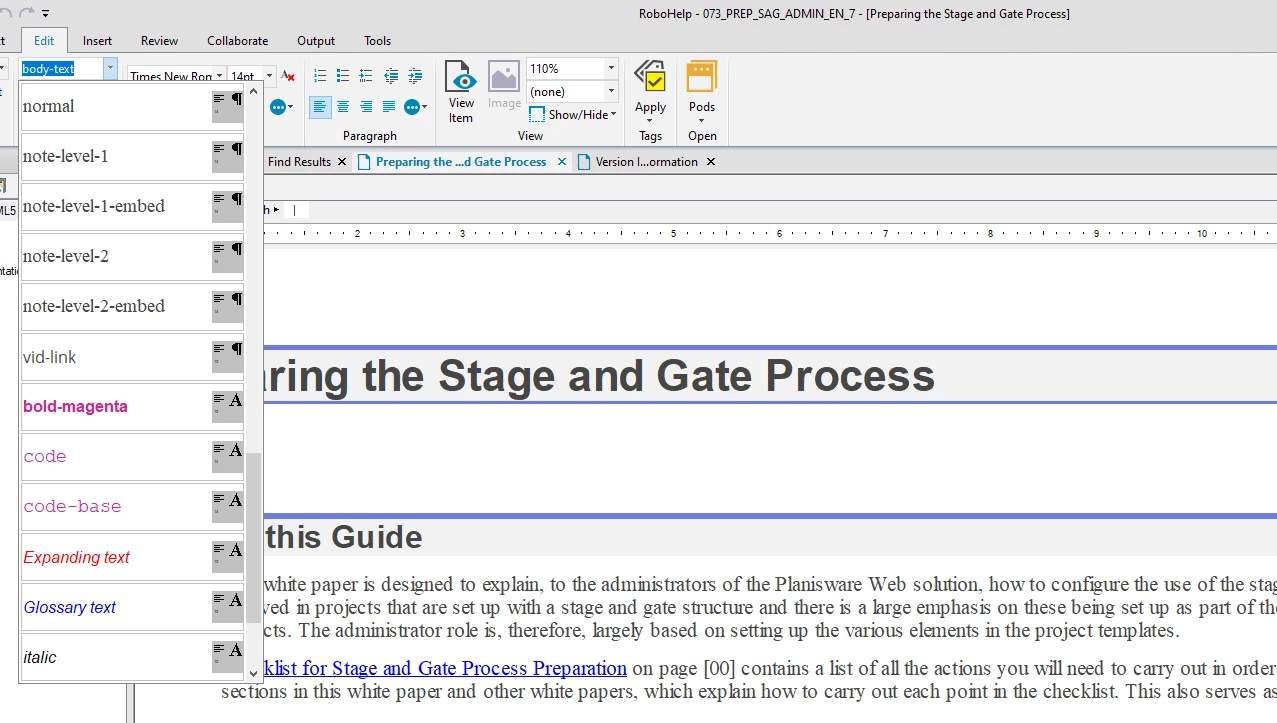
6. I can't work out if I'm missing something but the wysiwyg editor no longer adds a nice new paragraph when you press enter, it enters a <br> and there's nothing like the great style selection like here:
All I can find is the thing to the side where I have to type the name:
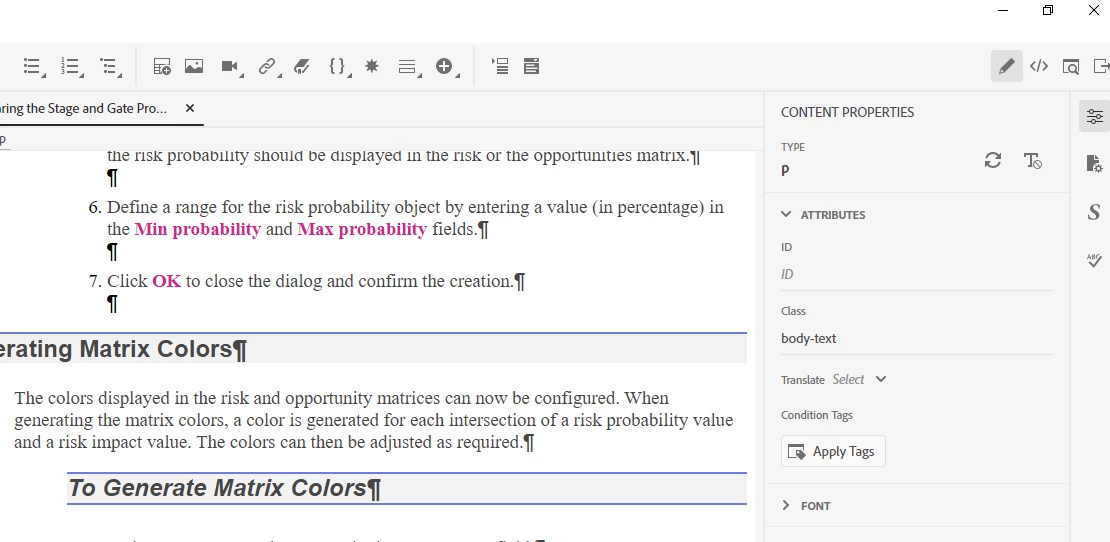
I'm shocked at this loss of functionality. I may just be missing somewhere else where this works?
All these problems may well be known and I suppose if someone says "what you"re trying to do is impossible" then that at least would make me know that I can't pursue this. but any help on getting the same desired output from RoboHelp 2020 would be appreciated... sure it works when I just strip all lists out of the htm and then use the fixing method I have to rebuild the lists in Word 😄 but that's not ideal for the wyiwyg editor or for wanting to use it afterwards in another project as a html list.
thanks for any pointers on all this!
 AdChoices