

Question
RoboHelp 2019 New UI - Images moving to the right in Output
It's me again.
Concerning Bulleted Lists and images: The only way I can get the numbering correct is to place my cursor at the end of a line and insert the image. For instance:
- This is a numbered bullet and I want to insert an image under this step. I place my cursor here at the end of the line:|
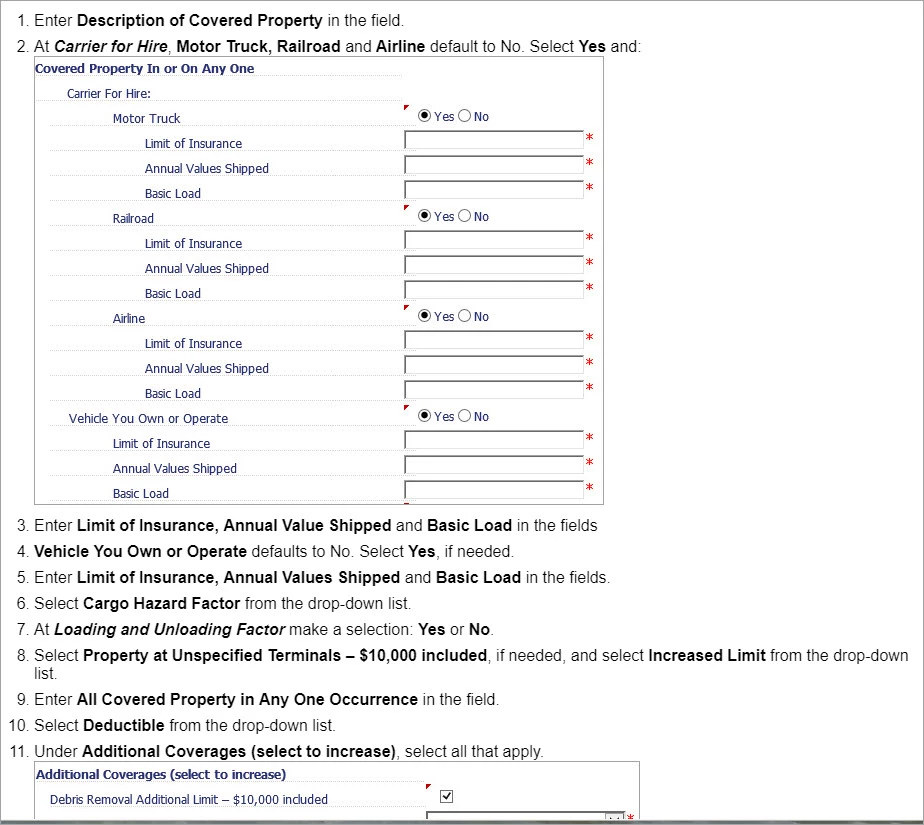
Here is a picture of what my guide looks like within RoboHelp:
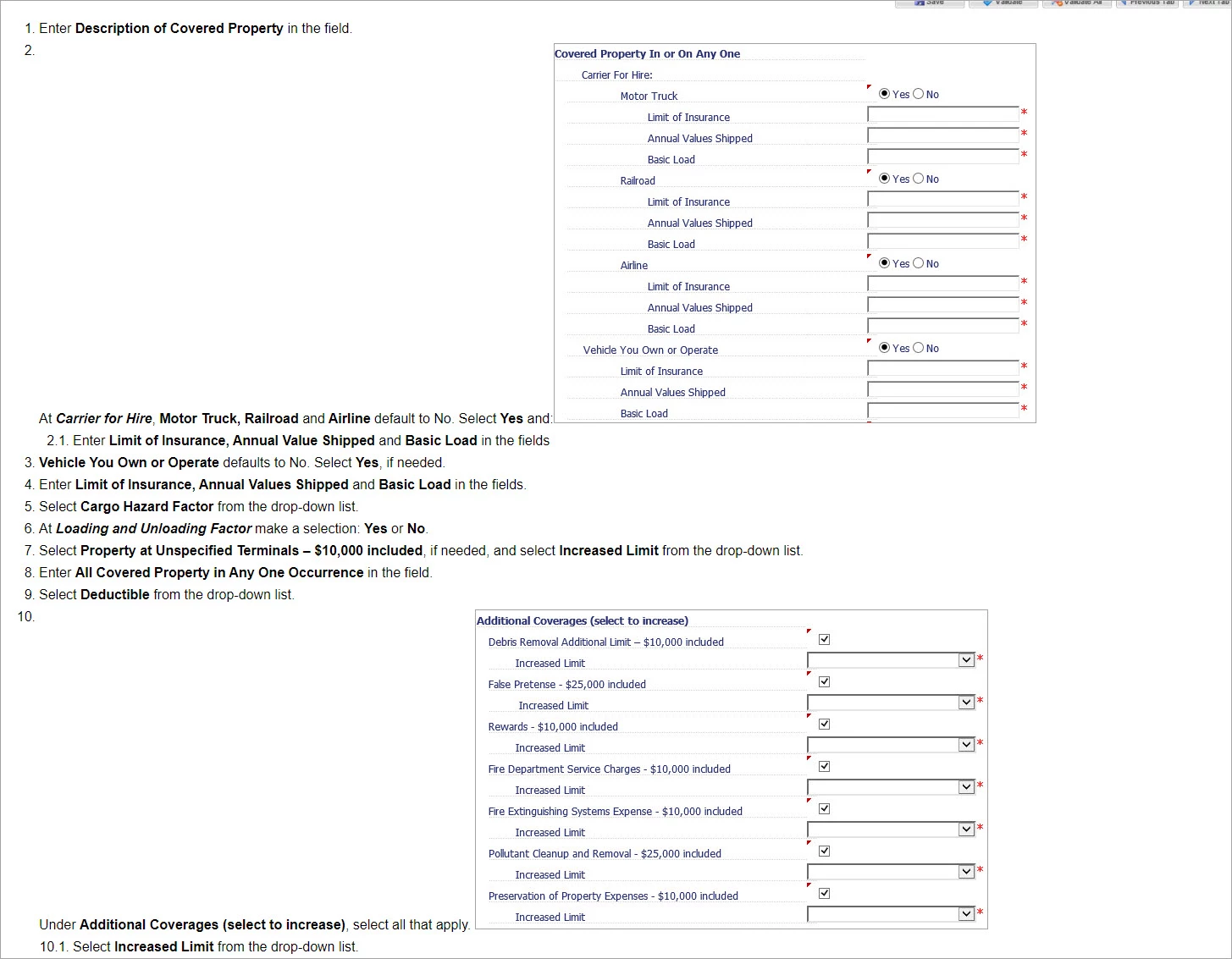
When I generated the Output and viewed it, this is what I see:
If I hit enter and exit the numbering, the images display properly. But to keep the numbering synced, I don't know what else to do to keep the images from moving in the output.


 AdChoices