
Robohelp 2019 search giving context and link too far down page
We're investigating switching to RH2019. In particular the search offers what our users have been repeatedly asking for in terms of auto fill, fuzzy logic etc.
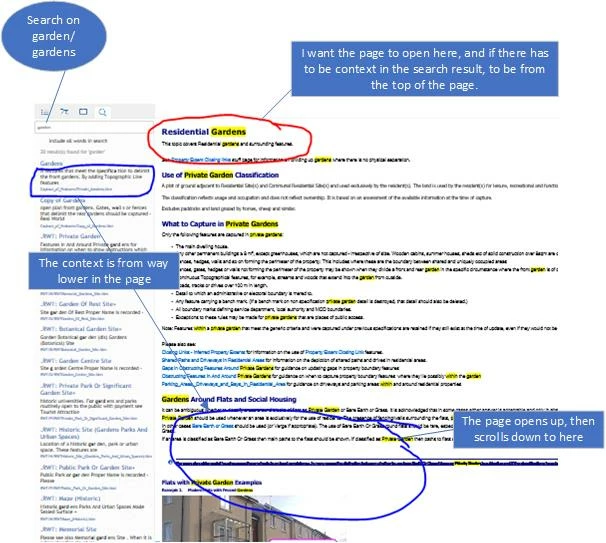
The pages returned by the search are as expected. BUT the context displayed in the search results, and the place the page scrolls to on clicking the search link aren't what we want in many cases, and give a confusing result for users, such that we would stay with classic.
For example we have a page called Gardens , with heading 1 at the top "Private Gardens", and some high level text which would be appropriate as context.
However the context, and the place linked to by the search, is far deeper within the page and the displayed context potentially misleading about the overall content. I'm assuming it's going to where the density of the search word is the greatest.
It's cool to go to the 1st location of the search word on a page, but not the 20th or so instance of it!
Is there a way to make the search just return a link to the top of the page as per classic RH (or the first H1 or highest ranked instance)?
Is there a way to get rid of the context (as in RH classic?) I can sort of get round the context by putting a description on each page and displaying this, but I'd rather not have to!
thank you to anyone who knows...


 AdChoices