Participant
October 2, 2020
Question

RoboHelp 2020 Can't reach this page

  • October 2, 2020
  • 1 reply
  • 560 views

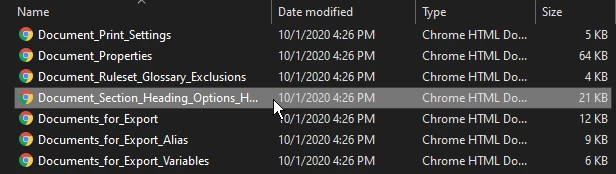
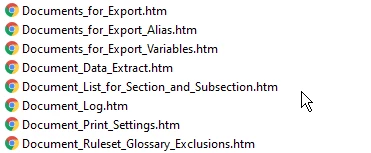
My employer has a help file created in RoboHelp 2019, and they gave me RoboHelp 2020 since I'm the new person to maintain the help file. The problem I'm running into is when I look at the ToC and the entries on the contents folder several of my files exist and I can see them in RoboHelp 2020, but when I generate a Microsoft HTML Help file, or a responsive HTML5 output, I receive a "Can't reach this page" error with "Make sure the web address //ieframe.dll/dnserrordiagoff.htm# is correct" under the error message. The responsive HTML5 file says the file has either been moved or deleted.
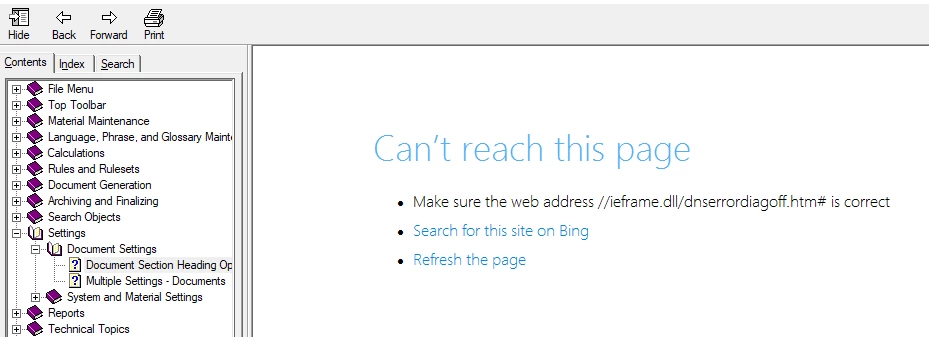
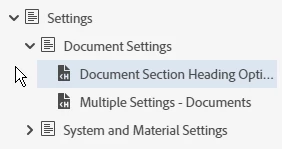


When I view the compiled HTML Help File that RoboHelp created the files are missing from that. I cannot figure out what makes these files not get included in the output generation.
 

This topic has been closed for replies.

1 reply

Peter Grainge
Community Expert
Community Expert
October 3, 2020

First of all please always add images using the photo icon. Thanks to an issue you won't be aware of in this forum, to view the images you have to save them locally and then you can't reply without closing the post and reopening it. Crazy I know but that's the way it is. Also some people who can help will simply not download files.


Is the problem confined to just those topics that you are looking for in the output or is it in fact all topics. That looks like the error message you get when you try to open a CHM on a network.


https://www.grainge.org/pages/authoring/chm_mspatch/896358.htm


Against that is the fact you say it is happening with responsive layouts as well.


Things to try.

  1. Was 2020 installed with admin rights? Essential.
  2. Do you have Update 1 applied?
  3. Are there any tags applied to those topics?
  4. Is there any source control involved?
  5. Create a new TOC with just one of those topics. It will make troubleshooting quicker.
  6. Create a duplicate of that topic and add it to the TOC. Remove all content from the duplicate and generate. Can it then be accessed? If it can then it's clearly something in the topic that needs looking into.
  7. Are you generating to the same drive as your project is on?


See where that gets you and post back.


Use the menu (bottom right) to mark the Best Answer or Highlight particularly useful replies. Found the answer elsewhere? Share it here.