



RoboHelp 2020 Frameless skin: How to get "search-selected" to be the default?
Hi all!
I am using a rebranded "Orange" frameless skin. There is a search icon that appears in the top-right corner of the output:

When clicked, the icon "toggles" to the Search box (icon disappears and Search box becomes focus in the middle of the header):
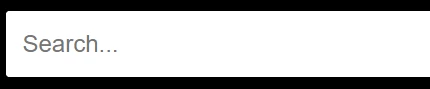
What I want to do is set the default value of this "toggle" to "search-selected" so that the Search box above appears on the page upon load, instead of the search icon. I am familiar with the div classes for each element and in digging around, suspect this may need a script or LayoutDiff.css edit...but I just can't nail down where (or how) I can specify this.
On the front-end skin editor, I've tried changing various Display options on the search-icon and search-selected elements, but again coming up empty.
Does anyone have any ideas?
 AdChoices