



Robohelp 2022 - What do the red x's mean in a TOC
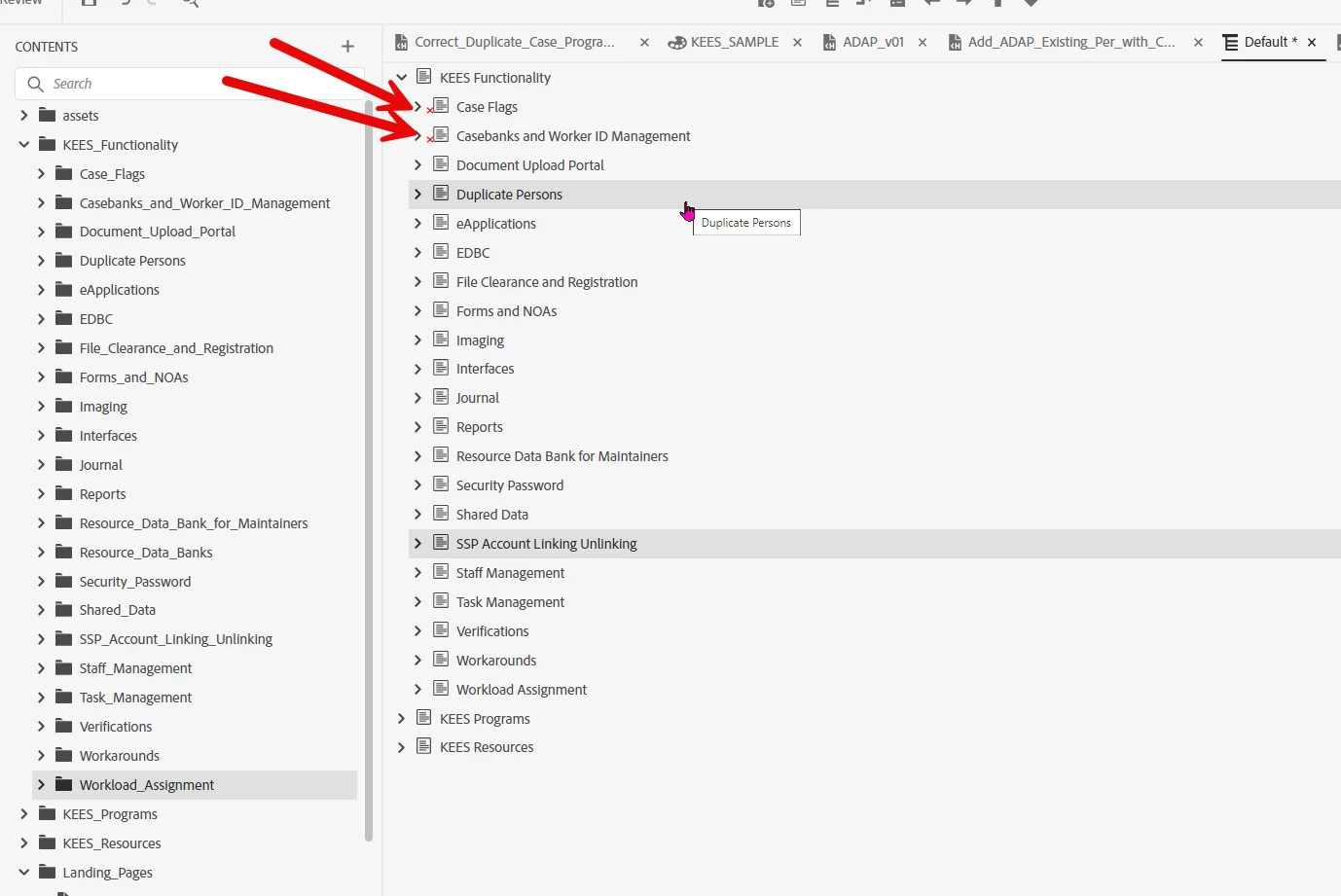
Hello. I have 2 questions here related to RH 2022 TOC. I've been struggling with an issue related to the red X's that appear in my table of contents (TOC), and I'm hoping to get some clarity on it. When I autocreate a TOC, it looks fine initially. However, if I add images for the tiles by right-clicking on an item in the TOC, selecting "Properties," and setting a picture in the "Tile Image" field. After clicking "Apply," I often find that a red X appears next to the item. I can't identify a consistent pattern or specific action that triggers these X's. It seems that the red X's tend to show up when I make changes to the properties, such as setting the source images for tiles, after the TOC has been generated and saved. The frustrating part is that they rarely go away. If I delete the TOC and create a new one, it comes in without the red X's, but then I have to go through the process of setting up all of my images again. It's baffling to me what the red X's signify, It's really been driving me crazy, and I can't understand why there isn't more information available about this issue or how to resolve it. Thank you for any insights you can provide!
Another question I have is how to update an existing TOC. In this project I have had to recreate TOC more than I care to mention. When we go in and add 15-20 new folders with new topics in them and we want those 15-20 new folders to show in the TOC, how do I simply add those changes into an existing TOC that is already created and has images set up for tiles, etc? I don't want to delete my existing TOC because throughout the months I have made manual changes to the existing TOC that will be lost if I delete it and recreate it. I want to keep the TOC exactly the way it is and auto- add all of the newest topics to it without having to drag and drop each topic into the TOC. How is that accomplished in Robohelp 2022?
Thank you.
See red X's in screenshot:
 AdChoices