Participating Frequently
July 5, 2010
Answered

Robohelp 8: Child Project topics not displaying in the topic pane

  • July 5, 2010
  • 1 reply
  • 1550 views

Hi All:

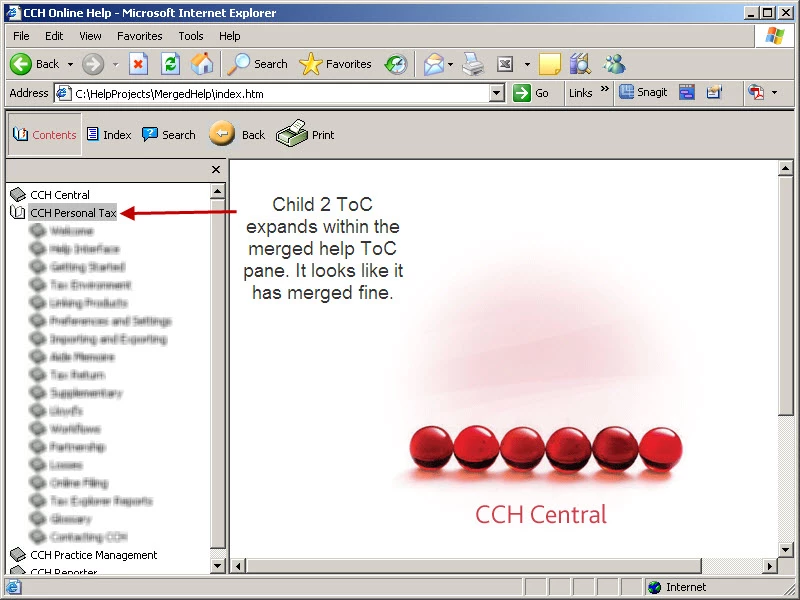
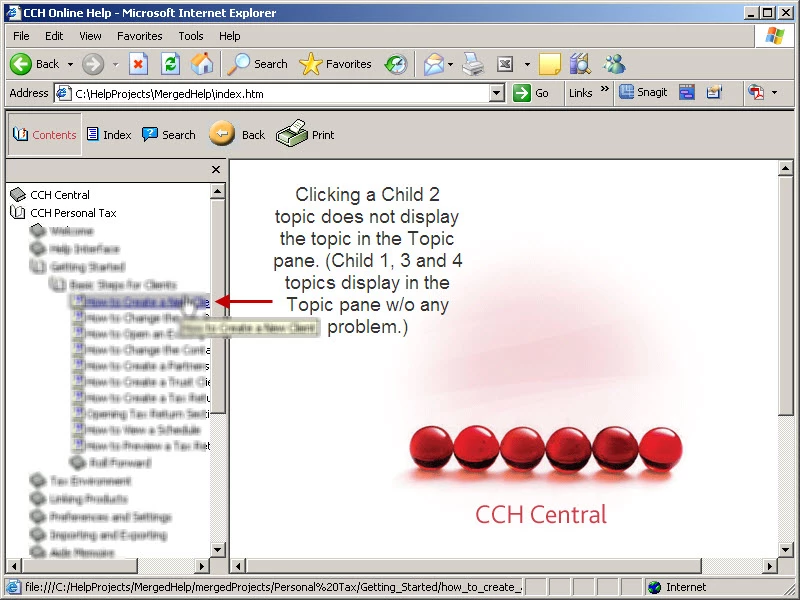
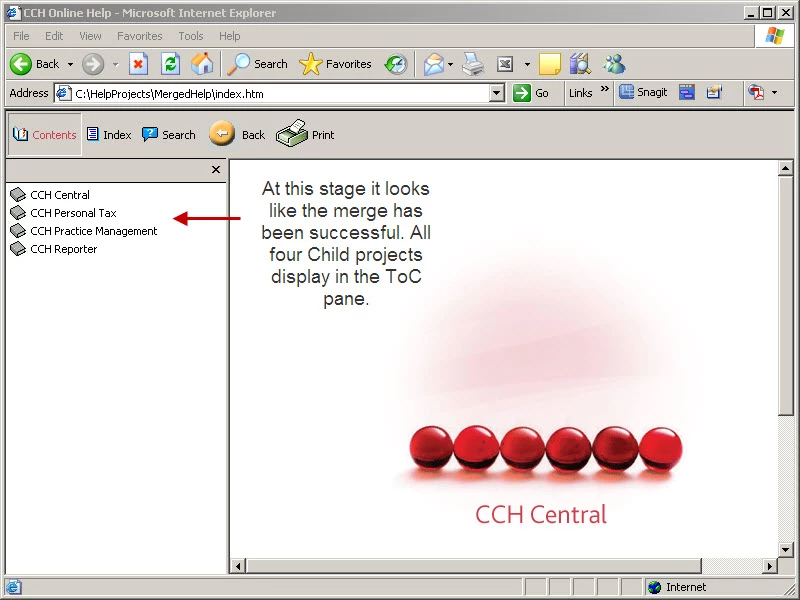
I am working on a Robohelp 8 merged help with four child projects. The child project I added last (which appears as Child 2 on the ToC) displays fine in the ToC pane. However, none of the Child 2 topics display in the Topics pane.

When I investigated, I found that Child 2 had a few broken links. I fixed them but this has made no difference.

I have cleared the MergedHelp folder and recompiled a few times, but w/o any change. Child 1, 3 and 4 topics display in the topics pane, but not Child 2 topics.

Would appreciate any pointers.

Regards,

Sophie
This topic has been closed for replies.
Correct answer Peter Grainge

Hi:

I removed all the Child projects, cleared the MergedHelp folder and regenerated all the Child projects and the merged help. No joy. Same problem.

I'm sure in the end it will turn out to be something very simple, just like all the other times I've had errors. But for now I'm foxed.

Thanks and regards,

Sophie


Have you regenerated the parent and then each child in the same order as they are in the parent TOC?

How big are the source projects zipped up (after deleting outputs)?


See www.grainge.org for RoboHelp and Authoring tips

@petergrainge

1 reply

RoboColum_n_
Legend
July 5, 2010

Hi Sophie.

Can you confirm the type of output you are generating? Does the cild 2 project display properly when displayed in isolation from the merged project?


  • Read the RoboColum(n) for a tips, tricks and musings on the Technical Communication Suite products.
  • Follow the RoboColum(n) on Twitter
Participating Frequently
July 5, 2010

Hi Colum:

I am generating webhelp.

The compiled child project displays correctly on its own, outside the merged help.  It even displays fine via ..\MergedHelp\mergedProjects\Child 2\whskin_homepage.htm.  It looks like an error free compile.

Thanks and regards,

Sophie

RoboColum_n_
Legend
July 5, 2010

Is your merged help structure set-up exactly according to Peter Grainge's article? Double check things like the project name and folder. From memory if there is any discrepency it can cause the project not to appear.


  • Read the RoboColum(n) for a tips, tricks and musings on the Technical Communication Suite products.
  • Follow the RoboColum(n) on Twitter