June 5, 2009
Question

Robohelp 8 - Images

  • June 5, 2009
  • 2 replies
  • 1016 views

Only some of my images actually show up as images.  Many look like this:  {bmct AMP_page_description_page2.bmp}   All of my images are in the same folder within the project.  Also, any shapes or text boxes didn't show in the imported doc either. 
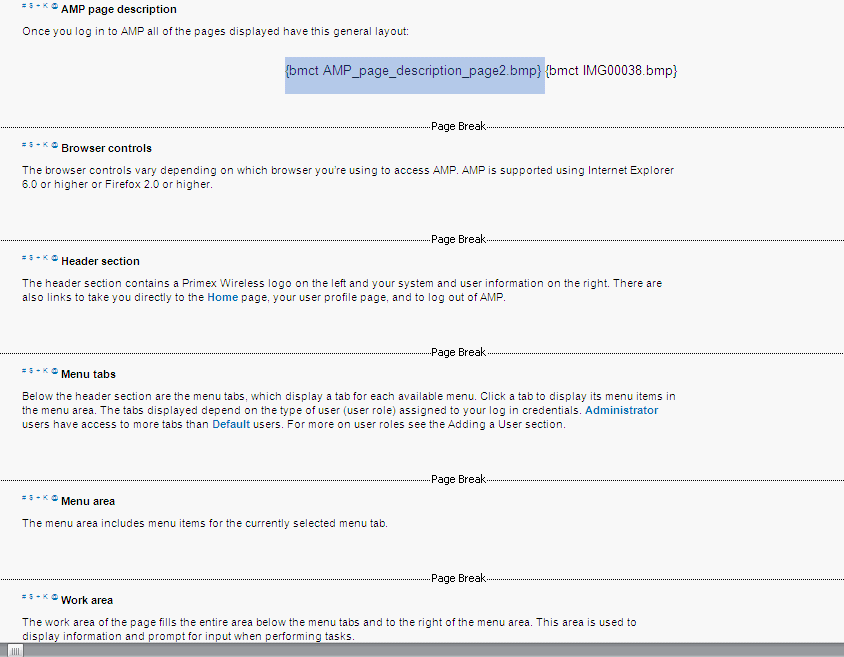
Original Doc below
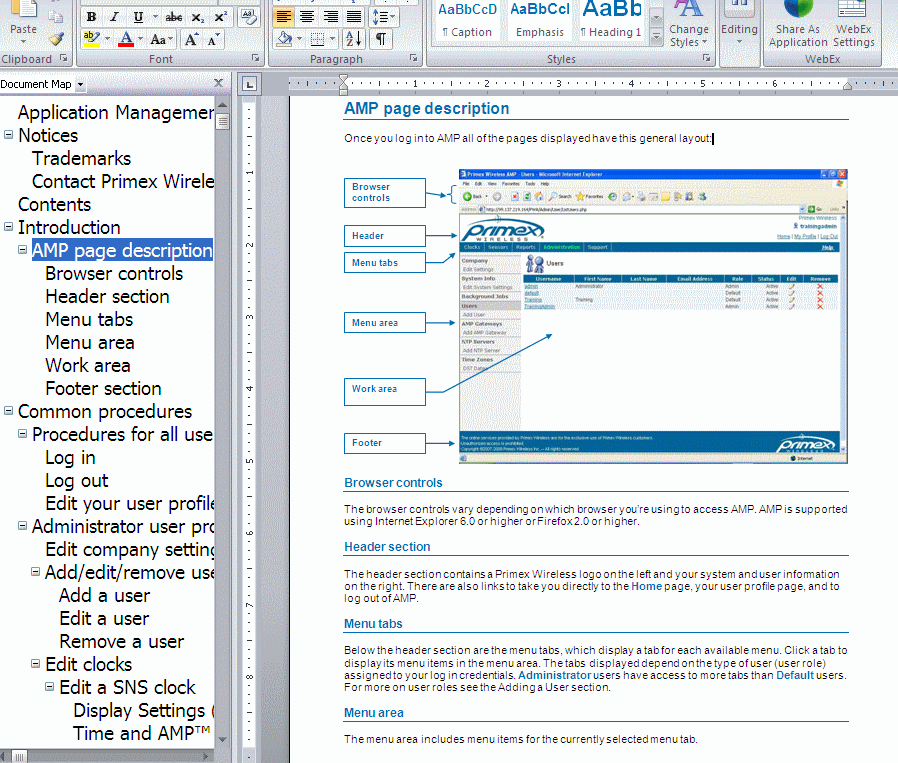
Any ideas?

This topic has been closed for replies.

2 replies

Inspiring
June 25, 2009

The "bmct" stands for bit map character transparent. When you compile the help system the bitmap is retrieved from the path you specified. If you imported the doc, they are just named img and a sequencial number. (You have to view the bmp to see what it was as it doesn't save the bmp with friendly filenames.

RH for Word has never dealt with call-outs added to pix in word. It just doesn't know what to do with them or where to place them. I know that's not what you want to hear...

I too have had to deal with this issue. Basically, what you need to do is view the pix in the document where you see all the call outs and how you want it to appear in your help system and use some sort of capture tool such as snag-it, clip'nsave, or every RoboScreen Capture that you will find in the tool of RH. Get a pix, save the file as a bmp, insert it into your source doc. Compile!

RH for Word uses BMP as input. When the help system is generated, I believe they are converted to GIFs. Since BMPs are typically much larger than jpegs and gifs, they are referenced in your doc as you see. This allows the compiler to work. You can place the pix directly into your doc, but you will run into an issue where the help system may not compile.

As to these strange filenames for the bmps, you may want to spend sometime and rename them to make more sense to you. Make sure you have a list of the IMG filename with the new name you give it as you will need to replace the filename in your source in the {bmct...} reference. Since this was an imported doc, you will only need to do this once. It makes locating the bmps you want to insert much easier.

When you go to insert a graphic, if you uncheck "transparent" you will only see {bmc...}. I have found using the character alignment much easier to use rather than left or right. I can can use word to center the pix if I need to.

RoboWizard
Inspiring
June 5, 2009

Hi there

Ick... you are using RoboHelp for Word. Not much of a repository of experience and help left to assist with that.

Drawing from distant memory here. Basically the references bmct and whatnot are simply the way RoboHelp handles images in RoboHelp for Word. That product was initially designed to create WinHelp files. With these files you specify lots of coding and that's where RoboHelp came to your rescue. I think with Word you may use images in two ways. By reference (which is what the bmct stuff is) or by embedding the images directly in the document. As I recall, you REALLY should avoid embedding the images inside the document as that caused issues. Then again, that was eons ago, so maybe it's not as critical as it once was.

The bottom line here is that it would appear some of your images are correctly referenced the RoboHelp way and some are embedded (pasted in).

Hopefully that helps a smidge... Rick