RoboHelp 9 chm file doesn't run on Windows Server 2012
Hi All,
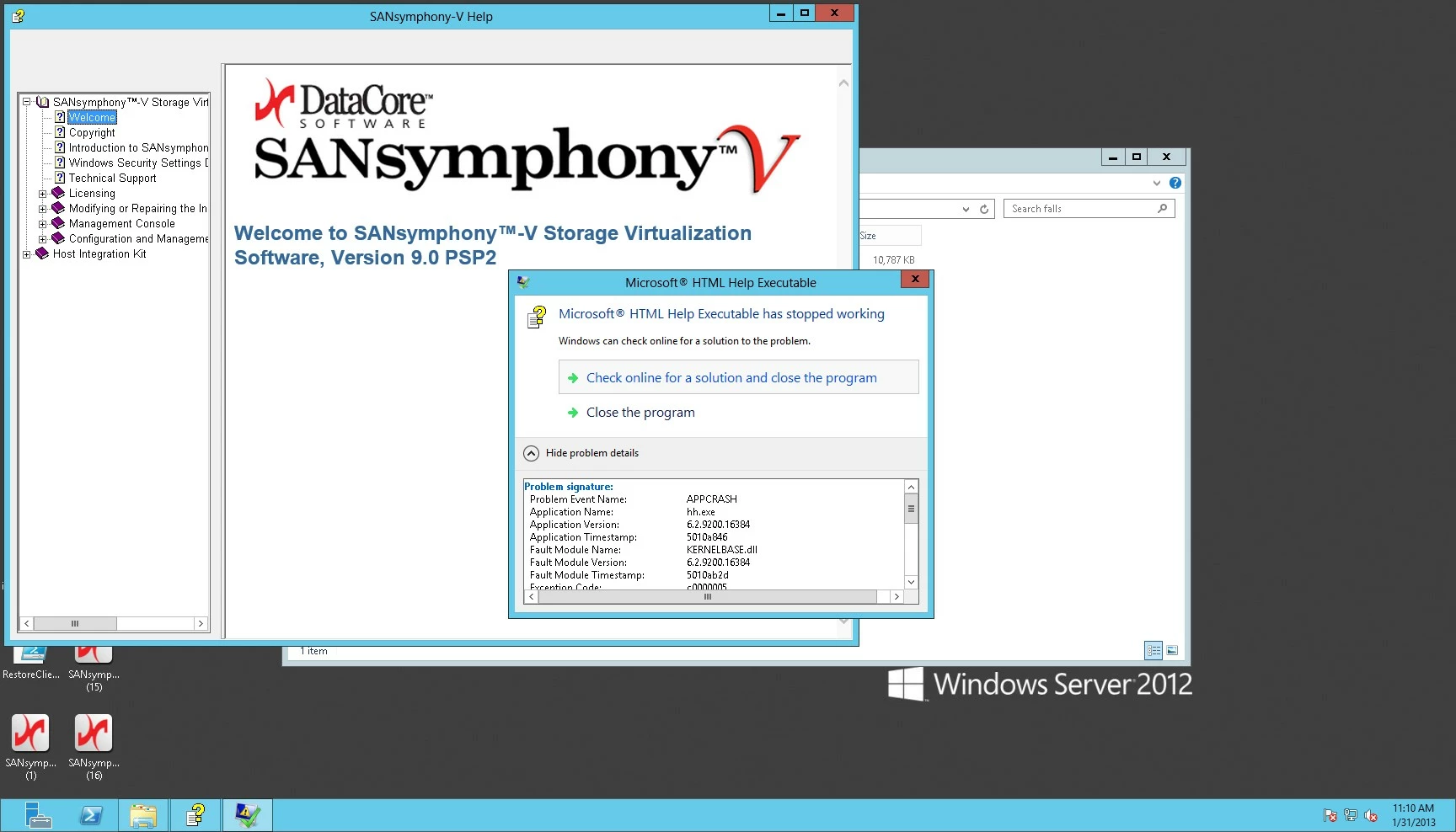
I'm running RoboHelp 9.02 and created a chm file. Tried to run it locally on a Windows Server 2012 machine and no luck! The chm file opened and then I got an error "Microsoft HTML Help Executable has stopped working."
Here's the entire message:
Problem signature:
Problem Event Name: APPCRASH
Application Name: hh.exe
Application Version: 6.2.9200.16384
Application Timestamp: 5010a846
Fault Module Name: KERNELBASE.dll
Fault Module Version: 6.2.9200.16384
Fault Module Timestamp: 5010ab2d
Exception Code: c0000005
Exception Offset: 0000000000005d96
OS Version: 6.2.9200.2.0.0.272.7
Locale ID: 1033
Additional Information 1: d79c
Additional Information 2: d79c75a63f9539b6a08bfbdd1eda4f66
Additional Information 3: b995
Additional Information 4: b9956fb29c632d2c65214a46e4fba57c
Read our privacy statement online:
http://go.microsoft.com/fwlink/?linkid=190175
If the online privacy statement is not available, please read our privacy statement offline:
C:\Windows\system32\en-US\erofflps.txt
From what I understand from an engineer here, the code is some kind of access violation.
The same chm file runs just fine on Windows Server 2008 R2, so it must be something to do with Windows Server 2012. I called Adobe and their first line of support told me that the chm file has not been tested on Windows Server 2012.
Our software is distributing and registering the same HHActiveX.dll (64-bit), file version 9.0.0.228.
This is a bit of a problem for me because we are set to release in a day or two (yikes!!). I'd appreciate any help, hints, suggestions!
 AdChoices