



RoboHelp 9 HyperLink/Popup...
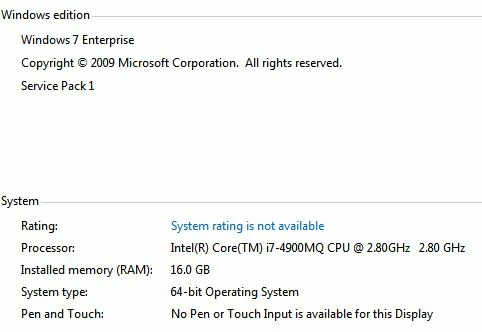
I am using RoboHelp 9.0.2.271 inside of TCS 3.5 on the following Dell laptop characteristics:
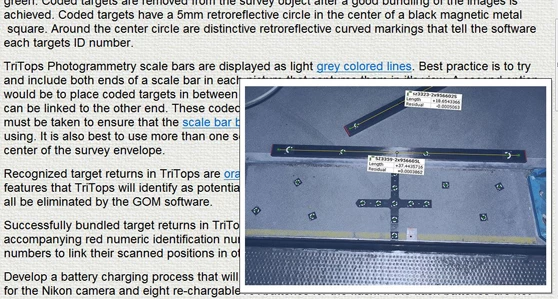
I build HTML CHM help files. I have many times used Hyperlink/Popups for users to view a picture of what is being discussed underneath it. As illustrated below, the "grey colored lines" link should bring up the picture below it. This is a screen cap from the View Selected Item command on the tool bar. That is why you can see it here.
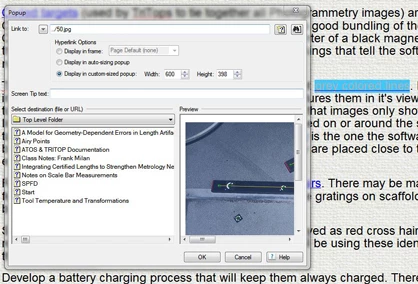
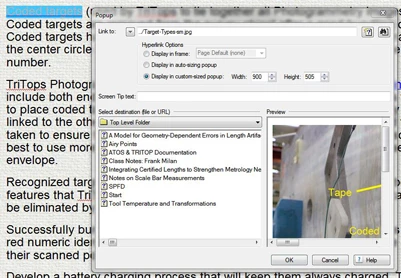
I first save it using the Display in frame option, then reopen it and change it to Display in custom sized popup, giving it a proper size.
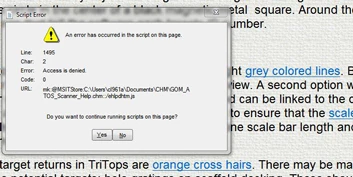
I then save all, and produce the CHM file. Opening the chm file and clicking on the link brings up this error box.
I then click on the Hyperlink/Popup above it in the previous paragraph and that picture displays OK.
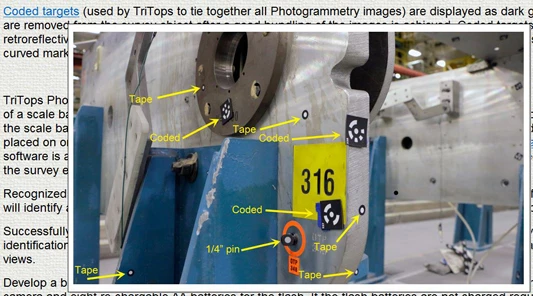
I check the Hyperlink/Popup properties and it is virtually the same. The jpg files are both in the RoboHelp Projects directory I am working this page in.
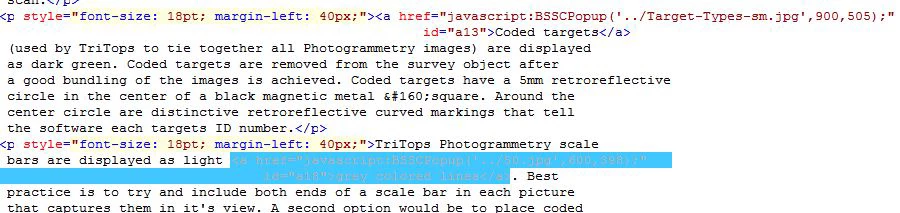
Switching to HTML code view... both hyperlinks look the same.
There are only three differences in my process, that I am aware of:
- the working Hyperlink/Popups were made and compiled 9/8/2015, and these errors are happening today, 2/24/2016.
- I had to update to Adobe Reader 15.010.20059.40980.
- I seem to remember a popup that said I needed to update javascript for this version of Adobe Reader to work.
QUESTION:
Anybody see that I am doing something wrong here?
Anybody know what is going wrong here?
Anybody know how to fix this?
 AdChoices