
Question
RoboHelp and SharePoint
I'm using RoboHelp HTML 10 with SharePoint as my version control.
When team members attempt to check in files, they receive the following message:
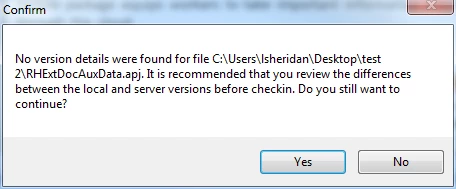
The message appears for several items to check in, so team members have to click Yes many times to actually check in. I'm not sure if this is a RH configuration issue or a SharePoint issue. Is there a way to stop the message?
I set SharePoint settings as instructed here: http://help.adobe.com/en_US/robohelp/robohtml/WS1b49059a33f77726-5aab66613798e5ec9b-7ffe.html
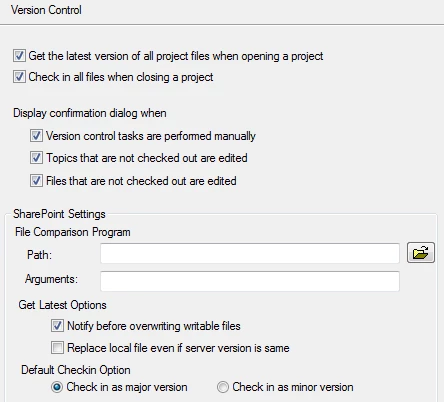
I have the following Version Control settings in RH:


 AdChoices