



Question
Robohelp error saying # character not supported
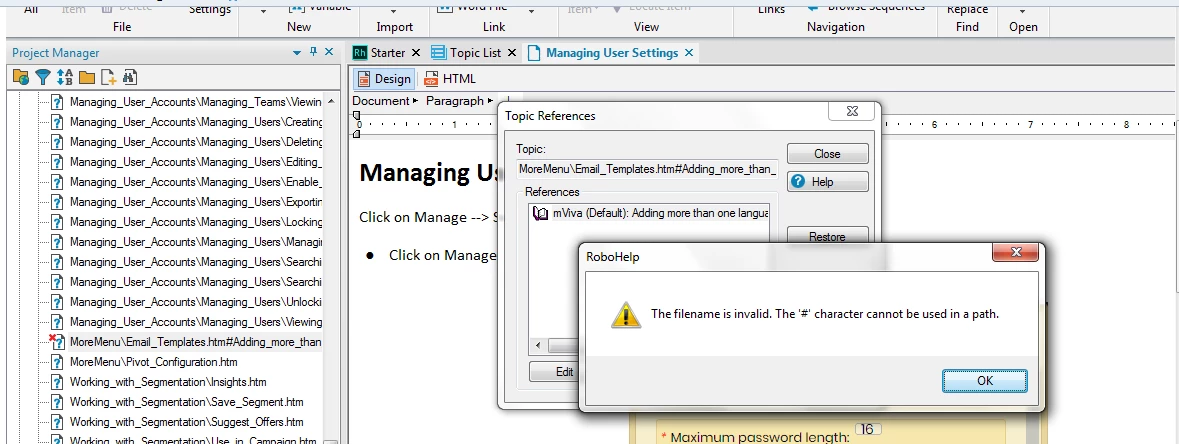
We are having some project files done in version 8 and upgraded to version 2019 classic (a gradual upgrade from 8 - 10 - 2015-2019 was done for the project files).When working on these files in 2019, we get a broken link, and while trying to restore this error, the following error message is displayed.
Even after you fix this error by editing and linking it to the correct file/bookmark and save it, the next time you open the project, the same broken link appears.
Any ideas on what this could be from? Because this # symbol is something the system puts in while linking to a bookmark.
Any help on this is greatly appreciated.
 AdChoices