
Inspiring
August 1, 2013
Question

RoboHelp for Word installed from RoboHelp 10 won't work with Word 2010

  • August 1, 2013
  • 1 reply
  • 1754 views

I have a Help project created in RoboHelp for Word 8.  I recently upgraded from Word 2007 to Word 2010 and discovered that RH8 for Word won't work with Word 2010.  So I purchased RoboHelp 10 and have installed RoboHelp for Word from it.  Alas, RH for Word STILL won't work with Word 2010.  When I try to open my project, I get this message:
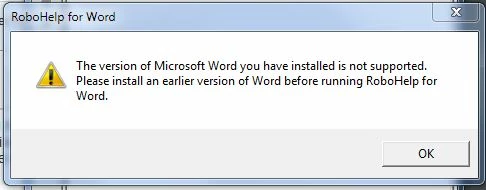
Before I bought RH10, I live-chatted with an Adobe sales person who assured me it was compatible with Word 2010.

BTW, I tried to roll back to Word 2007, but I was getting weird behavior running Word, so I have reinstalled Word 2010 and want to stay there.

Any ideas?

This topic has been closed for replies.

1 reply

RoboColum_n_
Legend
August 2, 2013

Unfortunatelty RH for Word has not changed in years and is more or less a legacy product. It is only included with RoboHelp because there are still some users producing WinHelp and the like. Do you really have to use RH for Word or would the RH HTML application meet your needs better?

pgcalcAuthor
Inspiring
August 2, 2013

So, what I'm hearing is that no version of RH for Word is compatible with Word 2010?  Curiously, the modification date for the RoboHelp.exe is 6/23/12, so Adobe must have done something to RH for Word well after Word 2010 was released.

I've used RoboHelp HTML to create help for one of our other products and will definitely do that with the product I'm trying to work on now, but I was hoping to put it off for a while more as we are just starting a project to re-write its code, which would be the perfect time to convert the help format, too.  It will be no small task to convert several thousand topics from a few Word files to several thousand separate .htm files.  Is there an easy way to do this that I'm not aware of?

Thanks.

RoboColum_n_
Legend
August 2, 2013

It has been a long time since I've done this but I seem to remember creating a new RH HTML project and importing the HLP file did a very good conversion job.