
Participating Frequently
October 13, 2015
Answered

RoboHelp HTML Version 11 and RoboHelp 2015 HTML - Why has SEARCH stopped working

  • October 13, 2015
  • 1 reply
  • 787 views

Have an existing Robo HTML V11 project that has been successfully generated hundreds of times. Updated to Robo 2015, copied the set of project folders to a new folder.

  1. Converted the copied project to Robo2015
  2. Generated WebHelp and copied to server
  3. Continually receive error when trying to use SEARCH.
    Receive the following error messages:
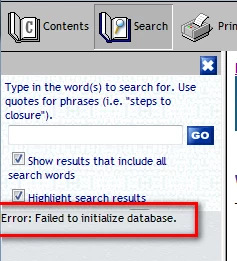
    Then
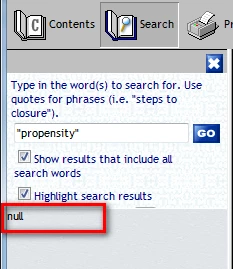
  4. Unable to clear error or reset SEARCH to function.

Reinstalled Robo HTML V11

The original project folder was opened in RoboHelp HTML V11 and now that project, when generated, no longer has a working SEARCH either.

Have tried to delete the whxdata folder in hopes that regenerate will recreate properly, obviously didn't work.

Can anyone shed light on this situation and provide a solution. I have updated to an application's Online Help, but can't publish an Online Help system that does not have a functioning SEARCH function

This topic has been closed for replies.
Correct answer Peter Grainge

Thank you, Peter, for your understanding in dealing with a large,

bureaucratic organizations. I just need to get an approval from someone

"higher up the food chain". Hopefully, that will be relatively soon. I

truly appreciate your help, Peter, and will provide a link to download the

files as quickly as I can.


I just recalled this thread.

https://forums.adobe.com/message/8034185?tstart=0#8034185

Worth a try?


See www.grainge.org for RoboHelp and Authoring tips

@petergrainge

1 reply

Peter Grainge
Community Expert
Community Expert
October 17, 2015

Would you be willing to share the project with me?

If you are, see the Contact page on my site for instructions.


See www.grainge.org for RoboHelp and Authoring tips

@petergrainge

Use the menu (bottom right) to mark the Best Answer or Highlight particularly useful replies. Found the answer elsewhere? Share it here.
jwaldrepAuthor
Participating Frequently
October 20, 2015

Peter, I am trying to get the OK to provide the project files for you

(this is quite a process), so if you have any further suggestions, let me

know. I was considering rebuilding the project from scratch using the

components (html source files and images) from the "problem" project to

rebuild.

Peter Grainge
Community Expert
Community Expert
October 21, 2015

Sorry but no other suggestions. Hence asking for the project so that I can poke around in the hope of finding something.

If it helps, I could get the Adobe Product Manager to vouch for me to keep your management happy.


See www.grainge.org for RoboHelp and Authoring tips

@petergrainge

Use the menu (bottom right) to mark the Best Answer or Highlight particularly useful replies. Found the answer elsewhere? Share it here.